
After a long hiatus, Microsoft finally released Windows 11 Insider builds last week to introduce new features such as the ability to remap the Copilot key and more. In addition, the software giant also updated its roadmap website with several new features for Microsoft 365 users.
While Microsoft updates its roadmap page every week with no fanfare, we work hard to keep track of every important change that made its way to the roadmap website. We're at it again, informing our readers of every noteworthy Microsoft 365 feature added to the roadmap page last week.
3 Microsoft Teams: New calendar, custom names for panels, and more
Turn off copying or forwarding of meeting chat
Microsoft announces new features for Teams almost every week. Last week, it announced several upcoming changes to Teams that will be introduced in the next few months. One of the major capabilities coming to Teams is the ability to turn off copying or forwarding of live captions, transcripts, and recaps for meetings, or any insights generated from intelligent meeting recaps (Feature ID: 416072). However, when the update become available in November of this year, it will be exclusive to Teams Premium users.
New calendar experience
Besides allowing turning off copying or forwarding of meeting details, Microsoft also has other big changes, such as the new 'New calendar' toggle, planned for Teams users in November (Feature ID: 415415).
The new calander in Teams works with the new Outlook for Windows, Outlook on the web, and Microsoft Places. Now, from November onwards, it'll also be available for Teams users when the 'New calendar' toggle is enabled. You'll find the toggle at the top right of the calendar app in Teams.

5 ways Microsoft Teams changed the game and left Slack behind
Teams’ ecosystem sealed Slack’s fate
Custom name for Teams panels
Another noteworthy change coming to Teams is the ability to assign a custom name to Teams Rooms Pro or Teams Shared Device licensed panels (Feature ID: 417153). As described by Microsoft on the roadmap site, the name that you assign will be displayed on the panel's home screen. This will be introduced in December. In the same month, Microsoft will also introduce the ability to download transcripts from a town hall or webinar instances, plus support for displaying RTMP-In 708 captions in transcription (Feature ID: 417156).
Archive questions in Teams Q&A
We're not very far from the beginning of a new year, when Microsoft has some significant updates coming up in the pipeline for Teams users, including allowing users to upvote questions and moderators to archive "outdated or irrelevant" questions in Teams Q&A (Feature ID: 415413). This feature will be available in January next year for PC, Mac, iOS, and Android users.
2 Microsoft Outlook: New sorting feature for macOS, Copilot's priority, and more
This week's Microsoft Roadmap Weekly has something for Outlook users, too. If you're using a Mac, you'll be able to sort messages by category in Outlook from November onwards (Feature ID: 416092). For managers and delegates using the new Outlook for Windows, you'll be able to see users who responded to meeting invites in shared calendars (Feature ID: 417064). This will be available in October. Another major feature coming to the new Outlook for Windows is Copilot's prioritization of emails. As described in Featured ID: 411302, it will mark "high priority mails in the inbox and provides a short summary of the mail's importance in the message list and the reading pane."
1 Microsoft OneNote: Copilot Chat
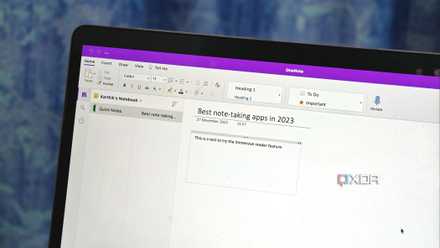
Microsoft doesn't announce new features for OneNote as frequently as it does for Teams. But last week, it added one on the roadmap page. According to Feature ID: 417005, Copilot Chat will be available on the web based OneNote from January of next year.
5 reasons I keep coming back to OneNote
Its wide coverage and efficiencies are second to none
Upcoming Microsoft 365 features may not arrive on time
All the Microsoft 365 functionalities the company announced last week should arrive by the end of January if we go by the release timelines mentioned on the roadmap page. That's what should happen, but in reality, we often see Microsoft delaying those capabilities. So, if you don't see any of the above-mentioned changes arrive in the specified months, chances are Microsoft has delayed them to a later time.