
Summary
- Microsoft has removed Copilot branding from Notepad; features remain AI-powered under "Writing tools."
- The Copilot icon has also disappeared from the Snipping Tool; rollback appears to begin with small steps in Insider builds.
- Microsoft has vowed to offer fewer Copilot entry points in Windows 11.
A few weeks ago, Microsoft confirmed plans to scale back Windows 11's Copilot integration as part of a broader effort to improve the operating system. Now, it looks like those removal efforts are beginning.
According to Windows Central, Microsoft has released an update for Notepad to Windows Insiders that removes Copilot's branding and icon from the notetaking app. In the update, the Copilot icon in the menu has been replaced with "writing tools" and a pen icon. However, it's important to note that AI still powers these features and that they're still nearly identical to what was previously in the menu under Copilot branding — but hey, at least the icon is gone, right? Additionally, all references to AI have been removed from Notepad's settings menu, and the option to turn off AI writing tools is now available under Advanced Features.
It looks like it may be more than just Notepad that's ditched Copilot, with Microsoft also removing the Copilot icon from Windows 11's Snipping tool, according to The Verge. I'm in the Windows Insider release preview Channel and haven't received the update yet to Notepad, the Snipping Tool, or Copilot, so it seems to be part of a different Insider Channel.
Microsoft seems to be starting small with Windows 11's AI rollback
The tech giant has been heavily criticized for adding Copilot to everything
When Microsoft first revealed its plan to improve Windows 11, the company said that instead of forcing its AI assistant into every facet of the operating system — especially in locations where it doesn't make sense — it will be "more intentional" about how it uses Copilot moving forward, including "reducing unnecessary Copilot entry points" in apps like Notepad, Snipping Tool, Photos, and Widgets.
Microsoft recently expanded on its plans to improve Windows 11's Insider program by moving to a more straightforward two-Channel system: Experimental and Beta. Since the initial reveal of Microsoft's plan to improve Windows 11, a lot of information has dropped, with Microsoft executives being surprisingly candid about upcoming changes. For example, earlier this month, Marcus Ash, the head of Windows Design and Research, reiterated that legacy features like Control Panel and Device Manager are still getting a design refresh, saying that Microsoft is "building out tooling to scale modernizing other dialogs across Windows 11 that were built in legacy frameworks."
Additionally, a brief tease of Windows 11's upcoming vertical taskbar was shared by a Microsoft developer, offering a glimpse at what the feature will look like, but it was very quickly deleted.
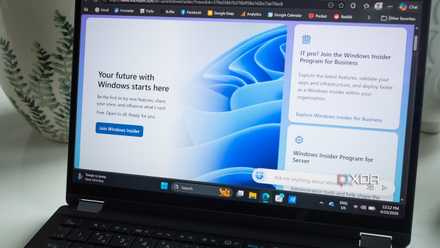
Microsoft wants to fix Windows Insider by making it "simpler and more transparent"
The tech giant wants to smooth out the rough edges of its early-access program.