
Building your first gaming PC can be an absolutely daunting task. Speaking from experience, even building a second PC or performing major upgrades to your first one can be really intimidating. Before you dive into the assembly process, you'll have to decide exactly what parts to buy for your build. As you progress in your research, you'll come across a seemingly endless web of compatibilities, hardware generations, and what seems like a dozen different versions of every possible component to select from.
Much of what you choose will come down to personal preference, aesthetic style, and, of course, your budget, but there are a few key mistakes you'll want to avoid when putting together your parts list.

Samsung's new Odyssey gaming monitors require a monster PC build
Samsung unveiled some ultra powerful gaming monitors at CES 2025
6 Choosing an underpowered PSU
Enough power for this build doesn't mean enough for the next one
When starting a new build, shopping for a power supply might not get the same attention as the more interesting major components of your PC, but choosing the right PSU now will save you headaches down the road.
If you're building a mid-range gaming PC with the likes of a 30-series Nvidia GPU or older and pairing it with a 6-core CPU like the Ryzen 5600X, then you can probably get away with a high-quality 650W PSU. A 750W would likely be more than enough even at peak power draw, but it leaves little room for error during future upgrades or builds.

6 features to look for when buying a new PSU
Here are the most important things to look out for when buying a new PSU for your PC
Let's say down the line you overhaul your PC, upgrading your 6-core 5600X to a 16-core 9950X. The CPU upgrade alone will draw almost 100W more power when under heavy load. Additionally, let's say you go from an RTX 3070 to an RTX 4090. Your GPU upgrade would demand a staggering 200W more in peak power draw.
If you think you might be upgrading your PC every 3 to 5 years, then invest in a higher-powered and reliable PSU from the jump. A quality PSU should last you 7 to 10 years, so buy one that can grow with your build.
5 Selecting too small a case
Leave yourself room to grow
Selecting a case that's too small is another really easy mistake to make. There are so many great PC cases out there of varying sizes, and it's always tempting to pick a compact case, just large enough for your current build, that isn't an eyesore in your office or gaming space.
You'll want to keep in mind that graphics cards seem to keep getting larger every year, and if you ever need additional PCIe slots, you might be making a switch to a larger motherboard. Be sure to pick a PC case that leaves some wiggle room for future growth.
4 Not buying enough RAM
Think ahead and get enough for the years to come
Without getting too far into the weeds, suffice it to say that running two sticks of RAM is often preferred to running four. Two sticks can put less strain on your board's memory controller, which improves stability.
Let's say you buy two sticks of 8 GB each, running 16 GB of RAM on your new gaming PC. If you realize in a matter of weeks or months that you need more RAM, you'll probably end up with four sticks of 8GB to achieve 32 GB. Hindsight is, of course, 20/20 as they say, but you would have been better off just buying two 16 GB RAM DIMMs.
So think about what applications you'll be using your gaming PC for and how many Chrome tabs you like having open at the same time, then buy the requisite amount of RAM to last you a few years.

4 reasons to choose DDR5 RAM for your next PC build
DDR5 is the only RAM you should buy
3 Buying a motherboard with the wrong socket type
This happens more often than you might think
Once you decide what CPU you're going with, you'll want to make sure you buy a motherboard with a compatible chipset. Both AMD and Intel CPUs have about half a dozen compatible chipsets per generation.
You'll want to do some research in selecting the best one for the type of build you're aiming for. Some chipsets only support PCIe 4.0, while higher-end ones support PCIe 5.0. You'll also want to consider whether you intend on overclocking your CPU, as not all chipsets support this.
2 Buying a CPU with too many cores
Are you building a gaming PC or a 3D rendering beast?👁 Image showing an AMD Ryzen 7 7800X3D CPU installed on a motherboard
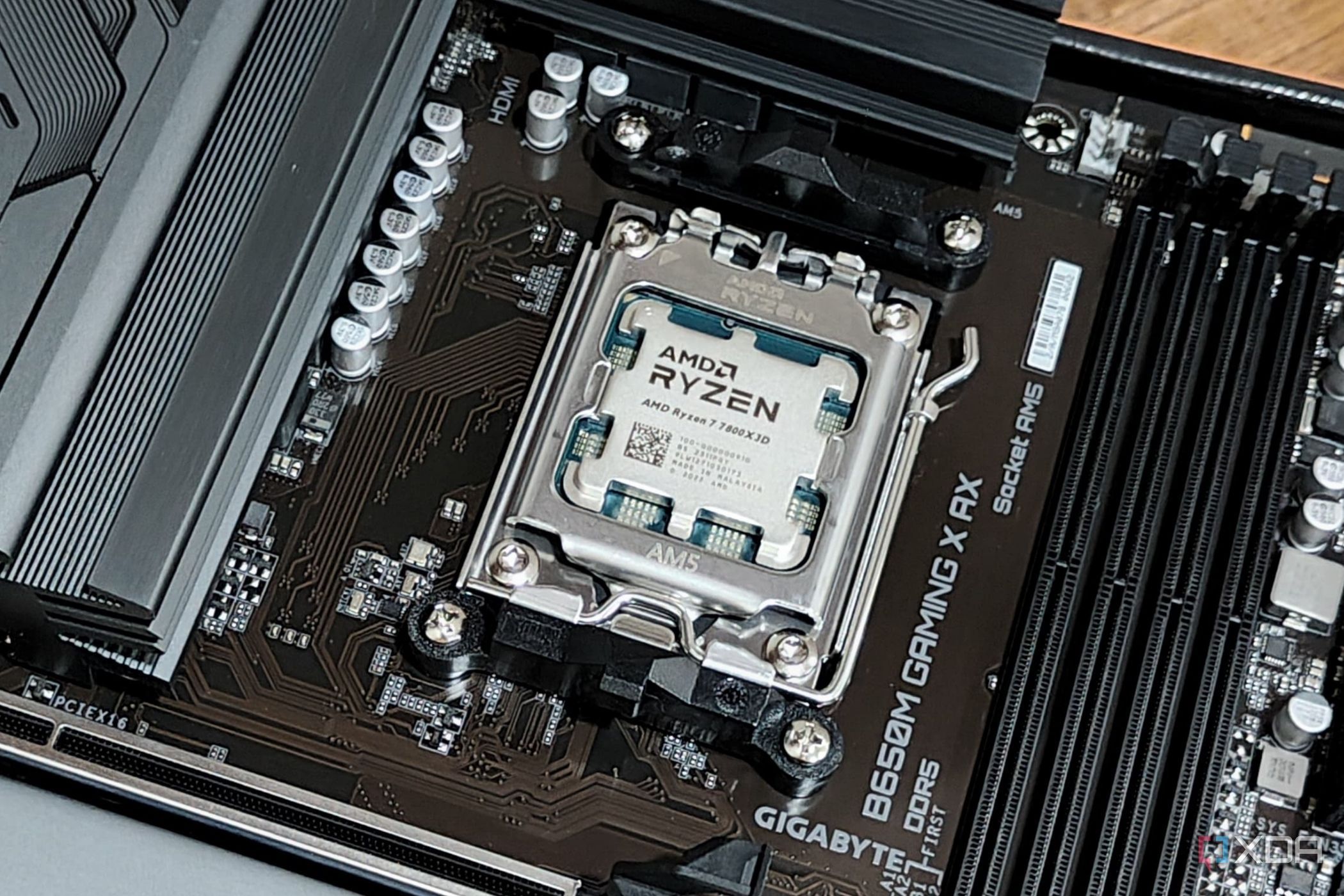
As more mainstream CPUs these days are sporting 12 and 16 cores, you should keep in mind whether the primary use of your PC build will be gaming. Most mainstream gaming titles use a maximum of 6 or 8 cores, so having more at your disposal would likely be overkill and a wasted splurge.
If, aside from gaming, you're doing some CPU-heavy lifting like video and photo editing or 3D rendering, then you might be utilizing more cores at one time, but even then, that's rare, and some of the higher-core CPUs actually perform worse for PC gaming than for high-powered productivity tasks.
A 6-core CPU like the Ryzen 5600X or a newer 8-core model like the Ryzen 9800X3D would be optimal choices if building a machine focused on PC gaming is your primary goal.

These 6 games will benefit most from the Ryzen 7 9800X3D
If you frequently play any of these titles, a 9800X3D should be on your wishlist
1 Blowing your budget on the GPU
Repeat after me: You don’t have to game in 4K
Whether it's the first component you buy or the last, your graphics card will likely be the crown jewel of your new PC build. There is a temptation to push yourself to buy the latest and greatest GPU that you can afford and, in turn, end up pushing your budget beyond its limits.
What you really need to be looking at is the resolution you're trying to game at and staying realistic. A decent CPU paired with a 20- or 30-series Nvidia GPU or an equivalent AMD GPU can support maxed-out graphics in most games when playing at 1080p, and a higher-end 30-series card or equivalent can support maximum or near-maximum video settings at 1440p. The most demanding titles, like Cyberpunk or Hogwarts Legacy, might require a few adjustments.
Don't get caught up on an overpowered GPU and shortchange the rest of your build. A well-rounded PC will go a lot farther than an imbalanced one.
A good PC build is always evolving and growing
A great gaming PC is always a work in progress, but that's part of the beauty of building your own PC. Unlike a console, which is pretty much set in stone from the moment you take it out of the box, a gaming PC can grow with you as the years go on. So, make component decisions that leave more doors open than they close.