
RetroArch is one of the most popular emulation platforms around due to its cross-compatibility, relative ease of setup, and the huge amount of community support. It even works with RetroAchievements for gamers that want to challenge themselves more than the original Contra will. You can even link up with other players online and experience multiplayer in your favorite classic titles.
RetroArch supports emulation across a huge array of different platforms, including rarer and more niche consoles like Game & Watch or the ColecoVision. Each platform is powered by a different core, and some of these cores are more accurate than others. If you just want a way to play your favorite games and you aren't worried about pixel-perfect accuracy, then there's no need to stress about it — but if you want to match the experience to the one you remember, read on. These are the most accurate cores for the major platforms.
7 For arcade emulation: Final Burn Neo
Playability over accuracy
Emulating old arcade machines is tricky business. There are a lot of different cores, and most aren't interchangeable. Final Burn Neo is one of the best all-around options. With one of the largest libraries, FBNeo can run games dating all the way back to the 70s, although it does excel in terms of fighting games. Another reason it comes highly recommended is that the emulator is efficient; even on weaker hardware, you can still play a lot of games. If you're interested in running MAME (Multiple Arcade Machine Emulator) and playing classics like Gauntlet, Final Burn Neo is an excellent choice.
Some games are not compatible with Final Burn Neo, in which case you might be tempted to use the standard MAME core. As a general rule, most RetroArch users turn to a standalone MAME option. The MAME core within RetroArch underperforms and can result in a less than pleasant experience. If you're running RetroArch on an older, lower-end device, the Final Burn Alpha version from 2012 is still largely compatible but has few hardware demands.
6 For Super Nintendo emulation: BSNES
A demanding but spot-on emulator
BSNES is one of the most popular Super Nintendo emulators on the market, but that accuracy comes with higher power demands. This isn't a core you'll want to run on weaker hardware. It aims to emulate the Super Nintendo as closely as possible, including the unique timing of the console. As a result, you'll need at least a 4Ghz processor to run BSNES. That's asking a lot for something that plays games that are at least 30 years old, but if you're going for accuracy, it can't be beat.
On the other hand, if you want to emulate the SNES and you don't mind a few tradeoffs, SNES9X is a great option that works well even with mid-range hardware. It isn't as close to the native experience as BSNES is, but it's much more broadly compatible. In most cases, SNES9X will provide an experience that's mostly indistinguishable from BSNES except when running particularly niche games or attempting something with no room for error, like speed running.

How I turned my Raspberry Pi into a retro-gaming beast using RetroArch
Name a better duo than old-school games and a small-sized Raspberry Pi.
5 For Sega Genesis emulation: Genesis Plus GX
Emulate the Sega Genesis and so much more
The Sega Genesis is a fantastic console with a library of hidden gems. Genesis Plux GX is the ideal emulator for RetroArch, especially because it isn't just limited to Sega Genesis games (although it excels at those). It can also run Sega CD, Sega Master System, Sega Game Gear, and Sega SG-1000 games with extreme accuracy and is ideal for folks that want to revisit old classics like Sonic the Hedgehog or Altered Beast on a quiet Friday night. The emulator is no longer maintained by its original creator, but the community provides plenty of ongoing updates.
One thing to be aware of is that Genesis Plux GX can be on the trickier side to set up. It supports advanced features like wide-screen compatibility, so there are a lot of different features and options to choose from. Some require you to fine-tune how the platform works. If you aren't familiar with RetroArch or the idea of trying to set up this program intimidates you, you can find documentation and help from the community.
4 For Sony PlayStation emulation: Duckstation
It's quacking fun
For a long time, PlayStation emulation had severely limited options, many of which didn't work particularly well. Duckstation changes all that with incredibly accurate emulation that mimics the console's original hardware, but it doesn't sacrifice performance to make that happen. You can run Duckstation on most modern machines, and it comes with modern quality of life features like upscaling, save states, rewinds, and more.
Like many other emulators, the fate of Duckstation lies in the hands of the community. Its original programmer is no longer involved, but the core continues to work well on modern hardware. It's a great way to revisit some of the lesser-known titles on the original PlayStation, especially since it had more than 4,000 titles overall.
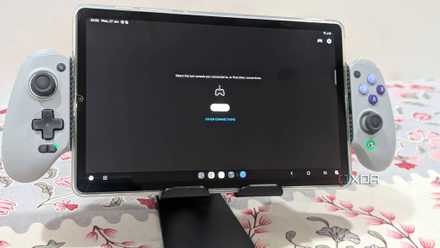
I made my own PlayStation Portal for half the price — and it's better
I built my own PlayStation Portal for under $180, combining creativity and passion to stream PS5 games in full HD from the comfort of my bed.
3 For Nintendo Gamecube emulation: Dolphin
Beware the litigious mammal
Dolphin is far and away the best Gamecube emulator (and it runs Wii games, too.) It's also one of the few options for Gamecube emulation, especially since Nintendo has made a point to hunt down and issue cease and desist letters to other emulators. That said, it will run the majority of titles nearly as well as the original hardware — and better, in some cases, since it allows players to tweak video settings. Of course, it also includes rewinding and upscaling to make older games look better on a modern display.
Be wary of Nintendo. The gaming giant is notorious for going after emulation and ROMs. You should only use ROMs for games you actually own and be careful where you obtain the ROMs from.
2 For Nintendo Game Boy Advance emulation: mGBA
Time for another playthrough of Golden Sun
The Game Boy Advance was the pinnacle of mobile gaming, featuring a huge library of games that still hold up today. Between titles like Mother 3, F-Zero: Maximum Velocity, and Advance Wars, this handheld had a little something for everyone. If you haven't played in years, it's worth revisiting, even if only to while away a few hours on a lazy afternoon. The mGBA core prioritizes accuracy over anything else, but it still runs well even on lower-end hardware.
Another perk is that the original developer of mGBA is still deeply involved. Regular updates constantly bring new features, improved performance, and much more. And the final cherry on top: RetroArch works on both Android and iOS, so you can play your favorite GBA games on the go. You aren't limited to playing only on your computer. Like Dolphin, be wary of where you obtain ROMs.
1 For Nintendo Entertainment System emulation: Mesen
Cycle-accurate perfection
Like the Super Nintendo, the Nintendo Entertainment System (NES) is best experienced on original hardware, but that's harder to find these days. Mesen is a fantastic secondary option that closely matches the base hardware — even the PPU, the NES' early graphics processor. Mesen is open-source with a large community backing, so it still receives regular updates and support. It also supports multiplayer gaming and HD graphics packs that make those classic titles look better than ever.
Mesen is widely compatible with most NES games, and it runs well on just about any machine. If you want to play Duck Hunt as close to pixel-perfect as possible, Mesen is a great choice.
You've just scratched the surface
The world of emulation is expansive, with hundreds of different options for RetroArch alone. Standalone emulators are sometimes a better choice if you want the most accurate experience possible, but RetroArch's ease of use and wide compatibility make it a great choice for someone just starting out. There is a definite learning curve to the platform, so give yourself time to become familiar with it. There are plenty of quick start guides if you just want to get it installed and running as fast as you can.