
So, regardless of which devices are in your smart home, and whether they're inherently smart or controlled by smart plugs and other gadgets, they all need reliable communication protocols to work. Whether they use Zigbee, Z-Wave, Matter, Thread, or plain Wi-Fi or Bluetooth, all of them need ways to announce their existence, and so that other devices can control them or take information from their sensors.
It's crucial for devices that aren't regularly accessed. Still, it's even more critical for those like smart speakers, cameras, or hubs, as these are more likely to be linked together and exhibit the effects of any miscommunications, such as crackling audio, audio dropouts, or glitching video feeds.
Hub issues are often fixed by using better hardware running Home Assistant. However, fixing multicast isn't as straightforward, especially if you've added your IoT devices to a separate network to keep your home network safer.

Multicast routing could be the biggest smart home issue you've never heard of
It quietly fails and can break communication before any logs are produced
IP multicast is a foundational technology of the smart home. Whether it's seamlessly routing audio between multiple smart speakers, or using voice assistants to control the multitude of IoT devices stuffed into light switches, sockets, and plugs, none of it would be anywhere near as easy without multicast in one form or another. HomeKit devices use mDNS/Bonjour (which you might recognize as the technology used by iTunes for installation), while most others use SSDP or Simple Service Discovery Protocol (part of the technologies that make up UPnP). Additionally, there are many proprietary discovery protocols, depending on the manufacturer.
These protocols have one primary function: to broadcast information across the home network and listen for replies from any client devices. Then, the discovery protocol sends out information about available services, based on who or what replies. It's a little like an electronic game of Marco Polo, except with a bit more additional information.

It works, and has for decades, but it was designed for wired networks, and as such, can cause airtime issues with wireless networks, making the network slower to use. When it stops working, you often don't get a warning other than devices not being able to talk to each other, things like smart speakers not grouping properly, mobile apps not being able to control their ecosystem, streaming or casting features like Chromecast or AirPlay not working, and devices only being able to talk to those attached to the same network access point.
And, of course, modern hardware firewalls often block multicast or only support multicast relay on specific paid subscription plans, making it a pain to use enterprise-grade hardware in your smart home. There are ways around this, though, and you can still maintain high security policies while utilizing multicast for ease of use.

Amazon Echo Dot vs. Apple HomePod Mini: The battle of the affordable smart speaker
Which format should you opt for? We compare Apple’s and Amazon’s smallest, cheapest smart speakers that also control your connected home.
What to check to fix multicast woes
Time to look in your router settings
So, if you've put your IoT devices on a VLAN, or even on their own router, you then have the problem of trying to control them from the home network. After all, if you've put the required firewall rules in place so the IoT devices can't talk to any other VLAN, how do you control them from the other side? One way to achieve this is to set up Home Assistant on a device connected to the main network and establish specific firewall rules that allow HA to communicate with the IoT VLAN.
For most things, that might be enough, but for network discovery, multicast audio or video streams, and a few other things, you'll run into issues. Some routers or firewalls support SSDP Relay, which passes through broadcast queries from one network or VLAN to other LANs. My Firewalla device has this feature, which makes it much easier to deal with smart speakers and Chromecasts while only sacrificing a small amount of security. Or you could run Avahi as an mDNS proxy to make the same connections.
|
Problem |
Symptom |
Fix |
|---|---|---|
|
Multicast disabled on router |
Devices can't find each other |
Enable multicast/IGMP snooping |
|
No IGMP querier |
Multicast not working across switches |
Enable/configure IGMP querier |
|
Wired/wireless bridging bug |
Wired and wireless devices can't connect |
Update firmware or use better router |
|
RPF check failure |
Some devices don't receive multicast |
Fix unicast routing table |
|
Inconsistent multicast protocol config |
Multicast works only on some segments |
Standardize protocol settings |
Additionally, not every router has multicast fully enabled, so AiMesh routers from Asus may not pass multicast traffic between nodes, and some other routers may not pass multicast traffic between wired and wireless segments. IGMP Snooping is a feature that you should enable on your firewall or router, if possible, because it reduces the amount of multicast traffic sent out on your network. However, some network configurations with multiple routers or switches may require an accompanying IGMP querier to function correctly, without blocking all multicast traffic.
At one point, Apple AirPort routers or those that could run custom firmware, such as DD-WRT or OpenWrt, were the best option for multicast support. That's not an option for most users now, but multicast has gotten more support on consumer routers, so it's less of an issue than it used to be. Unless, of course, you're a recovering networking engineer who refuses to let IoT devices touch the internet because they could turn into a botnet. In which case, a little more setup time is required.
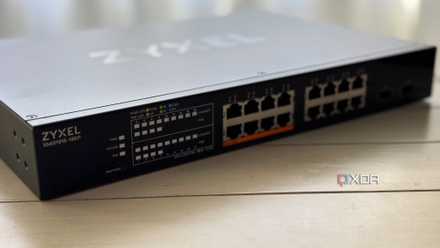
VLANs finally fixed my smart home headaches
I might have traded one headache for another, though...
Multicast is essential for the smart home, but it often has dumb issues
Smart home devices are a mix of ingenuity and annoying problems. Often, I've found the design decisions that make them easy to set up are the ones that cause the most problems over time, and multicast is one of those. When it works, it's almost magical how smoothly and easily your smart home operates. When it fails, it's an insidious issue that you may overlook, as there could be dozens of other reasons why your devices suddenly stop talking to each other. It's worth knowing about, because it's a quick thing to check if your smart home stops working, and could save you expensive replacement costs.