
I usually have Nvidia's FrameView or MSI Afterburner running on my PC. I invest a lot in my hardware, I put it to good use, and I like to see how that hardware performs across various games and applications. But with the most recent iteration of my powerful gaming PC, fit with an RTX 5090 and a Ryzen 7 9800X3D, I've turned these utilities off. I don't want to be reminded of the potential hazards I face when using such powerful -- and power-hungry -- PC hardware.
In my decades of building PCs, I've never once been concerned that my hardware poses some sort of safety risk. It didn't matter when my Core i9-10900K shot up over 90 degrees Celsius, or when my R9 290X demanded sole attention from my power supply. The worst that could happen is that my PC would shut itself down. With the PC hardware of today, however, the risks feel more present.
The RTX 5090 situation gets even worse as some boards are confirmed to be defective
Things aren't looking good.
The RTX 5090 situation needs to be addressed
We shouldn't still be talking about this
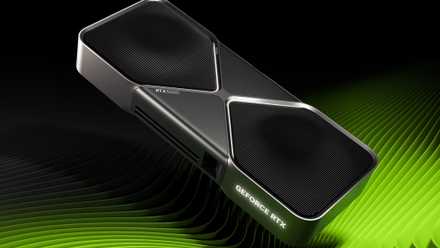
Let's back up a bit. My main concern surrounding my PC stems from the RTX 5090 and its insane power draw. Given the petite size and ingenious thermal design, it's easy to forget that this card almost fully maxes out the 12VHPWR connector it uses. The connector supports up to 600 watts, and the RTX 5090 can draw up to 575W. And when I'm playing a game like Avowed or Monster Hunter Wilds, I frequently see the card topping 500W.
So much power over such small cables has been a problem in the past. The RTX 4090 experienced widespread issues with the cable melting into the adapter, prompting PCI-SIG -- the organization that defined the 12VHPWR standard -- to update its connector to the new 12V-2x6 design. This design, which Nvidia RTX 50-series GPUs use, uses longer conductor pins and slightly shorter sensing pins to improve reliability. It's the same cable, and the same socket design, but the pins are a bit longer.
And yet, there are still reports of the RTX 5090's power connector burning up.
With the RTX 4090, the prevailing theory was that improper seating of the current pins is what led to connectors burning up. Nvidia blamed users, PCI-SIG blamed Nvidia, but regardless of if the cable wasn't connected properly or the terminals weren't long enough, the issue stemmed from thin wires handling too much amperage over too weak of a connection. The 12V-2x6 design, along with a concentrated push to get enthusiasts to double-check their connections, was supposed to solve the issue. Reports of burning RTX 5090s and further investigations have exposed some other issues, however.
Famed overclocker der8auer found that some cables could draw a far higher amperage than they're rated for. The current pins on the 12V-2x6 are rated to handle up to 9.5 amps. Der8auer found a single pin could draw upwards of 20A, and independent testing from JayzTwoCents and HardwareLuxx found that a single pin could surpass 10A. The issue is the uneven distribution of power regardless. If a significantly higher amperage is passing over one cable versus another, that cable will get hotter, and the risk of melting is higher.
This doesn't appear to be an issue that comes down solely to user error. Buildzoid (Actually Hardcore Overclocking on YouTube) released a video explaining the power design of the RTX 5090 and RTX 4090 versus older Nvidia designs. It's a fascinating watch, but the short of it is that Nvidia's newer designs have no way of load balancing the various power cables feeding the GPU. You could cut five of the six current pins, and the RTX 5090 could still draw 575W over a single cable. This is something der8auer demonstrated in his video, as well.
Naturally, a single cable in the 12V-2x6 design isn't capable of handling that kind of current, which is what can lead to a burned connector. Buildzoid explains that this is ultimately a power design issue, using the Asus RTX 5090 Astral and RTX 4090 Matrix designs as examples of a board partner attempting to load balance at the connector to prevent melting hazards.
Blame isn't really the concern here. We now have several years of research from various third parties looking into the connector on high-end Nvidia GPUs and coming away with the conclusion that something is wrong. Although I can appreciate that this is a complex issue to troubleshoot, reproduce, and ultimately solve, Nvidia is one of the wealthiest companies in the world, full stop. It has a responsibility to either solve the issue or to explore alternative power connectors, especially when it's asking $2,000 for a graphics card.
CPU scorching shouldn't be a problem
Once again, problems are cropping up
Let's switch gears and talk about the Ryzen 7 9800X3D. Just like the RTX 5090, it's the cream of the crop for gaming performance, largely due to its use of second-gen 3D V-Cache. Also, like the RTX 5090, there have been a handful of reports of the Ryzen 7 9800X3D scorching itself and the motherboard socket.
These aren't as problematic as the situation with the RTX 5090, thankfully. In the first report of a Ryzen 7 9800X3D burning up, the user admitted to forcing the CPU into the LGA socket, likely bending pins and causing a short. This was further confirmed in a follow-up by Gamers Nexus, where the YouTube channel purchased the damaged parts to test them. It came away with the conclusion that the burn was likely caused by improper installation.
However, in another user report, the Ryzen 7 9800X3D burned up in a completely different spot, and after a few weeks of running without issues. This follows up on a megathread of user-reported failures of the Ryzen 7 9800X3D, the vast majority of which have failed with an ASRock motherboard. This situation is still developing, so I don't want to lead anyone astray. But as a Ryzen 7 9800X3D owner, it's concerning.
There's also some history here. With the release of the Ryzen 7 7800X3D, there were widespread reports of the CPU burning up in the socket on some motherboards. The issue stemmed from improper voltage protections within the BIOS, allowing the chip to get so hot that it could actually melt the silicon inside. AMD addressed the issue quickly and promised replacements to affected users, but it's still a concerning failure to have.

4 things to know before investing in an AMD X3D CPU
AMD's Ryzen X3D CPUs are unparalleled for gaming, but you should remember a few things before buying one
It doesn't look like the same situation is happening with the Ryzen 7 9800X3D, at least based on the few reports that have come out. The fact that the cause is even a question is a problem, though. The failure in these cases largely mirrors what happened with the Ryzen 7 7800X3D, and you don't want to be the one who catches a catastrophic hardware failure with your expensive components before it's widely discussed online.
A matter of if, not when
You can't bet on the worst outcome
I'm being a little hypocritical here. I'm complaining about the potential failure points of my gaming PC all while still using the hardware that's apparently prone to fail. If I was actually concerned about my PC bursting into flames at a moment's notice, you could argue, I wouldn't be using this hardware. It's a fair counterpoint, and I don't want to leave this article suggesting that these components are destined to fail, or even that there's a high likelihood that they will fail. That isn't the case.
That doesn't discredit my concern with this hardware, though. I understand that the likelihood of my PC burning up is small, but it's still changed how I use my PC. Now, I turn it off when I go to sleep or leave the house in the unlikely case that something goes wrong. I crack it open and reseat the cables from time-to-time to sanity check that I did it right. And I try to run my components below their maximum potential to avoid insane levels of power draw. Maybe these are all good things ultimately, but I'd rather not be making these changes out of fear that my PC is going to miraculously burn up.
Although I don't think it'll ever happen, these hardware failures highlight how important it is for brands like Nvidia and AMD to effectively communicate what causes the failures and how to prevent them. It's not dissimilar from the situation with Intel's instability problems around 13th-gen and 14th-gen CPUs, where a lack of communication led to an endless stream of speculation and third-party testing that only served to make the situation more confusing.

After only one year of use, my Intel Core i9-14900K has deteriorated to the point that it's unusable
I'm shocked things have gotten so bad.
Multi-billion dollar corporations like AMD and Intel -- and multi-trillion in the case of Nvidia -- won't highlight a failure unless forced to. The problem has to become so pervasive that these companies have no other option but to publicly address it. That leaves the question of if the hardware is stable up in the air, and it doesn't inspire a lot of confidence, especially when hardware failures persist across an entirely new generation of products.
I'm not going to change the hardware in my PC simply because of the possibility that I could suffer a catastrophic hardware failure. The fact that there's even a possibility is a problem, though, and I sincerely hope the issues of the past few generations don't continue in generations to come. Hopefully a few years down the line, the idea of an unstable PC goes back to if it'll crash or not, not if it'll burn itself up.