
Managing all your media can be a pain, but it doesn't have to be. There are some excellent Docker containers available that make this work almost painless, including backing up all your mobile devices and opening up a streaming service for music, movies, and shows you own. I rely on a few containers and have used a bunch in the past. Here's what you should consider using for cataloging, streaming, backing up, and managing media at home.
5 Homepage
Easy access to everything
Installing a few Docker containers and running some services from home is great, but how does one remember all the port numbers? It's also not very user-friendly for less tech-savvy individuals, which is where Homepage comes into play. While this app doesn't technically manage media, it does make migrating between apps much easier when at a PC. Apps will be the primary method of people accessing media containers on the network, but Homepage can even integrate with these containers to display important data.
Ready to feel like a home lab pro? Give Homepage a try and you'll master self-hosting in no time.

4 reasons Homepage is the best dashboard you should host on your home lab
Homepage stands out from the rest of the apps in the dashboard frontier with its rich set of features
4 Plex
A great all-in-one streaming solution
There's a strong chance you've heard of Plex because it's one of the best media streaming platforms. It's easy to start with, includes free streams for more content, and allows you to catalog and store all your movies and shows. It's essentially your very own Netflix and Spotify streaming service, but instead of paying a monthly fee to access content, you use your own songs, shows, and movies bought from storefronts. So long as you own a copy, you can upload it to Plex and allow anyone with access to enjoy everything you have to offer.
This is great for homes with multiple big screens. We only recently stopped using Plex in favor of Jellyfin, and that's largely due to it being a little too bloated for my liking. We don't even pay for a TV license in the UK, which prevents us from enjoying any live entertainment. We solely rely on media we've purchased elsewhere and need to add to our catalog. Plex is great for newcomers to the self-hosted streaming world who still need a way to integrate other platforms, including Netflix and Amazon Prime Video.
- OS
- Windows, macOS, Linux
- Individual pricing
- Free, $6.99/month, $250/lifetime
3 Immich
Back up all your memories
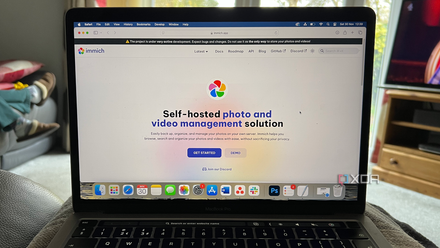
Immich is a powerful photo and video backup and management platform for ensuring all your valuable memories are always available. An official app is available for both Android and iOS, allowing anyone at home with an account and permissions to upload to the server to do so. Everything can be handled automatically by the apps, communicating with your Docker container even while away from home, should the network be configured to handle external connections.
It's better than Google Photos and iCloud largely because it's free with no storage limitations, outside of your drive capacities. Immich has some pretty powerful features under the hood, too, including AI support for facial recognition and tagging, and providing full control over your data since you own the hardware the app is running on. It's a must-have for anyone who enjoys taking photos and recording footage with their smartphone, and it will keep everyone at home happy with more local storage freed up.
5 reasons Immich is better than Google Photos and iCloud
Compelling reasons to retain your privacy and self-host your photos and videos with Immich
Immich
- Key highlights
- Self-hosted
- iOS compatible
- Yes
2 Ombi
Request new media
Unlike Netflix or Amazon Prime Video, where you cannot request new media to be added, Ombi can completely transform how your users interact with your media server. With this handle little container installed and running, anyone with access can request new media to be bought and added to Jellyfin, Plex Media Server, or any other cataloging and streaming platform. It's easy to use and keeps everything in one location so you don't have to make quick lists on various devices, depending on who's making the requests.
1 Jellyfin
The ultimate media streaming platform
Jellyfin is much like Plex, but without all the added bloat, and is completely free — an optional payment for hardware transcoding isn't necessary. Like Plex, Jellyfin will catalog all your movies, shows, and music, making them available to anyone on the internal network with access. External access can be configured through reverse proxies or a VPN for maximum security without compromising streaming performance. It's a powerful bit of kit and rivals that of Plex, and you can even expand functionality through community-made plugins.
Jellyfin
- iOS compatible
- Yes
- Android compatible
- Yes
Always back up your backups!
Never rely on a single Docker container for cataloging all your media, especially sensitive stuff like photos and home videos. We recommend following the 3-2-1 backup rule for good reason. It helps you avoid potential data loss through reliance on a single point of failure — whatever your Docker containers are running on. This could be a NAS or home server. If it fails, you're going to have a few headaches with no backups available to recover with. Invest in an external drive, pay for cold storage, and make multiple copies!