
I’ve been a part of the home lab community long enough to know that relying on a single rig for my experimentation and self-hosting needs is a bad idea. While hosting a NAS inside a virtualized setup can reduce my energy bills and make management easier, a dedicated storage server ensures I won’t lose the massive volumes of data I’ve collected over the years.
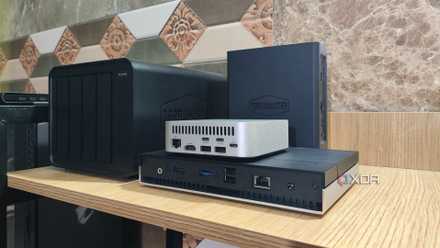
As such, I often run my TerraMaster F4-424 Max NAS alongside my dual Xeon Proxmox server. But aside from aiding my file-sharing and data archival workloads, owning a dedicated NAS also helps with my self-hosting tasks, as I can map network shares for the most storage-hungry containers and VMs in my arsenal.
5 irreplaceable services my NAS provides that I couldn't live without
I rely on my little box of storage for a lot of things
6 RomM
And some iSCSI shares for my PC games
As a hardcore emulation lover, I tend to rip ROM files from as many UMDs, CDs, DVDs, and cartridges as I can find. But over time, my library of ISOs and PKGs has massively expanded – to the point where it’s hard to keep track of all the ROM files in my possession. That’s where RomM comes in handy, as the app can automatically pull metadata for all my games once I link it with the right database APIs. Besides supporting practically every console in my ROM repertoire, it also has EmulatorJS built into the web UI, allowing me to play titles from ancient consoles without hunting for a dedicated emulator.
Since I store ROM files on my NAS, I can easily map storage volumes to RomM without transferring my game library to the VM running the container. While we’re on the subject of gaming, I’ve also installed some older, less-frequently played titles on my spare NAS HDDs and connected them to my PC over an iSCSI share. Despite the ridiculous premise, this setup actually works pretty well, especially for games that don’t have huge open-worlds increasing the loading times.
5 Immich
A self-hosted Google Photos alternative
For the average user, the 15GB storage capacity offered by the free Google Photos version is adequate for backing up most of your images. But if you end up capturing tons of photos and screenshots like I do, you’ll have to opt for premium subscriptions. And once your image and video collection surges past the 2TB mark, the pricing starts to get exceedingly expensive.
Thankfully, Immich serves as a self-hosted alternative for Google’s image management platform. UI-wise, it has a lot in common with its cloud-based rival, and I can leverage robust tagging, reverse geocoding, and facial recognition services for my photo collection. Plus, upgrading my Immich server is as simple as mounting another network share inside its config file.
4 Jellyfin and TubeArchivist
The holy combo for my media-streaming needs
Switching gears to services designed to stream TV shows, documentaries, and movies, Jellyfin is my favorite application for serving media files to my local devices. Unlike Plex, Jellyfin has a clean UI that’s free from movie suggestions or premium advertising. Since I’ve got some spare GPUs in my computing arsenal, I can pair them with the video transcoding provisions included in Jellyfin.
Meanwhile, TubeArchivist is a self-hosted YouTube downloader that saves my favorite videos, podcasts, and playlists from the platform to my NAS drives. Unlike other online-only downloaders, TubeArchivist is free of privacy-intrusive ads, and I can pair it with the official browser extension to add new YouTube videos to the download list directly from my local devices.
3 Calibre-Web, Kavita, and Audiobookshelf
To satisfy the bibliophile in my head
I’ve been devouring ebooks ever since I was a teenager, though arranging them in a proper library has always been a bit of a challenge. But during my early self-hosting days, I ran into Calibre-Web, and the application single-handedly helped me organize all the ebooks I’d collected over the years. From its robust search mechanism and OPDS feed support to the automatic ebook conversion facility and metadata-collecting plugins, Calibre-Web is my most recommended utility for bibliophiles.
On the comics and manga front, I favor Kavita’s UI and reading modes over Calibre-Web. Likewise, Audiobookshelf is my preferred tool for organizing my podcast and audiobook collection. The best part? Since Calibre-Web, Kavita, and Audiobookshelf support network shares, I can shove my ebooks, comics, and audiobooks into my NAS and pair the datasets containing my digital library with their respective apps.
2 Kopia
It backs up every PC in my home lab
During my early days of computing, I’d lost countless gigabytes of data because I couldn’t afford a backup server. So, you can well imagine my desperation to find the ideal backup utility after I finally got my first NAS. After going through numerous apps, I’ve eventually settled on Kopia.
While its UI isn’t what I’d call beginner-friendly, Kopia is great for creating incremental snapshots of my important directories. Since Kopia encrypts my data, I don’t have to worry about ransomware taking hold of my precious files, while its deduplication facility prevents my anxiety-riddled brain from creating duplicate copies of the same file. Throw its automatic snapshot provisions into the mix, and you’ll see why I consider my Kopia + NAS-powered repository the holy grail for backups.
1 Proxmox Backup Server
So I don’t lose my virtual guests to a faulty experiment
If you’ve been following my articles on XDA, you might already know that I run most of my virtual machines and containers via Proxmox. But considering the experimental nature of my server, I’ll need a proper backup solution to recover my virtual guests after a syntax error in a seemingly harmless config file ends up rendering everything unusable. In case you’re wondering, yes, that has happened more times than I’d like to admit.
While I can use Kopia to create snapshots of my LXCs and VMs, I use Proxmox Backup Server for this purpose. It pairs exceedingly well with my Proxmox environment, includes live restore support, and lets me monitor my backup jobs in case things go wrong.
Bolster your self-hosted arsenal with a NAS
Aside from these apps, I’ve got a few other services that I host directly on my storage server. While my Vaultwarden instance doesn’t occupy a lot of storage, I prefer running the password manager on my NAS instead of my experimental home lab. Likewise, my TriliumNext Notes-based idea boards and Nextcloud documents remain safely tucked away inside my NAS, and the same holds true for my Firefly III and Paperless-ngx containers.

10 apps I always run on my TrueNAS Scale server
Make TrueNAS Scale even better with these amazing utilities