
There is no shortage of misconceptions about building a home lab. From the assumption that you need a server room to the belief that it's incredibly expensive and requires extensive networking knowledge, numerous myths circulate within the tech community. Such misbeliefs can discourage enthusiasts, developers, and even students from building a home lab in the first place.
I will share the common myths I have encountered, not to point fingers, but to help everyone build better, more efficient home labs.

7 things to avoid in your home lab at any cost
Read this before you ruin your home lab
7 Home labs are incredibly expensive
The most common myth out there
The perception of home labs being an expensive affair is a significant barrier for many. People perceive it as a miniature version of corporate data centers that require high-end servers, complex networking equipment, and storage devices that carry a high price tag. However, that’s not entirely true.
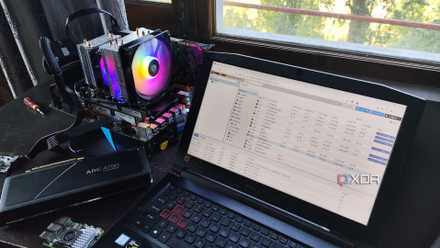
You can build a home lab on a budget. You can start with a single, repurposed desktop computer or a small, low-power device like a Raspberry Pi and gradually expand it as per your needs and budget.
The used market is a goldmine for home lab enthusiasts. Refurbished servers, network switches, and other hardware are often available at reduced prices. Careful planning, strategic purchasing, and the use of cost-effective solutions can reduce overall expenses.
6 You need enterprise-grade software and hardware
Start small and expand gradually
Many people associate home labs with the complex infrastructure found in corporate data centers. Beginners may feel that they need the best equipment and software to ensure their home lab functions correctly.
The reality is that you can complete most home lab tasks with consumer-grade hardware. If you are learning about virtualization, a desktop computer with sufficient RAM and storage may be all you need. For example, you can learn Docker on Raspberry Pi.
When it comes to software alternatives, you can use Linux-based operating systems, virtualization platforms like Proxmonx, and solutions like Docker and Kubernetes. For most users, enterprise-grade hardware and software are not absolutely necessary for a successful home lab.
5 You need a dedicated server room
You can get the job done with a small space as well
This is another classic misconception that often scares beginners from building a home lab. After all, not everyone has a dedicated room or space for placing all the equipment without any heat or airflow compromises. Modern hardware, especially consumer-grade and newer server equipment, is much more energy-efficient and generates less heat than older models.
Based on your requirements, your home lab can fit into a small spare room, garage, or even corner of your room. You can utilize virtualization, where a single machine can host multiple virtual machines and reduce the physical footprint.
Should you use Proxmox, Hyper-V, or ESXi in your home lab?
A three-way battle between popular virtualization platforms
4 Home labs are only for developers and professionals
For enthusiasts as well
Many home lab tutorials and resources focus on professional applications. It implies that they are only for developers and IT professionals. Home labs are excellent tools for learning about technology, regardless of your professional background. They deliver a controlled environment to experiment with new technologies and concepts. It’s one of the reasons to build a home lab.
Overall, a home lab is ideal for personal projects, hobbies, and career advancement, and even students of all ages can benefit greatly from it.
3 You need networking knowledge to start
Basic knowledge should be sufficient
This is another common myth that discourages beginners from setting up a home lab. Networking can seem daunting due to complex configurations. Beginners might worry about accidentally disrupting their home network. You can start with basic networking concepts, such as IP addresses, subnets, and routers.
You can complete many home lab projects with simple network configurations. I recommend starting with a basic network setup and gradually adding complexity as your knowledge and needs increase.
2 Everything must be virtualized
Opt for a hybrid environment
While virtualization is a powerful tool, it's not a one-size-fits-all solution. Virtualization allows you to run multiple operating systems and applications on a single physical server. Virtual machines (VMs) offer flexibility in creating, managing, and restoring systems.
However, you shouldn’t go overboard with it. Virtualization requires sufficient resources, and for some intensive tasks, you need direct hardware access to get the job done. Also, managing a large number of VMs can become complex. You need to consider your specific needs, hardware resources, and performance requirements before virtualizing everything.
1 It’s not worth the effort
Pays off dividends in longer-term
Creating a home lab isn’t a child’s play. You need to allocate some budget and time and be prepared for regular maintenance. Even with all the caveats, a home lab is still beneficial in many areas. It provides a unique hands-on learning experience that cannot be replicated by other learning methods.
You gain practical skills and knowledge by actively configuring, troubleshooting, and experimenting with real systems. Skills in networking, system administration, cybersecurity, and other areas are highly valued in the IT industry.
Home lab reality check
Building a home lab from scratch doesn’t rocket science. With the information above, I hope to have cleared the path for a more informed and successful home lab building experience. Also, remember that your home lab is yours, don’t let anyone tell you it has to be a certain way. As I mentioned above, building a home lab is an ongoing process, and you may encounter issues here and there. Here are the common home lab problems and the tricks to resolve them.