
When was the last time you thought about your router? I mean, for most people, it's a thing that gets set up once, then left unless the Wi-Fi has issues. I think about mine all the time, but I'm a serial upgrader and love to be on the bleeding edge of connectivity, even if that means dealing with occasional bugs.
But if you're in the other camp, how long have you actually owned your router or other networking gear? It was never meant to run forever, even if it still seems to be working, and you could be missing out on advanced network features or opening yourself to attack, since automated tools easily hack older devices.
Just earlier this year, the FBI issued a flash bulletin warning about outdated routers being used in a botnet, and you could be on that list if your router is over a decade old. So, with that in mind, here are five groups of devices that really should be retired in 2025, so you can be better protected in 2026.
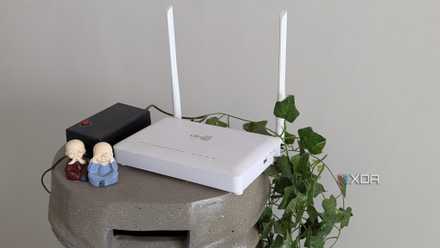
6 cheap networking upgrades I should have skipped and bought a new router instead
Not every problem can be solved by cheap fixes
Anything that's not getting firmware updates
No updates means no security fixes, which spells trouble
It really shouldn't need repeating, but any device that isn't getting regular firmware updates to fix security issues is your security issue. Whether it's a managed switch, access point, or Wi-Fi router, if the manufacturer isn't providing updates, it needs replacing; otherwise, you and your home network are at risk.
On some devices, you could add custom firmware, which is often community-maintained with the security fixes the manufacturer no longer wants to spend time on. Or you could build a custom router with OPNsense or another OS, and get ongoing security updates and a whole lot more.
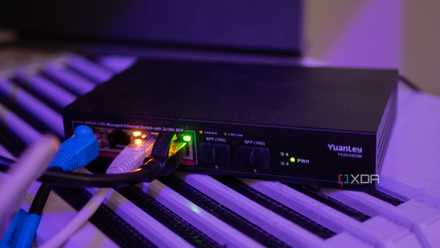
I reverse engineered my cheap managed switch's firmware
People asked why I trust this Switch, so here's part of my process of reverse engineering it.
Devices without Gigabit (or faster) ports
They're just dragging the rest of your network down
I have a single device on my home network that I can't completely remove, connects at a tenth of the speed of my next-slowest devices, and is stopping me from switching my network over to multi-gig. The offending device is the Philips Hue Hub, which controls my smart lights and has a 10/100 Mbps network port.
Now, one client device won't necessarily slow down your network (though it's more common with Wi-Fi). But the real problem is that the only networking equipment that I can plug that device into is 1GbE network ports. None of the multi-gig ports (2.5/5/10) on the more advanced networking equipment I have will negotiate a connection at 10/100 Mbps, and really, none of us should have to. Even 1GbE is becoming outdated, and it's time the industry moved on.

My home network is still mostly gigabit, and that's okay
I'll rarely want to use more than that
Wi-Fi routers that can't use WPA2/3
Old encryption methods have all been cracked
You know how long it takes for my smartphone to decode a WEP encryption key? Me neither, but I know it can, and WEP has been easily hackable for 15 years at this point. WPA is also easily vulnerable, and so is WPA2 if it's using TKIP. I'm sure AES encryption will be the next to fall, and that makes moving to WPA3-compatible Wi-Fi routers a priority.
I mean, think about it. Your wireless network can be breached from the street over from your home, if not further, and you'd likely never know if the attacker wasn't clumsy while sniffing through your devices. And that's just the tip of the iceberg in terms of the potential issues you'd face because of using an old, insecure wireless encryption algorithm. If you won't upgrade for speed (and really you don't need to), do it for the security and peace of mind it brings.
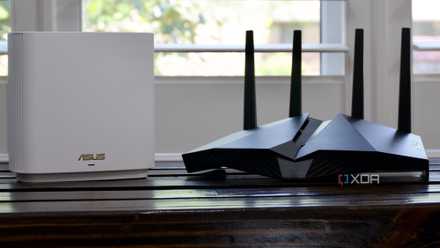
How to configure your router to use WPA2
Many routers let you choose what encryption they use, so why not go for one of the best options available?
Wireless devices that are older than Wi-Fi 6 or 6E
Wi-Fi 5 devices were mainstream in 2013; it's time to retire them
Wi-Fi 5 and earlier need upgrading from for reasons other than security. For a start, Wi-Fi 5 or AC as it was otherwise known, only works in the 5GHz band, with the older, slower Wi-Fi 4 or N providing the 2.4GHz longer range connectivity. Neither of these was fast, with Wi-Fi 4 having an effective maximum speed of 100 Mbps and Wi-Fi 5 around 500 Mbps.
And back then, there was only basic beamforming, MIMO, and band steering was a few years off. The upshot is that older Wi-Fi routers have long past their effective duty cycle, and they should also be left in 2025. Okay, they should have been left in 2019, but that clearly didn't happen.

Stop arguing about Wi-Fi 6 and Wi-Fi 7 - These are the only settings that really matter
Consistent wireless connectivity shouldn't be an afterthought
Anything where the company has exited the market
We're looking at you, Apple

It's one thing if you continue using old networking hardware while the company is still making new versions, but what about when the company has exited that market segment? That's foolish, not only because of lack of firmware updates but also outdated protocols, encryption options, connectivity, and aged silicon.
Whether that's an Apple AirPort, Google Wi-Fi, or OnHub, or your pick of ex-enterprise hardware from that same era, it has almost no place running on the modern internet. There are too many automated scanners that will hack your device minutes after it joins the 'net for anyone to risk allowing it to touch a network. They're not even good for security research or wargames, as the old hardware is too easily hacked.

5 reasons it's time for Apple to make its own router again
The AirPort ended in 2018, but it's ripe for a comeback.
Make your home network a safer and faster place in 2026
It's time to leave old networking equipment where it belongs, at the electronics recycler and not plugged into your network. Besides being slow and no longer supported by their manufacturers, they're often impacted by security flaws, and most manufacturers won't spend the time to fix them. It's time for an upgrade, so your home network is protected by something that uses modern security features and communications protocols that are better suited for our fast paced digital lives.