
For years, I've used the same Razer mecha-membrane Ornata full-size keyboard. It's got a crisp linear tactile feel, enough of a click to satisfy my need for gamer ambiance. I do swap between keyboard and mouse and controller depending on the game, and the Ornata Chroma has never let me down. It's clicky, it's fun, and the RGB syncs nicely with my Razer Naga MMO mouse.
So when I got the opportunity to try the Naya Create modular split keyboard, I figured I'd hate it. Interesting as the Naya Create is, I've never been the type to want a split keyboard setup, and Naya has turned the Create into a fully customizable keyboard that can feature multiple keyboard layouts. It's the kind of keyboard that's a programmer's dream, and one that always sounded like too much work. But I'm a week into using the Naya Create, and I don't think I'm going back to my old keyboard.

I designed and 3D printed sculpted wrist rests for comfortable typing
The whole process is surprisingly easy.
Not just modular, it's also ergonomic
My wrists have never been happier.
One of the main benefits of a split keyboard is the better ergonomics of the split-hand typing experience compared to a traditional keyboard. But the Naya Create isn't just a split keyboard; it's designed to bend so you can set it at the most comfortable angle for your hands and wrists to relieve tension on the wrist joints.
As someone who spends most of their daily life at a keyboard, my wrists are pretty accustomed to the traditional keyboard experience. Thus, switching to a modular, split keyboard with custom angles for each hand was a bit of a learning curve. I spent at least a day getting used to the setup and accepting that there would be a decent bit of distance between my two hands compared to my usual computing setup. But after that one day of re-learning how to type, I noticed an immediate difference in how tired my wrists felt after a day of typing.
Don't let your grumpy gamer aesthetic get in the way of comfort. Your wrists will absolutely thank you.
In fact, the only downside to the typing experience on the Naya Create is the limited keytravel of each key. Since it is a protable, modular design, the keys don't have the most satisfying typing experience, though it's certainly nothing to complain about.
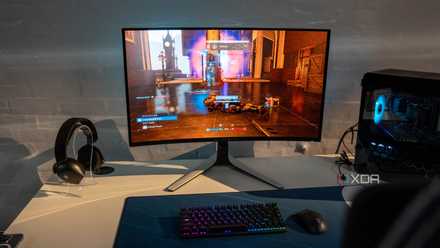
If I had to start over, I'd only buy these 5 peripherals for my gaming PC
I have my peripherals wishlist ready for a new PC setup
There is a hefty software component
Naya Create comes with software to customize your keyboard layouts
You can set up multiple different keyboard layouts, adjust your shortcut keys, tune your dials, and hot-swap between the mouse, dial, and touchpad options. There is also apparently a joy-stick style module coming for the Naya Create in the near future, though I didn't get to play around with that option.
But despite all the modularity options I did have access to, it was the Naya Low software component of the Naya keyboard that took me the longest to get comfortable with. The software is drag and drop, but there are some quirks to get used to with switching between the layouts and customizing your keyboard shortcuts.
I started out my week-long split keyboard journey using just the standard QWERTY keyboard options, without getting too deep in the customization weeds. Though now that I am more comfortable with the split keyboard design, and I've gotten more familiar with the software, I can't help but find new ways to create custom keyboard layouts to make my photo and video editing easier. I've also considered making a layout that will let me type with one hand only, just for the sheer challenge.
If nothing else, this keyboard experiment has ignited my brain's desire for full chaos.

Best low-profile mechanical keyboards in 2025
The best low-profile keyboards offer enhanced typing comfort without sacrificing the best aspects of mechanical keyboards
I may never fully go back
I still prefer the gamer keyboard aesthetic, but my hands are too comfy.
Hand and wrist comfort level when sitting at a desk for hours on end is nothing to downplay. While I can easily go for a long game session with keyboard and mouse, with games I tend to play for more than 3-hour stretches at a time, I tend to prefer a gamepad because it's more comfortable. With a modular, split keyboard with an ergonomic tilt, I don't have to do that. I can easily game for longer with a keyboard and mouse setup, without just mapping all of my game buttons to the mouse.
Unfortunately, the modular split keyboard I used for this week-long experiment was a review unit. So I do have to ship it back. Which means I'll be returning to my Ornata Chroma gaming keyboard eventually, but this has proven that I might just need to invest in a new keyboard, particularly for my work setup, compared to my gaming rig.
I do have two desktops these days, so having two full keyboards isn't out of the realm of possibility. I'll just have to do a bit of research to find the right split keyboard that has the balance of clicky sounds, comfortable key travel, RGB lights, and ergonomic angles to get the most comfortable gaming setup possible.