
Depending on how you use it, NotebookLM can either make your life legitimately easier or turn your research into a messy dumping ground that you never want to open again. I’ve fallen into the latter category a couple of times because I didn’t really pay attention to how I was using the app. Even though it’s an AI tool that’s meant to do much of the heavy lifting for you, you still need to put in a lot of the effort yourself.
You have to gather your own sources, create the relevant notebooks, and craft prompts that actually give you results. So as much as I wish we could just upload some pages, sit back, and let NotebookLM handle everything, I’ve learned the hard way that doing so will end up making the learning process even harder than it would have been without NotebookLM. These are the habits that will land you in the same mess…
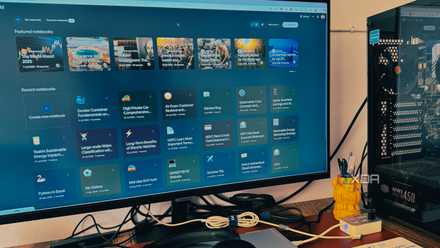
I made these NotebookLM mistakes so that you don’t have to
Saving you from NotebookLM headaches
Maxing out your source limit
You probably have too much going on
Despite the 50-source limit, I actually think this is a decent number, especially given that each source has a cap of 500,000 words - that’s plenty! However, stuffing a notebook with everything you’ve ever collected on a specific topic is a great way to break NotebookLM’s usefulness. The AI can start giving you more vague summaries, and not to mention, it can become overwhelming to navigate 50 citations.
Many assume that more sources equal smarter output. But that’s not necessarily the case. Once you hit that heavy zone, NotebookLM doesn’t really know what exactly you consider a priority (unless you explicitly tell it), and reading essays of responses is bound to make you miss some things. What you can do is be more selective with sources and deselect the least relevant ones. But I recommend just keeping your notebooks light to begin with; this will really help you hone in on a specific topic, and it will also help NotebookLM lock onto your direction faster.
I will say, using NotebookLM purely for retrieval does warrant a large source count. For example, I sometimes forget details of my own novel, so feeding NotebookLM every draft and note I have increases the likelihood of finding specific details, like a character’s birthday.
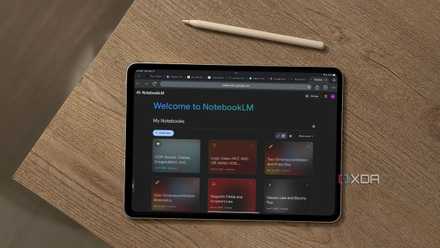
NotebookLM threw out all my user manuals
Consolidated tech support for all my gadgets from the source
Leaving outdated sources in your notebook
It’s just heavyweight
One of the easiest ways to make NotebookLM feel sluggish and chaotic is letting old and outdated sources sit in the notebooks you’re still using. In this case, outdated can mean the information is literally outdated, and you need to find a better source. However, I’m more so talking about sources that aren’t useful to you anymore. For example, when I first created my UX design notebook, I added a bunch of Figma basics tutorials. I don’t need those anymore since I’m doing a little more advanced editing now. If I were to leave them in, though, NotebookLM still would have referenced them when I’m trying to learn advanced design methods.
Leaving outdated and irrelevant sources will slow you down because you’ll have to sift through information you either already know well or don’t need to learn anymore. I recommend doing a notebook declutter every now and then to ensure you get rid of the old; it's definitely a habit I should have started sooner, too.
Please stop using NotebookLM as a note-taking app
Stop treating NotebookLM like a...notebook.
Uploading sources you haven’t even looked at yet
NotebookLM can’t learn for you
The thing I love about NotebookLM is that, despite being a generative AI, it only pulls from what you feed it. So there’s no cheating the system as could be the case with something like ChatGPT. You need to be on top of your workflow at all times to actually get use out of NotebookLM, and it starts with the sources you collect.
I’m not saying to spend hours reading every word and memorizing the whole thing, but having a good grasp of the content you’re feeding it will make the responses make more sense. I always skim through every weblink, doc, and video I add before prompting NotebookLM, and it makes a huge difference compared to not doing it.
Asking NotebookLM to do everything in one prompt
It’s basically infodumping
Another way to get muddy responses is trying to get NotebookLM to do everything in one go. It’s such an easy trap to fall into because we think of the outcome we want, but not the steps to get there. So you really have to edit your prompts and narrow them down. I always approach NotebookLM with a bottom-up mindset, and my prompts are short and specific.
For example, when I learned how to self-host Penpot using NotebookLM, I started by asking it to define what self-hosting means. Then I asked for just the first five steps, and it instructed me to open PowerShell, create a Penpot folder, and paste the yaml file in it. Without those tiny breakdowns I would have been lost.
NotebookLM works better when you do
NotebookLM works insanely well - when you meet it halfway. It’s not a magic solution and it won’t fix anything for you or study for you. As long as you stay on top of your prompts and sources, NotebookLM becomes way easier to steer and you’ll actually get the clarity and structure you came here for.