

NotebookLM helped me fix my PowerPoint presentations, and taught me how to do them better
I used NotebookLM to draft my presentations, and it ended up coaching me into a better storyteller
As someone who has been closely following the AI race since the very beginning, one thing I wholeheartedly believe is that Google's winning it. Sure, there was a time when Gemini was clearly behind, and OpenAI's ChatGPT was the model everyone swore by. That gap doesn't really exist anymore.
However, I had this realization far before the launch of Gemini 3.0. I realized Google was ahead when it announced Project Tailwind at Google I/O 2023, the tool we now all know as NotebookLM. It's been over two years since that, and NotebookLM has grown massively. Google recently added Gemini integration to NotebookLM, and that single upgrade has completely transformed how I use both the tools.
What is NotebookLM’s Gemini integration?
It's changed how Gemini works
In December 2025, users began spotting that Google was adding a NotebookLM integration for Gemini. Essentially, the integration is a new "Attachment" type inside the standard Gemini interface.
When you tap the plus (+) icon while in a Gemini thread, you'll find a NotebookLM option, which appears alongside existing options like Upload files, Add from Drive, Photos, and Import code.
This functionality allows you to instantly pull an entire NotebookLM notebook into a Gemini thread and begin asking questions about it without having to re-upload anything or manually rebuild your sources.
This update has singlehandedly changed the way Gemini works. Instead of simply uploading a file (or multiple files) to a Gemini chat, this update lets you attach entire grounded knowledge bases — NotebookLM notebooks.
NotebookLM notebooks essentially become another source Gemini can cite from
Entire knowledge bases within a Gemini thread
Now, if you're wondering, "Can't I already chat with my sources in NotebookLM?" — yes, you can. But there's a key difference in how you can interact with them now. NotebookLM's biggest strength is that each notebook is effectively grounded in the sources you upload, allowing you to ask highly specific, context-aware questions and get answers directly tied to your materials.
While this is a huge advantage and the reason I rely on NotebookLM so extensively, it also means the tool is effectively limited when you're actively researching. The moment you need to find information from elsewhere or combine insights across multiple notebooks, NotebookLM on its own starts to feel short. To work around this, I’d normally pair it with agentic browsers or other productivity tools.
With the Gemini integration, you can simply drop NotebookLM notebooks into a thread and query them to get insights from other sources, giving Gemini a single, unified context to work with. The integration solves the two biggest weaknesses (and leverages the strengths) of each tool: Gemini, which is creative and excellent at finding information but can hallucinate, and NotebookLM, which is grounded but can be rigid depending on your needs.
For example, NotebookLM is practically the only tool I rely on for studying now. Its grounded nature really shines when you're cramming for an exam and ChatGPT keeps giving you information that isn’t even part of your curriculum. However, there are times when the content I’ve uploaded to my notebook is missing certain points. And since NotebookLM can only reference the material within that notebook, my only option used to be to switch tools, search for the missing information elsewhere, and manually reconcile it with my notes.
If I want to use another AI tool to gather the information, I have to explain the context, upload relevant files, or summarize what I’ve already collected — essentially starting from scratch each time. With Gemini integration, that friction disappears. I can drop my NotebookLM notebook directly into a Gemini thread, and it immediately understands the context. From there, I can ask questions that combine my existing notes with new information from Gemini’s broader knowledge and the web.
I can combine multiple notebooks without any manual effort
No more annoying back-and-forth
Something I've talked about countless times before is that NotebookLM has no real organizational system. While the Gemini integration doesn't bring folders or tags to NotebookLM, one thing it does is let you link together multiple notebooks. Instead of needing to manually open each notebook to find information, you can drop multiple NotebookLM notebooks into a single Gemini thread and then query them together.
To somewhat overcome this limitation, before Google added NotebookLM integration to Gemini, I used to create dedicated “everything” notebooks. These were essentially notebooks where I’d drop bits and pieces from my other notebooks so I could have a single place to query when I needed broader context. But setting these notebooks up took ages, and I’d need to worry about constantly updating them. Besides, NotebookLM's source limit made maintaining these notebooks a lot harder.
With the Gemini integration, though, I no longer need to create these notebooks and maintain them. For example, I typically have one “mega” notebook for each course I’m taking every semester, and I create separate topic-wise notebooks for specific chapters within subjects. This is because having just one notebook for each course simply doesn’t work, as I’ve noticed that NotebookLM gets a bit confused when too many different sources (focusing on different concepts) are combined.
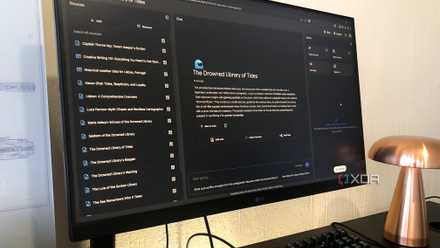
I found this new NotebookLM feature so good, I might stop using all my other productivity apps
Might be time to make NotebookLM my only productivity tool.
With the ability to now add all the topic-wise notebooks to Gemini and query them together, I no longer need to create a mega notebook. Gemini becomes the bridge, letting me access and synthesize information across all these notebooks at once. It’s truly the best way to find connections and build an active system, instead of letting older notebooks pile up and become stagnant.
I no longer have to pair Gemini and NotebookLM manually
With how powerful Gemini 3 is, it's become my favorite AI chatbot. And since NotebookLM has been my most used AI tool since it launched, I've likely spent hours pairing the two manually. Now, all that friction is long gone.