
The NZXT Lit was the company's first pointer and it was a budget-friendly mouse with subtle RGB lighting, a clean design, and full support for the NZXT CAM software. Fast forward a year and we're here yet again with an NZXT mouse, but this time it's the NZXT Lift 2. The company returned to the drawing board, made a few notable changes to the specs sheet, and bumped the price accordingly, resulting in quite the value proposition for gamers on a budget.
With the Lift 2, NZXT added a more powerful PMW3395 sensor from PixArt, added Nvidia Reflex support, swapped out the mechanical switches for optical counterparts, and made the whole thing a touch lighter to wield. This isn't designed to go up against the flagship gaming pointers from Razer. It won't win awards for being the outright best mouse in terms of performance, but what the NZXT Lift 2 does offer is great value.
About this review: NZXT provided XDA with a NZXT Lift 2 sample for this review, but had no input on its contents.
NZXT Lift 2 Symm
The NZXT Lift 2 is a solid mouse for playing games and doing some work. It has an excellent choice of sensitivity settings, as well as support for Nvidia Reflex for reduced input lag. For $50, this is a solid mouse for your gaming rig.
- Attractive design
- Excellent sensor
- Good value
- CAM software support
- No RGB lighting could be a deal-breaker
- No wireless option
- Tough competition
Price, specs, and availability
The NZXT Lift 2 is the second-generation mouse from the reputable PC brand. Replacing the original Lift, it's a budget-friendly gaming pointer with a decent sensor, good ergonomics, and optical switches. While not as advanced as some other gaming mice out there, costing less than $50 keeps it within the budgets of a wider audience. Like its AMD N7 range of motherboards, NZXT is attempting to offer the best bang for your buck.
Compared to its predecessor, the NZXT Lift 2 weighs 7g less yet manages to measure about the same in dimensions. The DPI has been bumped from 16,000 to 26,000, meaning the Lift 2 can be configured to be much more sensitive to movement, allowing you to move the cursor a far larger distance with the same physical movement of the mouse itself. The switches have been swapped from mechanical to optical with a vastly longer lifespan, and the PMW3395 sensor upgrade brings with it support for a polling rate of up to 8,000 Hz.
|
NZXT Lift 2 |
NZXT Lift |
|
|---|---|---|
|
Weight |
60 g |
67 g |
|
DPI |
~26,000 |
~16,000 |
|
Switches |
Optical (100 million clicks) |
Mechanical (20 million clicks) |
|
Sensor |
PMW3395 |
PMW3389 |
|
Polling Rate |
~8,000 Hz |
~1,000 Hz |
|
Nvidia Reflex |
Yes |
No |
As well as the improved specifications, NZXT added support for Nvidia Reflex to the Lift 2, which is ideal if you use an Nvidia GPU and a compatible G-Sync display. Nvidia Reflex helps measure and even reduce input lag, making your PC respond faster to inputs.
Design and features
Same great minimalist look
👁 Front of the NZXT Lift 2
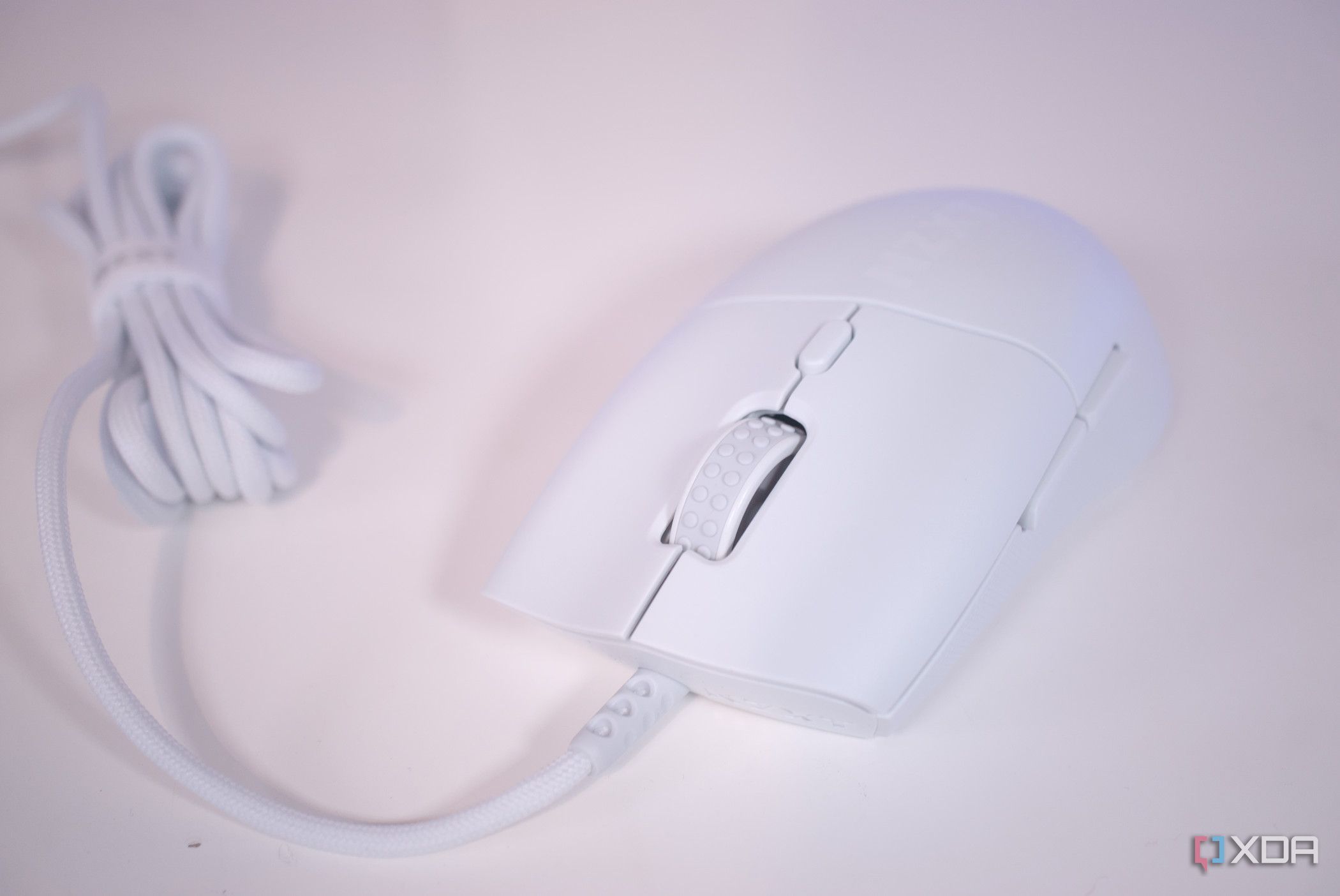
The NZXT Lift 2 looks very similar to the Lift, which isn't a negative in the slightest. The original mouse was a good-looking pointer and it seems NZXT hasn't changed too much on the outside. Although the cable is permanently attached to the mouse, at least it's a lightweight, low-drag braided cable and you don't even notice it's there, matching what the marketing would have you believe. The mechanical switches have been swapped out for optical replacements with a lifespan of 100 million clicks. So you'll be good even if you play OSRS.
The NZXT Lift 2 looks very similar to the Lift, which isn't a negative in the slightest.
Available in two shapes, the Lift 2 can be used with a variety of grip styles. The Symm is better suited to claw and fingertip and the Ergo is the mouse for palm grip lovers. NZXT even added support for Nvidia Reflex, which can help measure and reduce input lag or system latency when used in conjunction with a supported graphics card and monitor. On the outside, the Lift 2 has a minimalist all-white design with textured sides. It's a single mold of plastic with two main buttons, two side buttons, a middle button, and a scroll wheel.
It's lightweight, looks great, and should perform well with the included PixArt sensor. Underneath the Lift 2 are three PTFE feet. NZXT CAM allows you to configure the DPI between 50 and 26,000 in 50-step increments, though the middle DPI button can switch between five settings. The software can also switch the polling rate between 125 Hz and 8,000 Hz, set lift-off distance at 1 mm or 2 mm, remap all the available physical buttons, program macros, and create profiles.
NZXT CAM is available on macOS or Windows, so Linux users will need to rely on community-provided software or stick to what's available on the mouse.
Performance
An excellent sensor and ergonomics
Using the NZXT Lift 2 for navigating websites, using software, and general computing was a joy, thanks to its lightweight design and ergonomics. It's comfortable to use for longer periods, which also bodes well for lengthy gaming sessions. All grip styles are compatible with the mouse, though I much prefer the palm grip to help reduce wrist fatigue and strain. All buttons are within reach without requiring much movement from the thumb or fingers. The scroll wheel feels good to use. Nothing feels cheap with the Lift 2.
Where the weight saving is noticeable is by turning the Lift 2 on its head. There's a lack of paneling beneath the mouse. If you're first unboxing the mouse and haven't seen a picture of the underbelly prior, you may be forgiven for looking inside the packaging to see if they fell off mid-transit. It's neat to peek inside, however, and it's clear just how little makes up the Lift 2. There's plenty of space inside the mouse with only a portion dedicated to the single PCB and connections to the various switches.
It's accurate, glides across the mouse surface, and has no problems picking up quick-reflex movement.
Gaming is also great with the NZXT Lift 2. There is an 8,000 Hz polling rate, though it's not designed for competitive play, nor will it work well with MOBAs or MMOs where multiple buttons need to be mapped to the mouse, but for general usage in strategy titles, RPGs, and FPS titles, you'll have a great time. It's accurate, glides across the mouse surface, and has no problems picking up quick-reflex movement. The various settings for the DPI are welcome, especially compared to the original Lift and allows you to fine-tune the pointer for different scenarios.
Competition
The mouse is one of the more competitive markets for PC accessories. There's an abundance of options for work and play, more so in the lower end of the segment, which is where the NZXT Lift 2 resides. Costing $50, the NZXT Lift 2 goes up against stiff competition, including the Razer Cobra and DeathAdder V2 Mini, both of which are affordable mice from the renowned PC vendor. With optical switches on the rise, it's good to see NZXT make the switch (pun intended) with the Lift 2 to better position the pointer against Razer mice.
Though it originally launched at more than $70, the Logitech G502 Hero can be found for less than $50, putting it in the same league as the Lift 2 but offering a 25K sensor, RGB lighting, more physical buttons, and on-board profile storage. The G502 Hero is more "gamer" focused with its design. The NZXT Lift 2 is much like some of Razer's more affordable mice with a clean, subtle look and feel. Then there's the SteelSeries Rival 3, which provides a good gaming experience at a reasonable price.
Should you buy the NZXT Lift 2?
You should buy the NZXT lift 2 if:
- You already use other NZXT PC components/peripherals and its CAM software.
- You don't want to spend more than $50 on a mouse.
- You prefer a mouse with a clean design.
You shouldn't buy the NZXT lift 2 if:
- You don't enjoy using NZXT CAM.
- You want a gaming mouse with a flashy design.
- You require more than six physical buttons.
At just $49.99, the NZXT Lift 2 is a good deal for gamers on a budget. With the mouse connected to your rig, you'll have access to PixArt's excellent PMW3395 sensor, which can be tuned to be as sensitive as required for work and play. NZXT CAM is a joy to use these days, compared to earlier versions, and there is no trouble managing the mouse settings through the app. As for the mouse itself, it's light enough for a wired pointer and is comfortable to use for longer periods.
The NZXT Lift 2 is a good deal for gamers on a budget.
The first Lift was a very simplistic mouse and the new Lift 2 takes this to the next level with the removal of any form of lighting. This is an NZXT product with no RGB lighting, which may not be what you're after to match all other PC components with more RGB lighting than a landing strip. It's an interesting choice since this is a wired mouse and as such there's no sacrificing battery life by installing an LED or two. It may help to keep the price down, which is where the Lift 2 shines.
NZXT Lift 2 Symm
NZXT took the Lift and improved just about every aspect of it to create the Lift 2. This second-generation gaming mouse has an improved sensor, ergonomics, sensitivity, and even support for Nvidia Reflex.