
When you think of a GPU dedicated to video encoding, you probably think about old consumer graphics cards from a few generations ago. Although a GTX 1070 or RX 580 might be able to handle your Plex or Jellyfin server, it is far from the ideal contender for the job. Old Nvidia Quadro GPUs might not get a lot of attention in most online discussions, but they can be more affordable, capable, and power-efficient for your streaming server. These workstation cards are engineered for reliable, 24x7 operation, unlike gaming GPUs focused on peak performance. If you're putting together a media server to stream your local library to your TV, phone, and other devices, look closely at older Quadro GPUs.
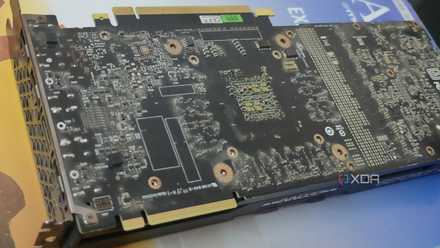
I turned a dead GPU into a hardware encoder, and it's perfect for my NAS
Waste not want not
Old Quadro GPUs aren't outdated for video encoding
They handle multiple 4K streams beautifully
Video encoding hinges on adequate performance and codec support, which several Nvidia Quadro GPUs excel at, even the ones that were launched a decade ago. Nvidia's workstation models, such as the Quadro P2000 and Quadro P4000, sit squarely in the performance and price sweet spot as far as video encoding is concerned. They have enough CUDA cores and VRAM to power multiple 4K streams, allowing several devices in your house to benefit from high-quality streaming. Also, NVENC support ensures that you don't miss out on codecs like HEVC for transcoding high-resolution content.
Quadro cards are built for relentless operation, and many of them have a lot of life left in them even after years of use. As long as you're buying one from a trusted seller on eBay or other platforms, you shouldn't run into faulty or underpowered models. To finalize the right card for your setup, you need to look at the microarchitecture, VRAM, and software support of the respective models. The aforementioned Quadro P2000 has 1024 CUDA cores based on the Pascal architecture, 5GB of GDDR5 VRAM, and 3 TFLOPS of FP32 performance. It might not sound impressive to PC gamers, but the card is still the Plex darling for a reason.
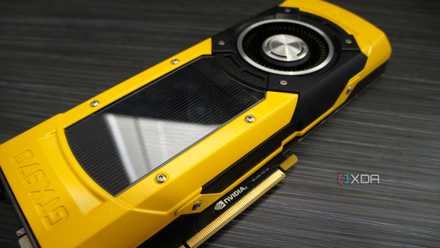
3 reasons I'll always keep a cheap GPU in my home server
A cheap GPU will always be a mainstay in my home server.
They are built for reliable, power-efficient operation
That's something gaming GPUs can't promise
Performance and software support are key determinants for video encoding, but they aren't everything. Power efficiency is also crucial when you're running an always-on media server or home lab. Over hundreds and thousands of hours, a more powerful GPU can prove costlier, simply because it demands too much power to be worth the trade-off. Many old Quadro cards, such as the Quadro P2000, are known for their excellent power efficiency, often staying at 10–15W at idle and between 30W and 60W during transcoding, well below the rated TDP of 75W. These power savings add up over time, and are one of the major reasons that make these ancient workstation cards so suitable for consistent video encoding.
Another important factor that differentiates Quadro cards from Nvidia's gaming GPUs is their stability. Since they are built for 24/7 uptime, they feature better internals, robust error correction, and stable drivers. Error-free operation is more important than beating benchmarks when you're running an always-on server or home lab. You could get a faster GPU for the same amount of money, but you can't buy the inherent stability that comes with a workstation card.

Low-end workstation GPUs are the best budget compute cards right now for your home lab
Used workstation GPUs might be better than gaming cards for your home lab
The affordability is the cherry on top
Cheap, not outdated
I keep mentioning the Quadro P2000, but that's because it does so many things right. On top of its capable performance, robust software support, and great power efficiency, it's also highly affordable on the secondary market. You can snag one for as low as $40 if you look hard enough on eBay. That's mighty cheap for a reliable video encoding workhorse that will power your streaming server or workstation for years to come. And even if you manage to get a gaming GPU from the same generation for just a few dollars more, the overall performance of the Quadro card is likely to come out on top. It's about the combination of driver stability, power efficiency, and raw performance that determines the suitability of a GPU for 24/7 video encoding.
You can technically use a workstation GPU for gaming, but here's why you shouldn't
There are many reasons not to use a workstation GPU in your gaming PC. Let's get into them.
An old Quadro GPU could be one of your best investments
Nvidia's Quadro cards are one of the best options for an always-on media server that needs ample video encoding chops without consuming too much power. If reliable operation and affordability are also your priorities, you can't do much better than a 10-year-old Quadro card. They might feel too old in 2026, but they still pack a punch. It's about choosing the best tool for the job, not one that's more popular.