
AI now powers everything from search tools to video calls, but some laptops still struggle to run those features smoothly. That’s because some CPUs aren’t built to handle real-time AI tasks efficiently. When you first bought a computer, you probably looked at the CPU and RAM specs, but not whether it had an NPU. That’s starting to change.
NPUs, or Neural Processing Units, are designed to handle AI features like background blur, live captions, and voice isolation without overloading the CPU. That gives you better battery life, smoother performance, and apps that stay fast even while doing more in the background. All of that sounds great, but does it actually help in everyday use? You’ll feel the difference right away, especially when AI features are running.
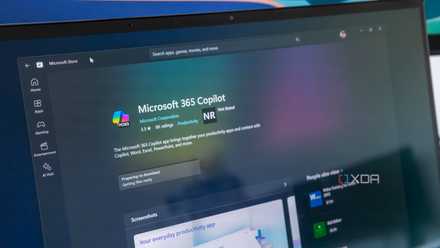
5 tech trends that are changing how you use your PC (for better or for worse)
The PC world is changing, whether we like it or not.
4 Longer battery life
Stays efficient, even with AI features running
Using AI can be a lot of fun, but a major downside is the extra power it needs. You’ll find yourself reaching for the charger more as your computer handles more tasks.
It’s like adding errands to your daily routine. Each one seems small, but they add up and leave your system more drained. A study by Enovix even found that an AI model creating an image can use as much energy as fully charging your phone. If your laptop doesn’t have an NPU, the GPU and the CPU have to work harder.
An NPU takes over the AI tasks your CPU would normally handle. By using less power for the same tasks, NPUs help your battery last longer and keep your laptop running without the charger.
3 Faster app performance
AI tasks no longer slow everything down
Before you may have even heard of NPUs, AI features like background blur or live captions would get their power from the CPU or GPU. That means other apps would slow down, especially if you were multitasking with several apps open. Now, NPUs handle those AI tasks, so your system runs faster. NPUs can handle matrix multiplication; it’s the kind of repetitive math AI uses constantly, but GPUs and CPUs aren’t built to handle it well.
You can edit a Google Docs file, browse with several Chrome tabs open, or jump between apps. Even with AI effects running in the background, the system doesn’t feel slow.
Once you use a laptop with an NPU, you can see the difference in speed. Apps open faster, run smoother, and don’t freeze up when you’re using something AI-related.
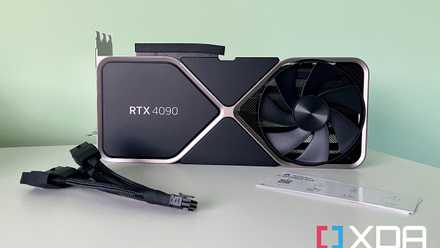
Your GPU is a perfectly good NPU, so why do we need NPUs?
While GPUs are very powerful, they're a bit overkill for some AI workloads.
2 New AI features made possible by the NPU
Faster tools, smarter results, and more privacy built in
On a Copilot+ PC, the NPU powers features that older laptops couldn’t handle. Recall is one of the standout and controversial features. It builds a searchable timeline of everything you’ve seen or done on your PC. You can ask for “the person in the red shirt from my last Team call” or “the photo of me at the Hollywood Walk of Fame,” and Recall will find it without needing to know where you saved it.
Cocreator in Paint lets you sketch a rough shape, describe what you want, and turn it into an image. It reacts as you go, which helps you if you’re not great at drawing.
The NPU also powers Windows Studio Effects, including eye contact correction, portrait lighting, and filters that make your video look animated. The features apply instantly and don’t slow the rest of your system. Even without an internet connection, Live Captions can now translate since everything runs on-device.
1 Better privacy while using AI tools
Your data stays on your PC, not on a server somewhere
When your PC has an on-device NPU, AI features like Recall, Live Captions, and Cocreator don’t rely on the cloud. Everything runs directly on your laptop, using its hardware to process text, voice, and images. That means nothing leaves your device when you’re using those tools. Even searching for what was on your display last week or adjusting your video call background stays on-device.
Take Recall, for example, Microsoft claims that it saves snapshots of your activity to a private, encrypted folder tied to your Windows account. You can limit what it records, pause it, or block certain apps from being added. These snapshots don’t get uploaded or shared. You still get the same features, but everything stays with you.
According to Microsoft, nothing is sent to the cloud or the Redmond company. Snapshots are said to be encrypted, tied to your account, and you can only see them after Windows Hello confirms it’s you.

4 reasons you shouldn't be dismissive of NPUs and AI PCs
While they're certainly being used as buzzwords, AI PCs and NPUs have a lot to offer
Why an NPU is worth having on your next laptop
An on-chip NPU may not get much attention, but it quietly improves how your laptop runs. Apps stay responsive, AI features feel smooth, and the battery holds up better under pressure. If you use your computer for work, video calls, or creative tools, having an NPU is something you'll appreciate once you have it and notice it's missing.