
Overclocking can help you get more performance out of your current hardware, usually without spending anything. Although overclocking might be losing its sheen with owners of the latest CPUs and GPUs, it can still be worth the effort for those with relatively older hardware. If you primarily use your PC for gaming, overclocking your GPU can benefit you in more ways than one.
Besides the boost in gaming performance, GPU overclocking can sometimes delay the eventual GPU upgrade (depending on the gains you achieve with overclocking), saving you hundreds in the short term, especially in the era of overpriced hardware. Moreover, overclocking your GPU isn't really complicated, and could even be a fun challenge for beginners to experiment with.

5 reasons I'm never buying a high-end GPU again and you shouldn't either
High-end graphics cards don't justify the premium. I can save hundreds of dollars and still get a superb gaming experience with a mid-range card.
5 Extra FPS in games for free
Why leave performance on the table?
On recent graphics cards, you might not get significant gains from overclocking, but with some older-gen graphics cards, you might get a decent FPS boost. Modern GPUs and CPUs are manufactured to run close to their full potential, but GPUs from a few years ago can still make overclocking worthwhile, considering that you shouldn't need to sink more than a few hours to get a stable overclock.
If there's free performance to be had just by tweaking a few sliders, why not give it a try? You could even try it on your RTX 3000 or RX 6000 series GPU out of curiosity, and see if you can't get a 5-10% performance boost. If not, there's no harm done, you can simply revert to stock settings. However, if you do get a good enough boost, it's free FPS for just a few hours of work.

How to boost your GPU performance: 7 proven tips that work
Try these proven ways to increase your GPU's performance.
4 Get more value by delaying the GPU upgrade
Don't feel compelled to upgrade if you don't need to
We all know that if any upgrade is inevitable in the lifecycle of your gaming PC, it's the GPU. Switching to a more powerful GPU will often have the biggest impact on gaming performance, but if your existing GPU is only a generation or two old, you don't necessarily need an upgrade. This is particularly true for users who bought a high-end GPU around 1 to 4 years ago. Yes, my 4-year-old RTX 3080 is still a pretty beefy graphics card.
So, if you're nearly satisfied with the level of performance you get in your favorite games, you can delay upgrading your GPU, and focus instead on overclocking it to get a potential 5-10% boost in games. Sure, that can't be compared to the gains you'll get from a fancy new GPU, but you should ask yourself whether you really need that much extra performance. If not, overclocking is a good way to extract more value out of your existing GPU, and keep yourself away from all the FOMO energy.

7 clear signs you don't need to upgrade your gaming PC yet
Marketing and FOMO might have you convinced otherwise, but your PC probably doesn't need an upgrade yet
3 A new GPU might cost you too much
Prices have stopped making sense
Besides the fact that you might not need a GPU upgrade right now, you might not even be able to afford a true upgrade. GPU manufacturers have now conditioned gamers to expect a genuine gen-on-gen performance uplift only on their flagship and high-end SKUs. The rest of the product stack rarely receives gains that can justify the asking price.
This is what happened with Nvidia's RTX 4000 series, and it seems the company will repeat the same with the RTX 5000 series in January 2025. It's almost confirmed that even the high-end RTX 5080 will feature less than half the CUDA cores of the RTX 5090. Further down the stack, the mid-range RTX 5070 is rumored to receive only around 60% of the CUDA cores on the RTX 5080, but will most likely cost upwards of $600.
If you consider upgrading only to one of the GPUs which could be termed "affordable," you might not see the performance improvement you think you'll get. In such a market, overclocking might push you above 60 FPS at optimized in-game settings, allowing you to retain your existing GPU. Strong offerings from AMD and Intel might force Nvidia to slash the prices of its mid-range and budget GPUs, but don't count on it.
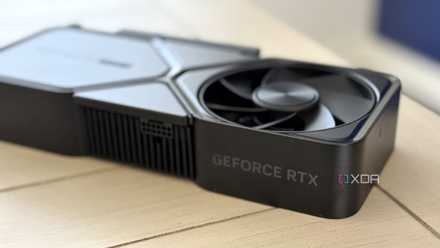
5 things I need on the RTX 5080 to justify upgrading from my RTX 3080
Here's my last-minute wishlist for the RTX 5080
2 GPU overclocking isn't as complex as you might think
Afterburner FTW
A possible deterrent for beginners when considering GPU overclocking is the imagined complexity of the process. However, compared to CPU overclocking, overclocking your GPU is quite simple. You don't need a system restart every time you want to slightly modify the clock speed or power limit of your GPU. When testing the overclock with Cinebench or during a game, an unstable overclock might crash and restart your PC, but that's about it.
Overclocking your GPU with MSI Afterburner is perhaps the most popular and proven method used by gamers. You just need to increase the power limit of the GPU, increase the core clock in small increments till you observe instability, and then repeat the same with the memory clock. Check the performance in-game or with Cinebench to decide whether the overclock was worth the effort. If not, it's best to revert to stock settings and enjoy the lower temps.
Alternatively, you could also undervolt your GPU using Afterburner, reducing the temperature and power, and possibly increasing the performance.

Overclocking vs undervolting: Which one do you prefer?
Are you a fan of overclocking, or do you prefer the superior thermals provided by a stable undervolt?
1 Overclocking your GPU could be a great learning experience
Replace fear with curiosity
For beginners who have never messed with overclocking before, it can help you pick up a few things about your GPU. Monitoring GPU temperature and other parameters, assessing system stability, and separating aberrant behavior from genuine hardware faults are a few things you can learn from GPU overclocking.
Even if you've been building and using PCs for years, you might have never considered overclocking your GPU. Trying it out as a project can help you get a few extra FPS, enjoy the process of tweaking settings, and maybe get excited about your PC hardware again. The trial and error involved in attaining a stable overclock can be a fun and challenging project for new and experienced users alike.
Even if your GPU overclock doesn't turn out to be strictly "successful," you will have succeeded in becoming a bit more familiar with your PC, and will probably be more willing to mess with your hardware in the future.
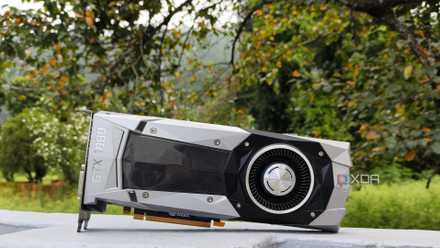
5 things you should do with your old GPU instead of selling it
Selling your outdated GPU after upgrading to a newer model may seem tempting, but here are five better things you can do with your trusty old friend
Give GPU overclocking a chance
Overclocking your GPU might be more than just a compulsion inspired by the current GPU market. It can also help you learn more about your graphics card, become comfortable messing with clock speeds and power limits, and open you up to new PC DIY projects. If buying a new mainstream GPU isn't going to be the game-changing upgrade you're ready for, you can choose to delay the upgrade and indulge in a bit of overclocking to keep you satisfied in the meantime.