
Our lives are inextricably entwined with the internet, with banking, shopping, eating, and more all conducted online. Even with password managers taking most of the hard work of keeping track of our digital accounts, the sheer number of accounts makes us vulnerable. Yes, we can use best practices and generate unique, long passwords for every service, but we can't keep our email addresses or account names safe forever, and there are ways to get into accounts that don't require the password.
What is needed is a digital version of our house keys that identify us and serve as login credentials, so the future is passwordless. Without those digital tokens, cybercriminals couldn't access our private accounts, and the internet would be safer as a result. One option is passkeys, which are just that—digital keys that work for one online service as the login details, but the current implementation of them needs some work before it's ready for everyone to use.
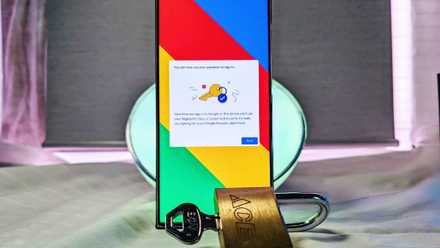
How to set up a passkey for Google
A cybersecurity dream has been to create a world without passwords, and we're one step closer to that vision with Google passkeys.
Passkeys are safer
Think of them as your house keys, but for your digital accounts
Just like your house key, passkeys are unique to the lock they go in, at whatever service they were set up to unlock. That could be your bank, your social media account, your email provider, or a website like XDA. Unlike passwords, there's nothing to remember, nothing to type into a fake website in a phishing attack, and nothing that could be reused across several accounts. Given what we know about users and their security hygiene, this can only be a good thing.
Passkeys aren't the only way toward a passwordless, more secure future, but they're one of the best ways to reduce user error completely. They won't work on any website other than the one they were generated for, they can't be copied or reused, they won't work on a stranger's device, and they can't currently be moved between users. That last point is also one of the issues because they're currently locked to the operating system or password manager that created them.
But they currently have one big issue
As it stands, each service, password manager, and operating system all have different ways of generating and dealing with passkeys. That's a problem, because you might have generated it on the wrong device, or want to move it to your new password manager, and that's just not possible right now. There are standards for the passkeys, but the easiest way currently to move a passkey to another storage provider is to delete it and make a new one with the new service. That's an inefficient way to do things, but there's a fix on the way.

How to set up Bitwarden and keep your passwords safe on a Synology NAS
Store and manage all your passwords on your Synology NAS.
Things are about to get better
The FIDO Alliance is working on standardization
The FIDO Alliance, comprised of governments, password software makers, manufacturers, and telecoms, has a draft specification that will enable the easy transfer of passkeys from one secure storage to another. It'll do this without exposing the credentials in plaintext, decrypting them, or any of the other insecure ways that could let an attacker sniff your credentials while in transit.
That means they'll no longer be locked to the operating system or password manager that helped create them in the first place. Think of it as being able to take your digital key off your keyring, and put it on another one. The same key still opens the same account, but now it's in a new place. That makes it nearly frictionless, and we all know friction is a huge pain point for users when interacting with security features.
With standards come important features
The biggest improvement in the draft standard is that passwords or passkeys will no longer be exported in plaintext for import into another credential store. Ever had to transfer your password vault to another service? Most of the time, they decrypt your vault, then export everything as plaintext in CSV form. That's a huge security risk, and if even one person forgets to delete that file afterward, that's one too many. On the other hand, organizations that lack a way to transfer credentials securely will simply block the transfer of credentials completely, so the user has to create multiple credentials for the same service.
Neither of these situations is good for the user's security, but the new credential transfer standards will provide a way to move those secure credentials to another service without exposing them to a readable form. That's the best outcome for everyone, except for criminals, of course.

I don’t pay for 1Password, LastPass, or Dashlane – these are the free options I recommend instead
Keep your credentials secure without breaking the bank
Passkey transfer is essential for a passwordless future
Passwords have been shown time and time again that they're insecure and no match for the sophistication and determination of cybercriminals and other attackers. But, until another alternative with a frictionless switchover comes along, users will keep using them. Making passkeys and other encrypted credentials transferrable to another device or service with a few taps will go a long way to achieving that security goal.