
Summary
- Ensure that the GPU is compatible with your case as well as the power supply.
- Some AIB models are worth the premium for better cooling, noise levels, and esthetics.
- Having enough VRAM is one of the most important considerations, especially at higher resolutions.
- High-end performance won't come cheap, and each brand will come with its pros and cons.
From craving any graphics card to wondering which one to buy, we all grew up. I fondly remember the struggles of getting games to run without a discrete graphics card on my "gaming" PC 20 years ago. While integrated graphics have come a long way in the last 15 years, you still need a dedicated graphics card for serious gaming.
In many ways, today's desktop GPU market hasn't changed much from what it was, say, 7–8 years ago. Still, it couldn't be more different in other ways, as you need to be aware of some things that you wouldn't think twice about before. So, I've compiled the 7 most critical things you need to keep in mind when you're in the market for a new desktop GPU for gaming.
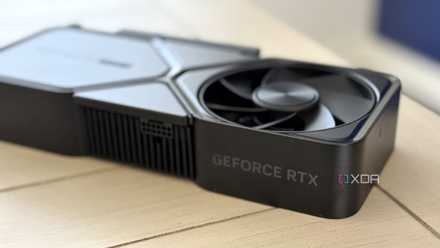
Stop buying these 10 GPUs in 2024 (here's what to buy instead)
These 10 GPUs might be some of the most regrettable purchases you could make in 2024, especially when far better options are available
7 Ensure you're buying the right size
Case compatibility can creep up on you
Before we get to topics like performance, brands, and models, let's get into one of the most fundamental aspects of a graphics card — its size. If the card you're buying doesn't physically fit inside your case, you'll be left hanging. Instead of ending up in a situation where you need to get a bigger case or a replacement graphics card, always match the dimensions of your intended GPU to those of your case.
Graphics cards are enormous these days, especially the high-end models, so ensuring you're not buying an incompatible one is important.
You can easily find both of these numbers with a little research on Googe. Graphics cards are enormous these days, especially the high-end models, so ensuring you're not buying an incompatible one is important. Another thing that comes with a massive GPU is GPU sag, where your graphics card tends to hang from one end due to its weight.
This might be a non-issue on small to medium-sized cards, but the true chonkers of the GPU world might need some support to keep them upright. Of course, if you mount your graphics card vertically, you can eliminate GPU sag entirely.

How to install a graphics card in your PC: A beginner's guide
There's never a bad time to upgrade and install a new GPU. In this guide, we'll teach you how to install a new graphics card.
6 Check your PSU and case airflow
Modern GPUs need more power than ever
Since the launch of the RTX 3000 series, the power requirements of graphics cards have become one of the biggest talking points. Higher power consumption is basically tied to more performance. Power efficiency can offset this correlation a bit, but in general, newer and more powerful cards will continue to demand more from your power supply. So, make sure your PSU is equipped to handle your new GPU.
As a rule of thumb, an 850W Gold-rated power supply will be enough for all GPUs except the RTX 4090, for which a 1000W PSU is a safer bet.
You can find the recommended PSU for a particular GPU on the manufacturer's website, and also ask around on Reddit if your existing power supply will be good enough for your configuration, if you'd like (just to be doubly sure). As a rule of thumb, an 850W Gold-rated power supply will be enough for all GPUs except the RTX 4090, for which a 1000W PSU is a safer bet.
Another thing to keep in mind is the kind of power connectors you'll need for the GPU you're buying. While you can always use 8-pin to 12-pin, or 8-pin to 16-pin adapters to connect to the newer Nvidia cards, I prefer using a direct cable if possible. Newer power supplies will often come with the latest connectors, such as the 12VHPWR cable. Older units will have adapters, so you can still make it work.
Lastly, the more heat your graphics card produces, the better your case airflow and cooling should be. If you have plenty of mesh panels for air intake and exhaust, and a roomy case, you needn't worry. Some of the more cramped cases can struggle with airflow, so you might want a GPU with a lower TGP, or buy a blower-style GPU to exhaust most of the heat directly out of the rear of the case.

PC airflow guide: How to strategically set up your case fans
You'll need to set up proper airflow inside your PC case for optimal cooling. This guide will show you how.
5 AIB models are worth the premium
Even though reference cards are just fine
When buying a new GPU, you'll often have to decide between getting a reference card from Nvidia or AMD, or one of the AIB models from brands like Asus, MSI, Gigabyte, Zotac, Sapphire, and others. While reference or "founder's edition" cards are mostly fine in terms of performance and even thermals & noise, spending a bit more on an AIB model might be worth it.
You not only get a more capable cooler with those models, but they often come with better esthetics, especially the white graphics cards.
I'm currently using an RTX 3080 Founder's Edition on my personal rig, but I'd still prefer a Gigabyte AERO or Asus Strix model any day. You not only get a more capable cooler with those models, but they often come with better esthetics, especially the white graphics cards. If you're already spending a lot on a GPU, a small premium for a cooler, more silent, and better-looking one makes sense.
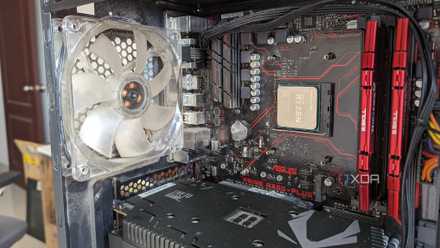
How to lower your GPU's temperature
Keeping your GPU's temperature in check can extend its lifespan and enhance your overall gaming experience simultaneously.
4 Don't compromise on VRAM
It can matter as much as performance
.jpg)
More than ever before, VRAM is critical to a decent gaming experience, especially if you're gaming at 1440p or 4K. Higher resolutions in AAA games can quickly populate your GPU's framebuffer, and if it runs out of capacity, you might encounter stutters, glitches, frame drops, incomplete textures, and other artifacts.
Many otherwise excellent GPUs have been held back due to lower VRAM, the RTX 3070 being a prime example. For 1080p, which is the most common desktop resolution, you might be fine in most cases with 8GB VRAM. On a mid-range 1440p or high-end 4K card, however, 12GB and 16GB VRAM (respectively) should be the minimum to avoid any issues when gaming.

How much VRAM do gamers need?
Unfortunately, having enough VRAM on your GPU is a luxury today
3 Pair it with the right CPU
Strike the right balance
Your GPU might still do the heavy lifting during gaming, but your CPU also matters for gaming. We're increasingly seeing high-end titles take advantage of more powerful CPUs with 8 cores and even more. Plus, even at higher resolutions where gaming performance becomes GPU-bound, you still need CPU horsepower if you lower in-game settings and enable upscaling features like DLSS and FSR.
Considering higher resolutions are exactly the kind of situations where you'd need upscaling the most, your CPU becomes equally important. Hence, budget well for your build so you don't blow all of your budget on your GPU. A balanced build is far better than one with a high-end GPU and a budget CPU, so make sure you're pairing the right CPU and GPU.

Is 4K really worth it for gaming in 2024?
4K seems like the last word in modern PC gaming. But are you losing out on more than you're gaining?
2 Be honest about your performance needs
High-end performance doesn't come cheap
GPUs have almost become luxury products, especially high-end models that are actually equipped to drive the latest titles at the highest settings and resolutions. From a $699 GTX 1080 Ti to a $1699 RTX 4090, the market has shape-shifted into one that has outpriced a large section of gamers. Inflation is real, yes, but it doesn't account for this tremendous jump - we can thank AI demands for that.
So, if you honestly can't do without a 1440p or 4K Ultra gaming setup, you'll have to set aside a small fortune for your graphics card. Triple-digit framerates at these settings would need the most powerful GPUs on the market, so you'll need to spend at least $800 (for an RTX 4070 Ti Super) or more to stand a chance.
On the other hand, if you don't need the latest bells and whistles, and are fine with 1080p Ultra or 1440p Medium settings on a 144Hz gaming monitor, you can easily get by with $300-$400 (for an RX 6750 XT or RTX 4060 Ti 16GB).
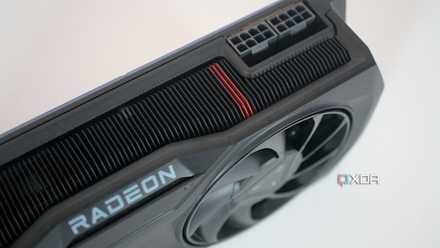
Want to be ready for PC gaming in 2024? This is the hardware you'll need.
We'll be seeing more games like Cyberpunk 2077 and Alan Wake 2 in 2024. Is your gaming PC ready for the challenge?
1 Choose wisely between Nvidia, AMD, and Intel
Every brand has its pros and cons
The GPU market has three contenders, and despite Nvidia being the dominant force and Intel being all but non-existent (in terms of market share), there are advantages and disadvantages that come with each brand. Nvidia stands alone at the top with the uncontested RTX 4090, offering superior ray tracing performance and better upscaling and frame generation.
If you have the budget and want the best ray tracing and frame generation performance, go with a high-end Nvidia GPU.
AMD is known for undercutting Nvidia and offering better-value GPUs in terms of raw or rasterized performance. It also offers plenty of VRAM at almost all price points, whereas Nvidia is criticized for being particularly stingy in this department. AMD is still behind Nvidia in ray tracing performance and upscaling features, but it's catching up fast.
Lastly, Intel offers great options in the low-end and budget segments. After several driver updates since the launch of its Arc Alchemist GPUs, it has become a genuine alternative for entry-level gamers.
If you have the budget and want the best ray tracing and frame generation performance though, go with a high-end Nvidia GPU. If ray tracing isn't a priority, and you want the best balance of value and quality, AMD is where it's at.

Intel's next-gen GPUs might actually make Nvidia and AMD take notice
Intel's Battlemage GPUs might not break any performance records, but they might just put Nvidia and AMD on high alert.
Make the most of a bad situation
Ever since Nvidia and AMD started collecting billions in AI and data center revenue, they've shifted their focus from gaming GPUs. Highlighted by lackluster products, weak generational improvements, and terrible pricing, it's been a bad time for the gaming GPU market. While we have several powerful graphics cards to choose from, the relative performance and prices are far from where they should be.
You could wait for Nvidia's Blackwell, AMD's RDNA 4, and Intel's Battlemage series cards, which are slated to arrive late this year or early 2025. They're more than a few months away, so if you really need a new GPU right now, look for a deal on the current-gen offerings within your budget.