
Anyone who's used Windows in recent years has likely heard of Windows PowerShell at some point. This CLI-based scripting tool and terminal has been around for nearly 19 years at this point, and it's a pretty important tool for IT admins and enthusiasts. Scripting helps you automate tasks and get certain things done faster. Plus, for tasks you'd usually do with the Command Prompt, PowerShell can have more human-friendly language.
However, in recent years, we also saw the advent of PowerShell, which — believe it or not — is different from Windows PowerShell. At their core, they do basically the same thing, but there are some important differences.

5 PowerShell best practices to work even more efficiently
Make PowerShell work better
What is Windows PowerShell?
Windows-only and mostly on life support
Windows PowerShell is the version of PowerShell that has shipped with Windows since its first appearance in 2006, and it's still included with Windows 11. Windows PowerShell is up to version 5.1, released in 2016, and it hasn't received major updates since. This version of PowerShell is built on the .NET Framework 4.5, which is also mostly in maintenance mode since it has been superseded by .NET (briefly known as .NET Core).
Because of this, Windows PowerShell is mostly frozen in time, which means that, for the most part, everything designed for it will always work with it, no questions asked.
How is PowerShell different?
Cross-platform and constantly updated
PowerShell, which first debuted as PowerShell Core back in 2018, is the latest and most modern version of PowerShell, and it comes with a couple of important changes, most notably the fact that it's now a cross-platform product. Instead of being available on Windows alone, PowerShell now runs on macOS and Linux as well, which brings the same scripting language to other platforms, making it easier to develop and deploy the same scripts for different devices.
PowerShell is built on .NET, and each new release of PowerShell is based on the latest .NET release. This can mean new features and other improvements, but new versions of PowerShell can also introduce breaking changes that might affect certain cmdlets or modules. At writing time in early 2025, the latest version of PowerShell is 7.5, which was released at the start of the year and is based on .NET 9.0.1.

11 PowerShell modules you should try out on your Windows 11 PC
Take PowerShell's functionality to the next level with these amazing modules
Despite being on multiple platforms, however, some differences between PowerShell are inevitable, since many cmdlets and modules have to do with specific Windows features.
PowerShell can (mostly) replace Windows PowerShell
There may be some problems
The cross-platform PowerShell is intended to be the replacement for Windows PowerShell for almost every user, but the ever-evolving nature of this new release and the underlying .NET technology means that some things are bound to be different. One major point Microsoft mentions is the .NET method changes that affect the latest releases. Some commands may need to be written in a different format in order to return the desired output that you would normally get in Windows PowerShell. Unfortunately, that means some scripts written for Windows PowerShell may not be fully compatible with PowerShell, and vice-versa.
As an example, say you want to split a string of text when a specific character occurs. In Windows PowerShell, if you wanted to split a string like "XDA is great.Go to XDA" where the period is, you would use this command:
"XDA is great.Go to XDA".Split('.') Which would return the text as
XDA is great
Go to XDA
However, in PowerShell, to get the same result, you'd need to use the command as follows:
"XDA is great.Go to XDA".Split([char[]]'.')
Other changes like this are something to be mindful of when creating scripts for PowerShell. Additionally, some Windows PowerShell modules don't ship with PowerShell anymore for compatibility reasons, including ISE, Microsoft.PowerShell.LocalAccounts, or PSScheduledJob, among others. What's more, various cmdlets for modules that still exist are no longer supported. The list of these is fairly extensive, so you might want to check this list. While the initial transition to PowerShell shed support for many cmdlets, a lot have also been added, meaning the latest release of PowerShell has significantly more cmdlets than Windows PowerShell.
You can use both
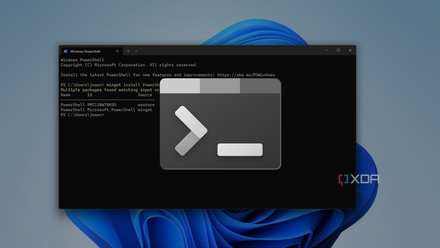
Another big difference is that PowerShell has a new executable file name (pwsh.exe), which allows users to have both Windows PowerShell and PowerShell running at the same time on the same machine. What's more, thanks to Windows Terminal and tab support, you can run these PowerShell instances side-by-side in the same window, each with its unique set of features. It makes it really easy to slowly move over to the new PowerShell while falling back on Windows PowerShell if needed.
Consider moving to PowerShell
While there's no timeline or indication that Windows PowerShell will be killed off anytime soon, the cross-platform version of PowerShell is obviously more modern and has been consistently adding new cmdlets that make it a more capable platform. While some adaptation will be required for some scripts, you will be more future-proofed with PowerShell, plus there's a better chance you can create scripts that work on multiple platforms. But for the foreseeable future, you can keep using Windows PowerShell for anything that needs it.