
While most Windows 11 users will probably be fine with using the Start menu, I strongly believe that if you want to maximize your productivity, you need a better app launcher. To me, that's typically been Raycast, but Microsoft has an alternative of its own with Command Palette, which is part of the PowerToys suite.
And while I've tried Command Palette in the past and liked it somewhat, the next PowerToys update could make it exactly what it needs to be. The company is aiming to make the launcher even faster than before, and it might just remove the need for the Start menu altogether — and even be better than other app launchers.
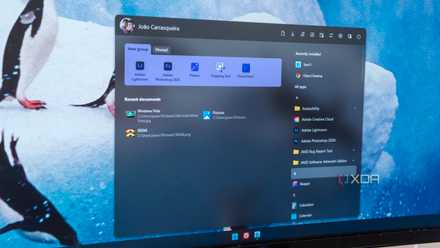
5 Start menu alternatives and Windows tweaks that will speed up your workflow
Revamp your Windows experience with smarter Start menu alternatives and tweaks—boost efficiency, streamline navigation, and work faster
A "lightning-fast" Command Palette
Coming in version 0.98
A pull request on the GitHub project for PowerToys shows that the community has been working on a new mode for Command Palette that delivers a much faster experience for searches made with the tool. A big one right off the bat is that visual distractions are removed and it makes it so that, as soon as the result list is updated, the top result on the list is automatically selected, so you can have confidence you're choosing the top result when you press enter, instead of waiting an extra split second to make sure.
But behind the scenes, this new mode for Command Palette does a lot more to improve performance. This includes refining the way removed items work so results are loaded more accurately and faster, a change in how reordering items works, and a fdew other changes to make Command Palette feel more responsive and faster to show you results that matter. The developer behind this pull request showed a video of this in action, and it's very encouraging.
Microosft's own developers have responded very positively to this pull request, so it's a relatively safe bet that we'll see this enhancement make its way to PowerToys sooner rather than later. One of the big benefits of Raycast and Flow Launcher has been the sheer speed at which results are displayed accurately, so to have Command Palette catch up in this sense means that it can finally compete on other features and capabilities, which makes things much more interesting.

I switched from Flow Launcher to the new Raycast beta for Windows, and I already love it
Raycast already has a promising future
Command Palette keeps getting better
Version 0.97 also brought some nice additions
Even before we get to version 0.98, though, Command Palette has been getting big improvements since its debut last year, and version 0.97 included a couple of visual flourishes that actually make it more visually appealing than its main competitors.
While options like Raycast only have a dark or light mode and Flow Launcher only has a few color options unless you want to mess around with theme files, PowerToys gives you an easy way to change the window color to anything you want, as well as adjust the transparency of the search window. And if you want something even more unique, you can add an image background to it, too.
It may just be a visual improvement, but that's an area that launchers like this have massively overlooked, and it could Command Palette much more broad appeal compared to something as plain as Raycast. And as we just mentioned above, the next update is also going to massively improve performance, so if that's the same, why wouldn't you want something with more customization options?
Plus, that's not all that's been added in this update. When I first tested Command Palette, one of my big complaints is that it should make it easier to access other PowerToys tools, including things like Workspaces, which would be genuinely useful. And that's exactly what this update did, so I can launch a specific workspace straight from this UI, opening a combination of apps all in the right areas of the screen. And of course, that's just one of the many PowerToys tools accessible this way.

Flow Launcher will make you forget all about the Windows Start Menu
Open everything you need with just your keyboard
Extensions are still the big hurdle
But things are getting better
With Microsoft transitioning from PowrToys Run to Command Palette, on top of going up against already established platforms like Raycast and Flow Launcher, the selection of extensions available for Command Palette is still relatively small, which limits what you can do with it. If you just want an app launcher, that may not be a big deal, but much of the draw of these launchers is everything else they can do using this unified interface.
Thankfully, while it's not quite there yet, things have improved significantly in terms of available extensions for Command Palette. The collection of extensions on the Microsoft Store now has a few dozen options available, including things like Steam integration, a unit converter, a snippet manager, a dark mode toggle, and even an interesting one called SuperSpace, where you can instantly create a new document in Microsoft's Office suite or open files from your recent history without having to go through the apps' launch screen.
You can also find a few more through WinGet, such as one that integrates with Obsidian, a video downloader, and more. Still, it's a relatively small ecosystem, and using WinGet doesn't give you much of a preview of what you're getting. A platform like Raycast having an extension store fully built in is still a notable perk of that platform.

5 must-use extensions for Raycast
Boost your Mac's utility with these neat Raycast extensions
PowerToys is one of the best things about Windows
With the recent and upcoming improvements to Command Palette, it's firmly establishing itself as a solid competitor in the field of app launchers, and it's important to remember that it's still part of something bigger. PowerToys has a whole already offers a few big reasons to use it, including FancyZones, Workspaces, New+, and its many mouse utilities.
If you're already using PowerToys (and you should), then this may mean you no longer have a reason to add another launcher to your PC. It will depend on how adoption evolves with the Command Palette extension platform, but things are looking up. You can download PowerToys below if you haven't already — you shouldn't have long to wait before version 0.98 becomes available with its major performance enhancements.
- OS
- Windows 10/11
PowerToys is a collection of tools for windows 10 and 11 with a focus on advanced users and productivity.