
If you’ve ever wanted to build a home lab for your computing experiments, there’s a deluge of cool virtualization platforms you can choose from. But over the last couple of years, Proxmox has dominated the home server front with its hardcore features, and is considered the be-all-and-end-all virtualization platform by tinkerers and computing enthusiasts.
But once you start digging deeper into the home lab rabbit hole, you’ll come across certain underrated distributions that deserve more love. Designed for production-tier workloads, Harvester is one such operating system that can hold its own against Proxmox – and even beat the community favorite in certain tasks. If that sounds intriguing, we’ve pitted the two virtualization distributions against each other to see which one comes out on top!

A beginner's guide to setting up Proxmox
It's quite easy to configure Proxmox for your home lab server
System requirements
Winner: Proxmox, and it’s not even close
Although virtualization workloads favor devices with an ungodly amount of CPU cores and memory, you can build a solid experimentation-cum-self-hosting workstation with Proxmox. The bare minimum requirements for a Proxmox Virtual Environment server are an x64 processor and 1GB of memory, though it’s recommended to have at least 2GB of RAM for a normal setup. Considering that you can install Proxmox on an Intel N100-powered system and still run a handful of LXC guests alongside a lightweight VM or two, you’ll have much better luck with a PVE server if you plan to use an old PC or laptop for your home lab. Heck, if you’re particularly daring, you can even jury-rig a low-end Proxmox server on the Raspberry Pi.
In contrast, Harvester has abnormally high system requirements, and you might have a hard time getting it to run on a budget consumer-grade PC. Heck, you’ll need a processor with at least eight cores alongside 32GB memory just to deploy a test environment with Harvester. The recommended requirements are even wackier, as you’ll need a 16-core CPU and 64GB memory for the Harvester server.
Pricing
Winner: Technically Harvester, but it's actually a draw
On the surface, Harvester wins on the pricing front with its open-source and free-to-use nature. Unlike XCP-ng, Hyper-V, or Unraid, Harvester doesn’t paywall the advanced utilities. Assuming you’re able to find a system that can run this behemoth of a platform, you can access all its HCI facilities without spending a single penny.
Proxmox, on the other hand, offers subscription-based paid tiers. That said, the premium plans only include first-party tech support and the official enterprise repository, which aren’t required for home lab setups anyway. Everything else – be it the Ceph distributed storage, clustering, or TurnKey templates – is included in the free community version of Proxmox. So, it’s safe to say that Proxmox and Harvester are evenly matched in terms of pricing.
UI and ease of access
Winner: Harvester
When it comes to the UI, both virtualization platforms have a beginner-friendly web UI alongside a simple dashboard app to manage your servers. However, Proxmox can be a little tricky to get into if you’re a complete newcomer. That’s because Proxmox hides many of the common settings, including the option to upload ISO files, behind rows of settings, and you’ll need to go through quite a few pages of documentation before you can start tinkering with your PVE server. Plus, the Proxmox Datacenter Manager is still in its infancy stage as of writing and lacks many essential management and monitoring utilities.
Meanwhile, Harvester doesn’t shove a boatload of menus down your throat, instead featuring an uncluttered web UI that’s easy to work with. Unlike the Proxmox Datacenter Manager, Harvester is compatible with Rancher’s Dashboard application, which includes all the utilities to help you fine-tune the operations of your clusters.
Containerization provisions
Winner: Proxmox with default settings; Draw with Rancher Dashboard
The built-in support for LXC containers grants Proxmox an edge over other virtualization platforms – and the situation is the same when you compare it with the base Harvester installation. Although LXC containers aren’t a substitute for their Docker brethren, the added support for TurnKey templates makes them quite useful for setting up low-resource operating systems and standalone applications.
Despite being built on top of Kubernetes, the default installation of Harvester doesn’t let you deploy barebones containers on the platform. However, if you’ve paired this hardcore platform with the Rancher Dashboard, you can enable an experimental setting to run containers directly on your Harvester instance.
Backups
Winner: Proxmox with its backup server and Veeam integration
Home labs may be experimental in nature, but you’ll want to back up your Proxmox and Harvester guests to avoid losing your precious VMs and containers due to a botched project. Although both platforms support snapshots, migration, and dedicated backups, Proxmox offers more failsafes to safeguard your virtual guests.
For example, the first-party Proxmox Backup Server offers extra features like deduplication, scheduled backups, integrity checking, and (most importantly) the ability to save specific files and directories. For folks familiar with Veeam’s backup solutions, you’ll be glad to know that the firm recently released a tool dedicated to help you back up your Proxmox data.
PCI and GPU passthrough
Winner: Harvester (At least for most Team Green GPUs)
Technically, both Proxmox and Harvester let you assign PCIe devices to your virtual guests, but the latter provides an extremely simple means to enable PCI passthrough. In Proxmox, you’ll have to modify tons of config files to let your VMs and containers access the NICs, USB expansion cards, and other non-GPU devices plugged into your server. And that’s before you include the extra complexity associated with passing GPUs to your virtual guests.
In contrast, Harvester offers the most straightforward PCI passthrough process out of every virtualization platform I’ve tinkered with. All you have to do is enable the add-on with the same name, select the PCIe device you wish to interface with your virtual machines, and voilà! If you’re using an Nvidia GPU, the only extra step involves enabling the nvidia-driver-toolkit add-on. That said, it’s possible to encounter certain driver issues when pairing non-Nvidia graphics cards with your Harvester VMs, so you may have to wear your troubleshooting hat for Team Red and Team Blue GPUs.
ZFS support
Winner: Proxmox (you can even configure RAIDZ for your pools)
Ask the NAS community about the best file system for a hardcore storage server, and you’re bound to come across the name ZFS. It has solid self-healing measures thanks to snapshots and CoW functionality, on top of providing excellent RAID support.
Since Proxmox natively supports ZFS pools, you can set up the ideal RAIDZ configuration and compression settings for your storage drives. Harvester, however, doesn’t support this game-changing file system, making Proxmox the winner of the ZFS round.
Monitoring provisions
Winner: Harvester and its Prometheus + Grafana integration
When you’re hosting several services and virtual machines on your home server, you’ll want to configure a monitoring system that can keep a weather eye on your virtual guests and send an alert if something goes offline.
Although the Proxmox UI displays the resource usage of your servers, its reporting capabilities are rudimentary at best, and you’ll eventually have to configure a dedicated monitoring utility inside your virtual machines. Meanwhile, Harvester supports the Prometheus and Grafana combo as an add-on, thereby removing the complexity of configuring the tools.
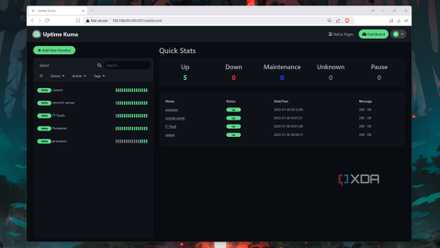
5 of the best tools for monitoring your home lab
Keep a weather eye on your home server with these incredible services
USB passthrough and clustering
Winner: Draw
Had I written this article a few months ago, I would’ve crowned Proxmox as the victor of this section, as Harvester hasn’t supported this essential functionality for the longest time. Thankfully, the USB passthrough functionality was implemented in version 1.40, though you’ll have to enable the pcidevices-controller add-on to connect USB accessories to your Harvester virtual machines.
PVE and Harvester are also equipped with solid clustering facilities, including the ability to set up high-availability setups and perform live migration of virtual guests between nodes. In a similar vein, both tools feature distributed storage, though Proxmox uses Ceph while Harvester relies on Longhorn.
Customizability
Winner: Proxmox
Considering that Proxmox features Debian at its core, there’s a lot you can do to fine-tune your home server experience to your liking. For instance, you can install the Samba and iSCSI packages on your Proxmox node and turn it into a makeshift NAS. Likewise, you can install Git and use it to grab a ton of themes for your Proxmox server. That’s before you include the command repositories (like the Proxmox VE-Helper Scripts) that let you deploy virtual guests just by running a one-line code in the terminal.
In contrast, the SUSE-based Harvester is tightly knit in the Rancher/Kubernetes ecosystem and doesn’t leave enough room for customizability. The most you can do is set up a handful of add-ons inside the Harvester web UI and tinker with certain experimental settings in the Rancher Dashboard.
Performance
Winner: Proxmox, but by a very small margin
Considering that Proxmox and Harvester leverage KVM for virtualization workloads, you’d expect them to deliver similar performance. However, the Rancher/K8s integrations add a lot of extra overhead in the case of Harvester. In my tests, virtual machines deployed on Harvester felt slightly less responsive than the ones set up inside PVE, even though I used the same Xeon machine and allocated equal resources to the VMs. But considering that a normal production-grade Harvester home lab needs at least 16 cores and 64GB of memory, you can just pump up the resources allocated to the virtual machine to make up for the barely noticeable performance loss.
Proxmox vs. Harvester: So, what’s the verdict?
Proxmox for normal home labs, Harvester for production environments
As someone who has extensively used both platforms, I’ll have to bestow the crown upon Proxmox. Despite its slightly more complex UI, PVE has tons of community resources, scripts, and commands on top of native support for LXC guests and ZFS pools. However, the reason I’d advise choosing Proxmox over Harvester is simply because it’s a lot more accessible from a hardware perspective. Unlike Harvester, a PVE server can be set up on any old computer or a budget-friendly mini-PC. But if you can put together a server capable of running this monster of a virtualization platform, Harvester won’t let you down. It has a straightforward UI and offers solid integrations with Rancher’s industry-grade tools.