
Summary
- Raspberry Pi 5 offers significant performance improvements with a quad-core Cortex-A76 processor and support for dual 4K 60Hz monitors.
- To ensure optimal performance, invest in a high-speed microSD card with ample storage capacity.
- Protect your Raspberry Pi 5 with a metal or acrylic case to prevent damage from spills and dust buildup. Consider purchasing an official active cooler to prevent overheating.
The Raspberry Pi Foundation has finally released a successor to the Raspberry Pi 4, and the latest version of the Arm-based single-board computer series packs more horsepower than ever. Sadly, the hardware improvements come with a significant price bump as the base Raspberry Pi 5 model costs $60, which is almost double the $35 starting price of the Pi 4. Factor in the cost of SD cards, cases, and the other gizmos you’ll need to make the most out of the Pi 5, and you could end up spending more than $150!
Fortunately, Black Friday and Cyber Monday deals have started showing up at most retailers, and we’ve already seen huge discounts on laptops, mobiles, and PC hardware. So, now’s the best time to grab these five essential accessories for the Pi 5 at reasonable prices.
1 High-speed microSD cards
Because slower cards will bottleneck the Pi 5
Since the Raspberry Pi 5 lacks onboard storage, you’ll require an external storage device to boot into an operating system. You can technically slot in any old microSD card and get the SBC to boot from it, but I advise investing in at least a Class 10 microSD card. This will ensure that the Pi 5 doesn't get bottlenecked by slow data transfer speeds.
As operating systems and apps continue to grow larger, the storage capacity of the card becomes just as important as its speed. While it's possible to install Raspberry Pi OS on an 8GB microSD card, I’m getting one with at least 32GB space as running out of storage after installing a few apps is rather annoying.
-
Samsung Pro Endurance microSD card
-
SanDisk Extreme microSD card
- Brand
- SanDisk
- Capacity
- 1TB
- Hardware Interface
- microSDXC
- Speed (Read, Write)
- Up to 160MB/s read, 90 MB/s write
2 Metal/acrylic case
To add an extra layer of protection to the Raspberry Pi 5👁 A lifestyle image of the GeeekPi Metal Case
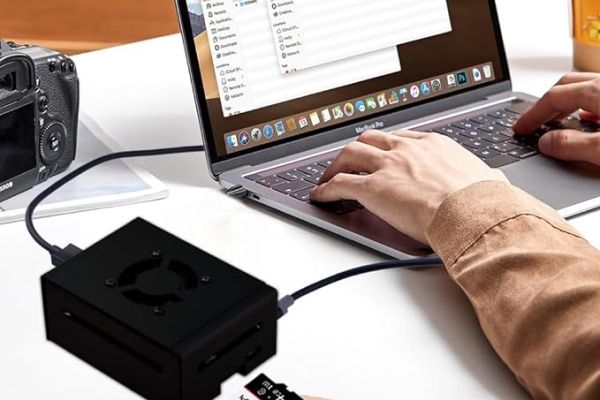
Unlike premium PCs that remain secure inside a cabinet, the Raspberry Pi 5 is a bare circuit board that can be easily damaged by accidental water spills. Keeping the Pi 5 out in the open for extended periods can also lead to dust buildup, which is something you should avoid for all electronic components. Having used GeeekPi's metal and acrylic cases for older Pis in the past, I plan to get one of their cases this Black Friday to increase the longevity of my Raspberry Pi 5.
-
GeeekPi Acrylic Case for Raspberry Pi 5
-
GeeekPi Metal Case for Raspberry Pi 5
3 Raspberry Pi Active Cooler
'Cause the Pi 5 can get pretty hot even under normal workloads
The Pi 5 may offer higher performance than its predecessors, but it does so at the expense of generating significantly more heat. The thermal issues are so significant that the Raspberry Pi Foundation has released an official cooler for the Pi 5. Named “Active Cooler,” it’s a full-fledged cooling solution consisting of a heavy-duty fan mounted atop an aluminum heatsink.
Sure, the SBC can survive simple programming, browsing, and other non-hardware-intensive tasks, but you shouldn’t run it past 80°C if you want to prolong its longevity.
Raspberry Pi Active Cooler
4 Charging cable and display adapters
Don’t forget about the micro HDMI to HDMI adapter👁 A Raspberry Pi 5 with a USB Type-C charging cable and a micro HDMI to HDMI adapter plugged in
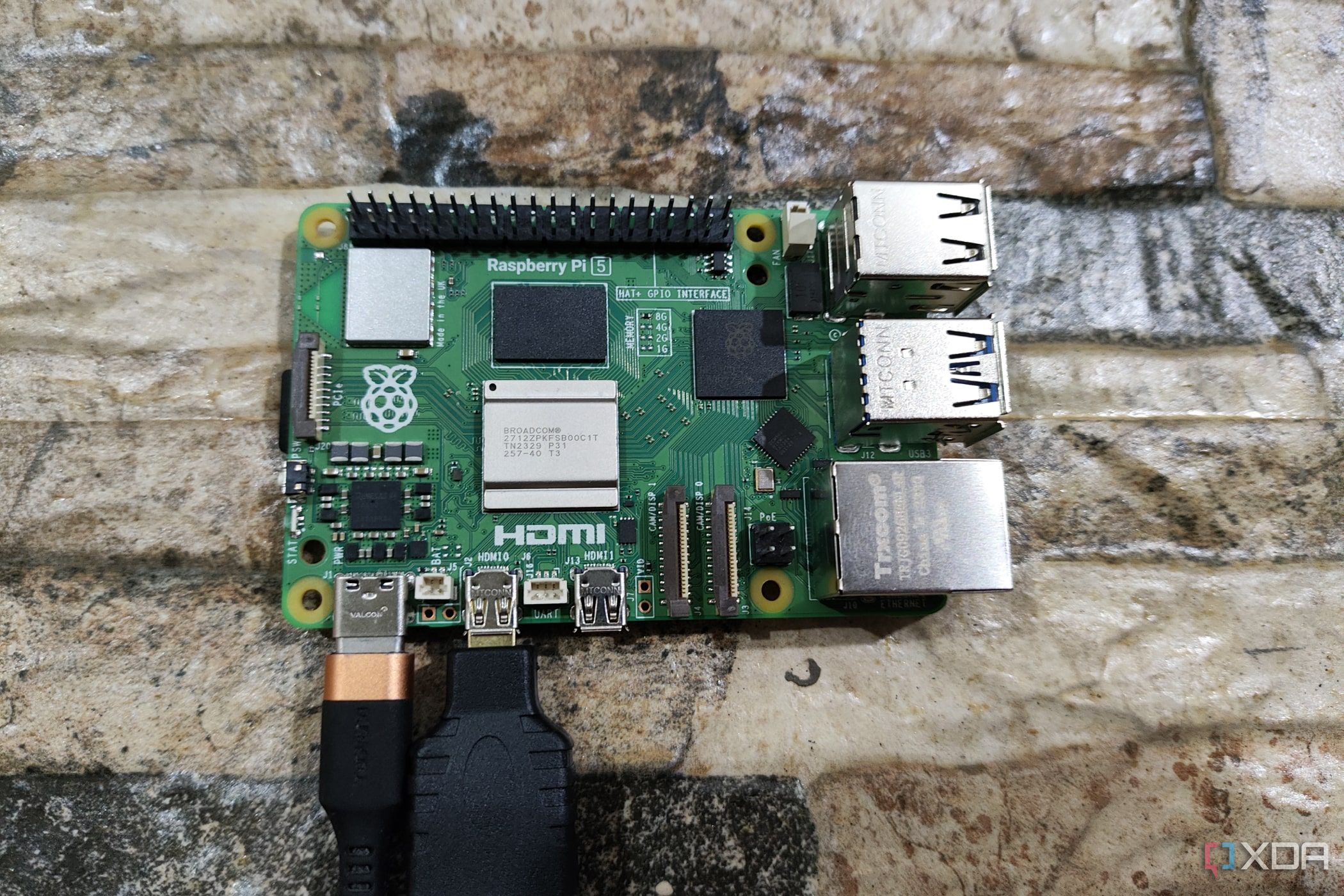
One of the biggest mistakes I made when ordering a Raspberry Pi Zero W four years ago was forgetting that SBCs have smaller ports than the ones I was used to on desktops and laptops. As a result, the device had to sit on my shelf until I got my hands on the adapters for its micro USB and micro HDMI ports.
Although the Raspberry Pi 5 (luckily) has the same sized USB and Ethernet ports, the display connection hasn’t changed since the Pi 4. So, unless you plan to run the device in a headless setup, you’ll want to purchase at least one micro HDMI to HDMI adapter/cable ahead of time. Plus, since the Pi 5 supports a higher 27W power supply, you might want to upgrade your USB type-C charging cable if you intend to connect additional peripherals to the SBC.
-
Amazon Basics Micro HDMI to HDMI Cable
-
UGREEN Micro HDMI to HDMI Adapter
-
Belkin Boost Charge 27W
5 Small, portable displays
What's better than a Raspberry Pi? A Pi attached to a tiny display, of course!👁 A Raspberry Pi 5 connected to an external display
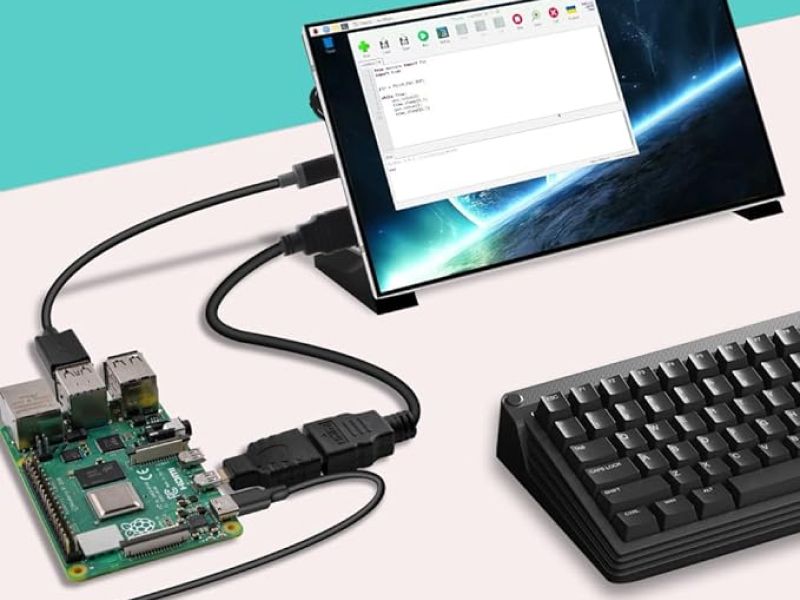
Although the Raspberry Pi 5 is capable of running two full-sized monitors at 4K 60Hz, you can opt for cheaper, portable displays if you don't have a spare monitor lying around. From an aesthetic standpoint, the sub-8-inch displays with touchscreen panels can add some extra flair to your projects. Even aside from the looks, Pi-sized monitors have practical use cases as the backbones of many projects, including digital photo frames and portable retro gaming consoles.
-
GeeekPi 7 Inch LCD Screen for Raspberry Pi
-
ELECROW 5 inch Monitor for Raspberry Pi
And that's it for this list! Being a fan of outlandish tech, I’ve been following rumors of the Raspberry Pi 5’s release for years. So, I was beyond ecstatic when I heard the device would launch this October, and did everything I could to get my hands on one as soon as possible. If you're one of the lucky few who managed to score a Raspberry Pi 5 despite its abysmally limited stock, you can make use of the accessories I've highlighted in this article to make this tiny yet powerful device hit its full potential!