
Summary
- Passkeys are gaining adoption, offering a more secure alternative to passwords.
- Android 15 simplifies passkey usage, making it even more convenient.
- Passkeys add a biometric layer, enhancing security and preventing unauthorized access.
After lots of waiting, we're finally seeing a rise in passkey adoption. I've personally noticed a steady uptake with this technology, as more and more of the websites I regularly visit swap out the username and password method for a quick and easy passkey. And now, Android 15 is making passkeys even easier to use on your phone by adding them as an automatic suggestion above the Android keyboard.
Yes, in a world where Copilot+ computers are now out in the wild, AI tools are getting more and more developed, and PCs are getting more powerful by the year, the thing I'm most excited about is passkeys. Is it because passkeys are a genuinely useful way to keep people safe from threats while also being really easy to use, or am I just a nerd for cybersecurity? Maybe it's a little of both columns, but regardless, here's why I'm looking forward to seeing them around more often.
1 Passkeys are a lot more secure than passwords
Say goodbye to phishing
Given how they're the most popular login method on the internet, passwords have a lot of flaws. They can be guessed, they can be phished, and if the company who owns the website is lax with their server security, they can be stolen. And if you use the same password for multiple websites (shame on you), one leak can let a hacker into all sorts of accounts. Even additional layers of security such as two-factor authentication codes can be phished and reused by a hacker if they're quick enough.
Passkeys, however, are more like a secret handshake between your PC and the website you're logging into. Your browser, extension, or operating system handles the handshake, which means phishing doesn't work. Hackers can't guess your side of the handshake to hack into your account. And if a leak does occur, the hacker will only get one-half of the secret code needed to perform a login.
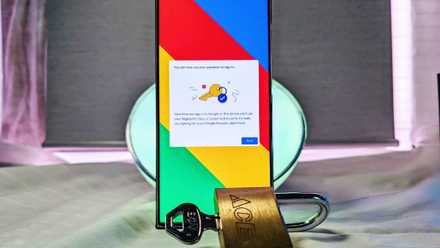
How to set up a passkey for Google
A cybersecurity dream has been to create a world without passwords, and we're one step closer to that vision with Google passkeys.
2 Passkeys are a lot easier to use than passwords
One click and you're done
Performing a secret handshake with your PC sounds complicated, but fortunately, it's all handled by your computer. On your side, your client of choice will pop up a passkey request when you go to log in and click a button. Your computer performs the handshake, and you're in. Yeah, it's just that easy.
Now think about how easy it is to enter your password these days. Browsers on Android show you login buttons over the keyboard, and you tap them to autofill them. Now, Android 15 will show you passkeys over your keyboard, which will get you in with a single tap. The same with password managers on browsers and browser extensions; instead of having them fill in your username and password, you hit a button and you're good to go.
Because the software remembers the passkey for you, there are no memory problems either. No more trying to remember what password you used with which website; just have your PC do all the hard work.

Best free password managers in 2024
Here are some good options to consider if you are looking to try a password manager, but don't want to pay a premium right away.
3 Passkeys add a biometric layer to the mix
Now it's really hard to get a hand on your logins
Okay, so passkeys can't be cracked by a remote attacker. However, what if someone got on your PC without you noticing, or stole your phone? That way, they'll have all of your passkeys on hand and will have access to every website you use them with. And given how passkeys need to be stored, you can't tell your phone and PC not to store them like passwords.
Fortunately, passkeys let people sign on with the push of a button because it assumes there's a second layer of security preventing unwanted people from getting access to the device. This second layer can be tied to biometrics, which is a real pain for a fraudster to emulate without your knowledge. If someone steals your phone, you can set it up with a face or fingerprint scan so they can't access your passkeys. And extensions that can store passkeys like Bitwarden can use USB fingerprint scanners to prevent someone sneaking on while you're out to lunch.
So, if we moved to passkeys, hackers could no longer guess or steal your password. Instead, they need to get physical hold of your device and pass biometrics to even have a chance of accessing your accounts. Sounds good to me.

How to remotely unlock your Windows PC via a fingerprint scanner on Android
No need to type anything!
Passkeys could give us a more secure internet
So yes, despite all the exciting things that are going on with technology right now, passkeys are right up there for me. They're quick to set up, they're easy to use, they can't be cracked remotely, and a hacker needs to get a hold of your device and go through its biometrics before they even have a shot at your online accounts. As such, that's why I'm excited for passkeys to become a thing.