
Spotlight is one of the best features of macOS, providing a search tool and app launcher that handily outclasses the built-in search on Windows 11. But that's not to say you can't get that same great experience on a Windows PC, and even provided by Microsoft itself.
It's all thanks to PowerToys, the suite of productivity tools for power users that can take your Windows PC to the next level. One of the many tools included here is PowerToys Run, and if you want something like Spotlight on Windows, this is it. Here are a few reasons you should check it out.
8 reasons you should be using PowerToys on your Windows PC
Take your productivity to the next level
4 It's only one of many great tools
PowerToys is a gold mine
This point is a bit tangential to PowerToys Run, but it's a completely valid justification if you don't want to have a ton of apps installed on your PC. PowerToys, as I've mentioned, is a suite of tools with a ton of productivity enhancements available, and PowerToys Run is just one of them. If you want to have just one app with a ton of useful features, PowerToys is for you.
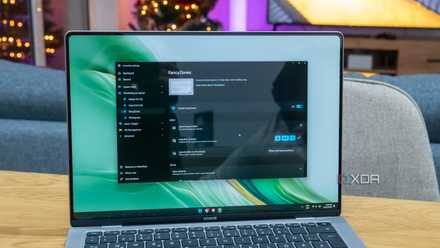
Aside from Run, one of my favorite PowerToys features is FancyZones, which makes it really easy to manage your open windows and snap them into the appropriate areas of the screen. It's one of the best ways to boost my productivity, personally.
Then there are other things like PowerRename for easily renaming multiple files in one go, Image Resizer making it easy to upload images with heavier file size restrictions, and all the mouse utlities offer different ways to easily find your mouse cursor, which can be especially useful when you have a large screen.

7 PowerToys features you need to maximize your productivity
Microsoft PowerToys adds a ton of features and tweaks to your Windows experience, and these game-changers will maximize your productivity.
3 Lots of plug-ins built in
There's a lot you can do out of the box
Right out of the gate, PowerToys Run includes a lot of plug-ins that enable certain features and search results that make it even more useful than Spotlight. Of course, it can find and launch your apps, but it can do a lot more than that.
One of these plug-ins allows you to search the Windows registry, for example, while another lets you run terminal commands directly from within PowerToys Run. You can convert units, perform calculations, search for system settings, and create timestamps based on the current time and date. PowerToys Run can also search both your files and the web, so it's a great all-in-one tool. You can even search your OneNote notebooks, though this plug-in isn't enabled by default.
Another great plug-in included by default is Window Walker, which lets you search your open windows and easily switch between them. That may seem pointless for many users, but once you're juggling 15 windows or more, it can be a lot easier than using the taskbar or task switcher to move between apps.

Should you use PowerToys Run or Flow Launcher? Here's how they stack up
I know what I'm sticking with
2 Even more plug-ins available online
Extending PowerToys Run's capabilities further
Of course, it's not just about what it can do out of the box, and PowerToys Run thankfully works with a range of third-party extensions that enable even more capabilities not available out of the box. This extensibility makes it even better than Spotlight, which supports nothing of the sort.
There are a lot of useful options here, such as a plug-in that lets you search your browser history, or plug-ins that specifically search your favorites in Edge or your bookmarks in Firefox. You can ask ChatGPT a question directly, too.
For even more useful options, you can use WinGet and Scoop package managers to easily install apps from within PowerToys, search and control Spotify playback, and even browse your recent Visual Studio projects. PowerToys Run doesn't have as many plug-ins as some competitors like Flow Launcher, but it's heavily focused on productivity and tools that are actually useful.
PowerToys and WinGet are going to work seamlessly together, and I couldn't be happier
If you use PowerToys, you might be excited to learn that WinGet will soon work seamlessly with it.
1 It's highly customizable
There's a lot you can change
One last thing that makes PowerToys Run really stand out is that it offers a ton of customization options for a lot of little details. IOt's not just about changing how the app looks, but actually changing its behavior to be more useful to you.
You can change the delay for different kinds of plug-ins to appear in search results to optimize your search experience, and you can also change how many results are shown without scrolling. You can also tweak how a selected result is weighted in the future, changing its position in search results for future searches. Then, you can also change the order score modifier for individual plug-ins, so results ffrom those plug-ins are prioritized or de-prioritized based on your more frequent needs.
PowerToys Run is a very customizable and capable search experience, even more so than Spotlight and most of its competitors.

Hands-on: Listary is a lightweight launcher that levels up your productivity on Windows
Stop wasting time looking for files and apps
PowerToys Run is great
If you're looking for a quick way to search your apps, files, and more, PowerToys Run is a fantastic option, and it's a nearly perfect alternative to Spotlight on macOS if you're switching to Windows. On top of that, PowerToys gets you a lot more productivity tools that make it easier than ever to get work done, so this is a truly great app to add to your arsenal. And the best part is it's totally free, so you've got noting to lose by trying it.
-
- OS
- Windows 10/11