
For a long time, I treated AI like a luxury rental car which is fast and powerful, but never really mine. As someone who loves self-hosting, jumping between my private tools and cloud-based AI felt clunky. It was a constant bottleneck that broke my focus.
I wanted the power of a neural network, but I wanted it to feel like a home-cooked meal: private, always available, and made exactly how I like it. So, I stopped visiting AI and started hosting it myself. By pulling local models into my daily productivity stack, I turned a disjointed process into a smooth, high-speed engine. Here is how I finally took back control of my data and my workflow.
I always thought Local AI would be slower
The doubt I had before running LLMs locally
I’ve been self-hosting tools for years, so running software locally isn’t new to me. My setup already includes things like Paperless-ngx, Home Assistant, and other tools that prioritize privacy and control. But when it came to large language models, I was still hesitant. LLMs have a reputation for needing serious hardware, and I assumed the experience wouldn’t feel as smooth as the cloud-based tools I was used to.
My writing workflow depends heavily on speed. I constantly move between outlining ideas, refining paragraphs, and testing headline variations. Even small delays can break that creative rhythm. I didn’t think local models would be bad, I just felt they might add friction to a process that needs to feel instant.
For a long time, I treated local AI as something interesting, but not practical for daily work. Still, curiosity pushed me to try a few models locally, just to see whether the experience could actually keep up with my real workflow.
The local AI stack I built
My productivity-focused local AI stack
I wanted my local AI setup to feel practical, not like a weekend experiment I’d forget about. I built the stack the same way I approach most self-hosted tools — modular, flexible, and easy to maintain. Docker became the foundation, letting me run everything in isolated containers without dependency issues. For running models, I used Ollama, which made it easy to download, manage, and switch between different LLMs depending on the task.
To keep the experience familiar, I added a WebUI so interacting with models felt similar to any cloud AI chat interface. I also experimented with AgenticSeek to explore more structured workflows like multi-step reasoning and task-based prompts.
My machine has 32GB RAM, an Nvidia RTX 5070 GPU, and a 1TB SSD, which handles most models up to around 14B parameters very smoothly. I tested models like Llama 3, Mistral, Mixtral, and Deepseek. I also tried a few 20B and above scale models, but since they demand more resources, I don’t run them all the time. I only use them when the task really needs deeper reasoning.
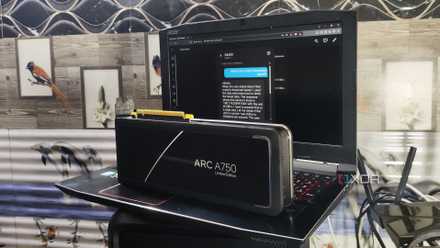
I turned my home server into an AI appliance, and this is the stack that actually stuck
My reliable, low-friction self-hosted AI productivity setup.
My non-negotiable productivity workflow with local LLM
Where local AI fits into my daily workflow
Once my local AI setup was ready, the next step was integrating it into the tools I already use daily. I didn’t want AI to feel like a separate app, I wanted it built into the workflow where my ideas already live. Logseq is still my core thinking layer, where I capture rough thoughts, connect concepts, and structure ideas. Connecting Logseq with my Ollama setup was surprisingly smooth, and it quickly became useful for expanding bullet points into outlines, summarizing notes, and refining early drafts.
Alongside Logseq, I also use Obsidian for more structured writing and long-form content. With Ollama running locally, I can refine paragraphs, simplify explanations, and explore alternate angles without switching to any cloud AI tool. It keeps the entire writing loop private and distraction-free.
For document-heavy tasks, Paperless-ngx plays an important role. I can summarize long PDFs, extract key insights, and ask follow-up questions directly on stored documents without uploading anything externally.
VS Code helps when I need structured formatting, cleanup, or quick technical edits. I also experimented with Home Assistant to see how local AI can interact with personal automations. Overall, AI now fits naturally into my existing workflow instead of interrupting it.
Ollama
Ollama is a platform to download and run various open-source large language models (LLM) on your local computer.
It worked surprisingly well
Definitely better than I expected
What surprised me most was how naturally local AI fit into my workflow once everything was set up. I’m not saying it beats cloud-based AI tools, but it definitely performed better than I expected. My main concern was always privacy. Earlier, I was hesitant to deeply integrate tools like ChatGPT or Gemini into my knowledge system because it meant sending personal notes, documents, and ideas to external servers.
With a local LLM, that hesitation simply disappears. I can connect it with Logseq, Obsidian, Paperless-ngx, VS Code, or even Home Assistant without constantly thinking about data exposure. Everything runs on my own machine, which makes experimentation feel much more comfortable and natural.
Because of this, I ended up using AI more consistently in places where I had previously avoided it. It doesn’t need to outperform cloud models to be useful — it just needs to be reliable, private, and always available. In daily use, it quietly proved itself to be more practical than I originally assumed.
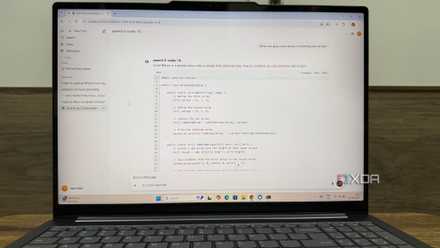
Local AI didn’t replace my workflow, it unlocked it
Rebuilding my workflow around a self-hosted LLM wasn’t about chasing the most powerful AI. It was about creating an environment where AI works quietly in the background, supporting how I already think and work. Self-hosted AI gives a level of flexibility that’s hard to achieve with closed platforms. I can experiment more, connect more tools, and shape the system exactly the way I want.
The biggest shift is control. When AI becomes part of your own infrastructure, it stops feeling like a tool you visit and starts feeling like a capability you own. And that small shift can have a surprisingly meaningful impact on productivity.