
Remote access is a powerful tool, but the options currently available leave something to be desired. RDP — Remote Desktop Protocol — is excellent in Windows-only environments, but exposing it to the web carries a pretty high degree of risk. On the other hand, VNC — Virtual Network Computing — is used by a lot of both open-source and commercial applications. While it works well across different platforms, it eats bandwidth (due to pushing raw screen updates) and doesn't offer as many features as RDP.
RustDesk offers the best of both worlds. This open-source, self-hostable remote access tool is similar to TeamViewer, but offers more privacy and works across multiple platforms. It also has low enough latency that accessing my machines from across the house, or across town, feels responsive.
A self-hosted instance of RustDesk offers better privacy
End-to-end encryption beats ad-hoc security any day
Bad actors take advantage of any possible avenues to gain access to your machine, and unfortunately, internet-exposed RDP and VNC services are frequent targets for automated scans. For these services to be safe, you need to implement careful security protocols, including VPNs, jump hosts, and more.
RustDesk takes a more direct approach to security through the use of peer-to-peer and end-to-end encryption. When self-hosted, you can choose to enable additional security options like multi-factor authentication. While RustDesk does offer a direct download that's reasonably safe, self-hosting your own server adds significantly more security by removing any dependency on a third-party relay.

I tried every method to remotely access my PC, and this self-hosted method is the best and actually works consistently
Bid adieu to TeamViewer and the likes
RustDesk works across platforms
Windows, Mac, and Linux, oh my
I work on two main systems: a MacBook Pro in my office, and a Windows desktop on the other side of the house for testing Windows-only apps. I'm an inherently lazy person, and I hate trudging out of my office just to retrieve a file that's only on my desktop. (Yes, I know shared network folders exist, but bear with me for the sake of argument.) RustDesk makes it easy to access my desktop, snap a quick screenshot, and send it to my MacBook without ever leaving my desk.
Compared to the Windows-only nature of RDP and the often-clunky experience that comes with VNC, RustDesk quickly becomes an appealing option (especially when you consider the ease of setup). It even offers features like clipboard sync and file transfer directly between devices, making it ideal for use cases like mine.
Setup is relatively simple
No more NAT-mares
If you aren't well-versed in networking, setting up remote access clients can be a bit of a nightmare. I've already mentioned the risks of direct internet exposure for RDP clients, and that's before you have to deal with port forwarding, tweaking firewall rules, and other considerations. If you're a home user who just wants an easy way to connect two separate devices, it can seem like more work than it's worth.
RustDesk circumvents this issue by offering pre-packaged clients through a simple installer. Even self-hosting is easy enough that most people could do it; a bit of time reading the documentation and/or watching tutorial videos will take you far. Thanks to its ease of use, there's little in the way of per-host tweaking that needs to happen before RustDesk becomes usable.
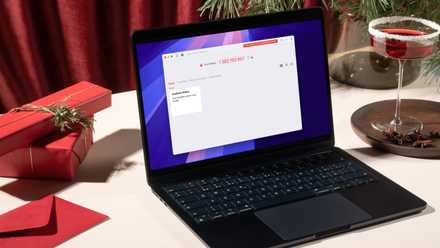
I use RustDesk instead of TeamViewer or Chrome Remote Desktop and here's why
RustDesk has it all
From a performance perspective, RDP still wins out — sometimes
On a fast, local network, it's hard to beat
If you're only working with Windows machines and you're only on a local network, RDP is a fantastic option. The tool is basically custom-built for that environment and integrates seamlessly with the Windows operating system, and you'd be hard-pressed to find something that offers better performance. Between supporting multiple monitors, sharing clipboard data, and more, RDP is a better option in most cases for Windows-to-Windows use.
If you aren't accessing the internet and you're just working on your local network, RDP is a solid option that's often available by default on most Windows machines.
But that's a limited scenario, and not overly realistic
In real-world application, RustDesk tends to be the better option
Users who need remote access usually need to access devices outside of their own network, and possibly even devices that are thousands of miles away. They're often working across operating systems, too. With those considerations in mind — and the need to ensure access security — RustDesk can be a much better fit. Because it places so much control in the hands of the user, RustDesk can be a great pick for anyone who wants to ensure the security of their connection. Enabling optional settings like MFA on your server means that, even if someone stumbles across your server, they still won't be able to access any connected devices.
RustDesk doesn't have to be used all on its own, either; it can coexist with RDP and VNC, although VNC becomes somewhat redundant with RustDesk around.
Easier, safer remote connections
I'm one of the first calls when family members run into tech troubles. RustDesk makes it easy for me to remote into their devices and figure out exactly what the problem is, and it's easy enough for them to install that I can guide them through it on the phone. Anyone who has ever been their family's tech support person can vouch for what a relief that is.
RustDesk
RustDesk is an open-source remote desktop application designed for self-hosting, as an alternative to TeamViewer.