
For a long time, my note-taking workflow was a mess with a mix of dedicated apps for long-form writing, quick thoughts, research PDFs, and browser tabs. I had built a system that promised maximum efficiency but often delivered frustration and left me spending more time managing my tools than engaging with my ideas. Then, out of sheer curiosity, I decided to consolidate everything into a single, unified instance of NotebookLM.
This change simplified my setup and transformed how I interact with information.
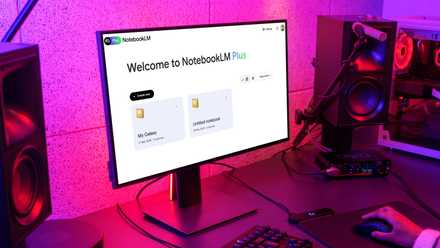
I finally started using NotebookLM and I should have sooner
I’m officially a NotebookLM convert
My fragmented note-taking system
Hard to see the full picture
My old note-taking setup was robust on paper, but it had multiple disconnected brains. First, there was the constant issue of lost context. Imagine having a brilliant idea for a project during a brainstorming session, jotting down in one app, and then doing research on the same topic in another.
Notes related to the same project would live in my project management tool, my research app, and a quick scratchpad. And that makes it nearly impossible to get an overview of everything without manual work.
Every time I needed to move from outlining an article to reviewing research, or from a meeting note to a task list, I had to physically jump between applications.
I remember one frustrating afternoon when I was trying to review notes for a complex software project. I had code snippets in Google Docs, architectural diagrams in a PDF, user stories in a Notion database, and meeting notes in a digital notebook. This wasn’t just annoying, but a constant drain on my mental energy.
Then there was an issue with maintenance overload. I was always filling, tagging, linking, and ensuring that everything was where it was supposed to be. Overall, I would spend more time navigating my tools than actually engaging with my content.
My experiment with NotebookLM
Key features that made the difference
That’s when I discovered NotebookLM. Its ability to support diverse source types and AI-powered summarization promised to address my biggest pain point.
Now, I couldn’t just dump my entire digital life into one NotebookLM notebook as it has a 300-source limit. My solution was to create a system of notebooks that mimicked an ‘everything’ structure without actually being one giant notebook.
I created a core knowledge notebook that housed foundational texts, evergreen notes, and concepts that applied to many areas of my work. Then I had several project-specific (New product development research, AI content strategy 2025, etc.) and topic-specific notebooks.
The trick was to manage the source limit within these. For example, I created a ‘Docker Deep Dive’ notebook with key PDF guides, crucial web articles, my own learning notes, and a couple of large YouTube videos.
Even with a 300-source limit, I found I could get a vast amount of critical information into this single notebook. When I was working on a project involving Docker, instead of searching through different locations, I would just open this notebook.

5 tips and tricks I use to create effective notebooks in NotebookLM
NotebookLM habits for peak productivity
The new workflow in action
Reduced friction, increased focus
Once my ‘Everything Notebooks’ were set up and populated, the true magic of NotebookLM came into play. Now, if I stumble upon a new best practice guide for Docker security, I simply grab the URL or download the PDF.
I will add it directly to my NotebookLM notebook and make it a part of the knowledge base. If I needed to know What’s the best practice for persistent storage with Docker Swarm services, and what are the common pitfalls?, I wouldn’t have to sift through dozens of documents.
NotebookLM would draw answers directly from the official docs, relevant articles, and my notes. This integrated approach means my information isn’t just stored, it’s active and interconnected. I’m no longer losing ideas in the gaps between tools.
It doesn't stop here. I can even generate audio overviews based on my sources, generate mind maps, and even share these notebooks with others. These are neat perks on top of its AI-powered Q&A sessions.
Keep these limitations in mind
There will be hurdles
While I have crowned NotebookLM my ultimate note-taker, it’s crucial to acknowledge that it isn’t without its quirks and limitations. It’s not a perfect tool for everyone.
For example, its mobile app experience is quite basic. Although it's functional for quick reference and simple interactions, it lacks the comprehensive features of dedicated mobile-first note-taking apps. You can’t even add a manual note using the NotebookLM iOS and Android apps.
If you are someone who relies heavily on rich text formatting, tables, and precise visual layouts, you might find NotebookLM’s options limited. I can live with these limitations because the core benefits outweigh them for my specific use case.
The end of note-taking overwhelm
Replacing my multi-app note-taking system with a single NotebookLM instance was one of the impactful decisions I have made for my productivity and creative flow. I no longer spend precious time juggling notes and browser tabs; instead, NotebookLM has become the intelligent hub where all my ideas, research, and project notes reside.
If your current note-taking setup feels more like a burden than a benefit, I encourage you to explore the power of consolidation with a tool like NotebookLM. If you are unfamiliar with Google’s new AI note-taking tool, check out these tips to get started in no time.