
Summary
- Raspberry Pi Foundation website: Find OS downloads, project ideas, and firmware updates easily.
- Raspberry Pi forums: Troubleshoot, learn, and be inspired by a passionate community of makers.
- GitHub: Access open-source projects, learn coding, and collaborate with others to enhance your projects.
Whether you’re brand new to Raspberry Pi or have been tinkering for years, having the right resources at your fingertips can make all the difference. The Raspberry Pi ecosystem is vast, and knowing where to find trusted guides, software, and community support can help you get the most out of your projects. Here are seven must-know resources every Raspberry Pi owner should keep bookmarked.
5 amazing computing devices you can buy instead of a Raspberry Pi 5
The Raspberry Pi 5 may be a terrific system for DIY projects, but there are plenty of other alternatives for tinkerers
7 The Raspberry Pi Foundation website
Your starting point for official software and news
The official Raspberry Pi Foundation website should be the first place you visit when starting a new project. It’s packed with beginner-friendly guides, news about new hardware releases, and the official Raspberry Pi OS downloads. Whenever you set up a new Pi, the site is the best place to grab the latest, most stable images.
Beyond software, it’s also where you’ll find updates about education programs, contests, and community events. The blog is a treasure trove of project ideas and real-world examples showing how others use their Raspberry Pis. Checking in here regularly helps you stay on top of firmware updates and exciting new features.
If you ever wonder whether you have the latest OS version or your board is officially supported for a project, this is the place to double-check. Bookmark it early—you’ll return to it more often than you think.
6 Raspberry Pi forums
Connect with a community of passionate makers
The Raspberry Pi forums are where troubleshooting magic happens. Whether you’re stuck trying to boot from an SSD or curious about setting up a Kubernetes cluster, someone here has probably asked—and solved—that exact problem. It’s an incredible support network filled with both hobbyists and engineers.
Browsing the forums can also introduce you to ideas you wouldn’t have thought of. From weather stations to retro gaming builds, the creativity here is endless. Sub-forums are organized by topic, so jumping straight into areas like networking, robotics, or programming is easy.
Even if you don’t have an immediate question, spending a little time reading popular threads will boost your knowledge. Plus, being active in the community helps if you ever need quick help from experienced users.
5 GitHub
Find and contribute to Raspberry Pi projects
GitHub is home to thousands of open-source projects designed for the Raspberry Pi. From automation scripts to full-fledged operating systems, you can find code to kickstart almost anything you’re planning. Searching for “Raspberry Pi” on GitHub opens the door to all kinds of creative projects.
Many of the most useful Pi-related tools, like Pi-hole and Home Assistant, maintain their repositories here. That means you can easily check for updates, follow bug reports, and suggest improvements if you’re comfortable coding. Reading through well-documented GitHub repos can also teach you much about writing scripts and organizing projects.
If you ever want to go beyond copying a project and start tweaking it to fit your exact needs, GitHub is the place to dive deeper. It’s a powerful resource not just for downloads, but also for learning about open-source collaboration.
4 Raspberry Pi Official Magazine
Monthly inspiration and tutorials for all skill levels
The official Raspberry Pi magazine is one of the best ways to stay inspired for your RPi projects. Formerly called MagPi, each issue of this magazine is filled with hands-on projects, reviews of new accessories, interviews with creators, and advanced tutorials. Best of all, many of the back issues are available as free PDFs.
Whether you’re interested in building a weather station, setting up a home media server, or diving into machine learning, a MagPi article probably walks you through it. The mix of beginner and expert content makes it easy to keep learning at your own pace.
Subscribing to the magazine (even digitally) often gets you special perks like free kits or exclusive tutorials. It’s a fun and motivating way to keep your Raspberry Pi skills sharp while picking up new ideas you might never have considered.
3 Pi-Apps
The easiest way to install popular software
Pi-Apps is an unofficial but convenient tool for Raspberry Pi users. It gives you a graphical storefront where you can browse and install hundreds of popular apps and utilities with just a click. Think of it like an app store tailor-made for Raspberry Pi projects.
Instead of spending hours finding, downloading, and compiling programs manually, Pi-Apps streamlines everything. It covers everything from productivity tools to emulators, system utilities, and games. Advanced apps requiring terminal commands can often be installed this way with minimal fuss.
While it’s not officially supported by the Raspberry Pi Foundation, the community behind Pi-Apps is active and trustworthy. It’s a real time-saver, especially if you’re setting up a new Pi and want to get it loaded with useful software quickly.
2 XDA, of course
We stay packed with tutorials, tips, and reviews
Naturally, I think you should keep XDA bookmarked for help and inspiration for your Raspberry Pi projects. We regularly provide tutorials, project ideas, and product reviews. We strive to ensure that everything is written in a straightforward, no-nonsense style that is approachable for beginners yet still useful for advanced users. Each of our guides, lists, and project outlines is detailed, easy to follow, and regularly updated.

I set up a WireGuard VPN on my Raspberry Pi 5—here’s how (and why you should too)
I know plenty of quick Raspberry Pi projects, but I was still shocked at how quickly I could turn my SBC into a WireGuard VPN.
The site is especially strong in terms of practical, step-by-step guides for setting up servers, automations, and smart home projects. If you’re trying to do something specific, like installing WireGuard VPN on your Raspberry Pi or building a NAS, there’s probably a guide here that walks you through it in clear language.
XDA also reviews new accessories and hardware, helping you make smarter buying decisions. It’s a great alternative to digging through forums when you want fast, reliable instructions without all the extra chatter.
1 YouTube: ExplainingComputers and ETA Prime
Visual walkthroughs for learning by watching
Sometimes it’s just easier to see how a project is done. YouTube is packed with great Raspberry Pi content, and two standout channels are ExplainingComputers and ETA Prime. Both offer high-quality videos covering builds, upgrades, and performance tips.
ExplainingComputers leans into educational content, explaining how the Pi works and offering practical advice for getting the most out of it. ETA Prime focuses more on showcasing what you can do with your Pi, from gaming builds to emulation and beyond. Their clear, detailed videos are perfect when you want a visual guide to setting something up.
Watching real builds in action can help you avoid mistakes and better understand complex setups. Whether you prefer deep dives or quick overviews, these channels offer steady inspiration and troubleshooting help.
Having the right resources makes every project easier
With trusted sites, forums, and tools on hand, every Raspberry Pi project becomes easier and more fun. These resources aren’t just for solving problems—they’re about unlocking new possibilities and growing your skills. Keeping them bookmarked means you’ll always have expert advice, creative ideas, and powerful software just a few clicks away.
Raspberry Pi 5
- CPU
- Arm Cortex-A76 (quad-core, 2.4GHz)
- Memory
- Up to 8GB LPDDR4X SDRAM
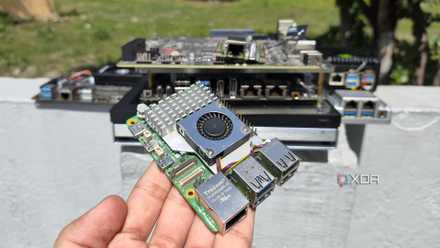
The Raspberry Pi is back, and the fifth iteration of the SBC is a lot more capable than the older models. From a new quad-core Arm Cortex-A76 CPU, support for dual monitor setups at 4K 60Hz, and a dedicated power button, there's a lot to love about this palm-sized computer.