
While Arrow Lake on the desktop didn't exactly wow us, it was at least a step or two in the right direction towards processors that kept their thermals in check. Now, it's the turn of Arrow Lake's mobile processors, starting with the Core Ultra 9 285H. This is a 45W mobile chip with 6 performance, 8 efficiency, and 2 low-power efficiency cores that can use up to 115W at full tilt. But, after the issues of Arrow Lake on desktop, is the mobile chip any good?
Well, I've been using an MSI Prestige 16 AI Evo powered by the Core Ultra 9 285H for a couple of weeks, and I can tell you right now that Arrow Lake mobile goes a long way to redeeming the architecture. It's got plenty of compute power, even when on battery, and the integrated Arc graphics combined with XeSS in compatible titles means you can even game at relatively decent frame rates. Let's dive in to what else is good about this new chip.
About this review: Intel sent us an MSI Prestige 16 AI Evo powered by the new Intel Core Ultra 9 285H mobile processor for the purposes of this review. Neither company had any input in its content.

MSI Prestige 16 AI Evo (2025)
- Operating System
- Windows 11
- CPU
- Up to Intel Core Ultra 285H processor
- GPU
- Intel Arc
- RAM
- Up to 32GB LPDDR5
The MSI Prestige 16 AI Evo is one of the first laptops to use the Intel Core Ultra 9 285H processor, and it's a beautifully made business-class device.
- Arrow Lake mobile is awesome
- 4K OLED option
- Plenty of ports including Ethernet
- Touchpad is annoyingly offcenter
- Thermal throttle issues
Pricing, specs, & availability
The Intel Core Ultra 9 285H was released on February 10, 2025. This is the flagship of the Intel Arrow Lake mobile H-series, with 16 total cores, no hyperthreading, and up to 115W of power. It's paired with Intel Arc integrated graphics and will likely power many of the best laptops in the months to come.
This MSI Prestige 16 AI Evo is one of the first laptops to use the new Core Ultra 9 285H. It's a classy business affair with a classic clamshell shape and plenty of ports for connectivity. For such a slim and light laptop, MSI still managed to fit an Ethernet port onto the side, in case you prefer wired stability. MSI has not released the price of this laptop yet, but last year's model was $1,450 with an Intel Core 7 processor, so expect around that price.
Intel Core Ultra 9 285H
- Cores
- 6P / 8E / 2 LPE
- Threads
- 16
- Base Clock Speed
- 2.9 GHz / 2.7 GHz / 1 GHz
- Boost Clock Speed
- 5.4 GHz / 4.5 GHz / 2.5 GHz
- PCIe
- PCIe 5.0
- Cache
- 24 MB
- RAM support
- LPDDR5x-8400, DDR5-6400
- Graphics
- Intel Arc 140T
- Architecture
- Arrow Lake
- Process
- TSMC N3B
- TDP
- 45W
- Power Draw
- 115W
MSI Prestige 16 AI Evo (2025)
- CPU
- Up to Intel Core Ultra 285H processor
- GPU
- Intel Arc
- Display type
- IPS: 16:10 aspect ratio, 100% DCI-P3, 400 nits; OLED: 16:10 aspect ratio, 100% DCI-P3, 400 nits
- Display (Size, Resolution)
- IPS: 16 inches, 2560x1600, OLED: 16 inches, 3840x2400
- RAM
- Up to 32GB LPDDR5
- Storage
- 2x M.2 2280
- Battery
- 99.9Wh
- Charge speed
- 100W
- Ports
- 2x TB4, 1x USB Type-A gen 2, 1x HDMI 2.1, 1x SD card reader, 1x Combo Audio Jack, 1x 1GbE
- Operating System
- Windows 11
- Webcam
- FHD IR Webcam with Dual Mic and privacy shutter
- Cellular connectivity
- No
- Wi-Fi connectivity
- Wi-Fi 7
- Bluetooth
- Bluetooth 5.4
- Form factor
- Clamshell
- Dimensions
- 14.11x10.02x0.66-0.75 inches (358.4x254.4x16.85-18.95mm)
- Weight
- 1.5kg
The good
There's a lot to like about this classy business machine with a heart of fire
I've been putting the MSI Prestige 16 AI Evo through its paces over the last couple of weeks; which is one of the first laptops to come out with the Intel Core Ultra 9 285H processor from Intel's Arrow Lake mobile range. The review unit has 32GB of LPDDR5 RAM, a 16-inch, 16:10, 2560x1600 IPS display, and a full-sized keyboard. While I would have preferred the 4K OLED display, the IPS screen is crisp and bright, and it's a perfectly good laptop for general computing tasks.
That's not really a surprise at this stage, though, because the bar has significantly been raised, and it's hard to find a bad laptop in this price bracket. Nowadays, it's a question of what you will be using your laptop for and whether you have any specific requirements. The MSI Prestige 16 AI Evo is stylish, lightweight, and has a great screen; it's got plenty of connectivity.
Arrow Lake is the new leader of the pack, being slightly ahead in single-core performance and significantly ahead in multicore performance.
While this is a slim business laptop, MSI has found space for a gigabit Ethernet port, an SD card reader, two Thunderbolt 4 ports, one USB-A port, and a full-sized HDMI port. That's awesome to see in this age of reduced connectivity, and having the TB4 ports, USB port, and HDMI port at the back of the laptop means they're out of the way when in use.
The keyboard is pleasant enough to type on and has white backlighting if you prefer that. The mechanical touchpad is spacious and easy enough to use. I'd have liked to see a haptic touchpad on this class of machine, or really, any laptop from now on. They're just much nicer to use.

Best AI PCs in 2025
With the addition of an integrated NPU, these PCs will take your AI applications to the next level of efficiency
When we reviewed Lunar Lake laptops, like the one used in the Lenovo Yoga Slim 7i Aura Edition, our EIC Rich Woods said, "With more choices than ever in laptop chips, here's what you need to know. AMD Ryzen AI 300 has the best CPU, Lunar Lake has the best graphics, and Snapdragon X Elite has the best battery life."
Well, after benchmarking the first Arrow Lake mobile chip against a comparable AMD Ryzen AI 300 laptop, that statement isn't accurate anymore. Arrow Lake is the new leader of the pack, being slightly ahead in single-core performance and significantly ahead in multicore performance. That's across all workloads and all tests, even when running on battery power, where the Arrow Lake chip outperformed the Ryzen CPU running on AC power.
|
MSI Prestige 16 AI Evo B2HM (Intel Core Ultra 9 285H) AC |
MSI Prestige 16 AI Evo B2HM (Intel Core Ultra 9 285H) Battery |
Asus Zenbook S 14 (Intel Core Ultra 7 258V) |
MSI Prestige 16 AI+(AMD Ryzen AI 9 365) |
|
|---|---|---|---|---|
|
Cinebench 2024 (single/multi) |
Best performance: 123 / 920 Balanced: 127 / 854 |
107 / 919 |
Best performance, AC: 109 / 591 Balanced, battery: 76 / 469 |
112 / 857 |
|
Geekbench 6 (single/multi) |
Best performance: 2,858 / 17,038 Balanced: 2,774 / 16,559 |
2,293 / 13,659 |
Best performance, AC: 2,732 / 11,215 Balanced, battery: 1,856 / 7,015 |
2,822 / 14,107 |
|
CrossMark (overall) |
2,198 |
1,797 |
1,813 |
1,754 |
|
3DMark Wild Life (Normal/Extreme) |
Best performance: 27,476 / 7,711 Balanced: 27,178 / 7,560 |
25,132 / 7,388 |
27,992 / 7,329 |
21,544 / 6,650 |
|
3DMark Steel Nomad (Light/Regular) |
Best performance: 3,652 / 908 Balanced: 3,609 / 910 |
3,542 / 802 |
3,243 / 874 |
3,190 / 556 |
|
Handbrake (4K encode) |
2,087 seconds |
----- |
----- |
2,133 seconds |
Sometimes, laptop CPUs perform very differently when they're on AC power or unplugged, and the Best performance and Balanced power settings in Windows can change things as well. You can see that's making a difference to the scores here, but even the scores, when unplugged, show a CPU that's more powerful than the competition.
They also show that Intel is improving its power management, with the difference between the best and worst scores on the Core Ultra 9 285H narrowing compared to Lunar Lake.
There is enough compute power for most tasks in your daily workload, including video editing, where the rendering time was impressive. For comparison's sake, the desktop AMD Ryzen 5 7600X takes 1,923 seconds to encode the same 4K file, while Intel's enthusiast-level desktop chips take under 1,000 seconds.
[The Arc iGPU can] handle esports titles smoothly enough, and I also got playable frame rates of over 65 fps in Shadow of the Tomb Raider at 1920x1200 resolution with medium graphics settings and XeSS upscaling helping lighten the load.
Throughout the week, I've been working away from the power supply to get a feel for what this chip can do. It easily matches my workday, which consists mostly of web browsing, publishing, and some light graphics work. This is also a fairly typical business workload. The power brick is very small and easily carried, so I've got no reservations about Arrow Lake mobile's power consumption, especially not when it's paired with a 99.9Wh battery.
I even put the integrated graphics to the test with some light gaming and was quite impressed. It'll handle esports titles smoothly enough, and I also got playable frame rates of over 65 fps in Shadow of the Tomb Raider at 1920x1200 resolution with medium graphics settings and XeSS upscaling helping lighten the load.

HP OmniBook Ultra Flip review: Literally everyone should buy this
It's true to the Spectre x360 brand
The bad
Intel's thermal issues aren't quite gone
After my ongoing issues with Arrow Lake on the desktop, I was pleasantly surprised that no real issues cropped up. The only thing that annoyed me was a personal preference, in that the keyboard and touchpad are both shifted to the left, to accommodate the inclusion of a numpad. While that makes it harder for me to adjust to the laptop keyboard for typing, anyone who actually needs a numpad for their work will appreciate the design.
However, I did notice that the CPU was thermally throttling under load and reached within 1C of the 105C Tjmax limit a few times during my day of benchmarking. Even then, the laptop's fans didn't seem to be working that hard, or maybe they just had a more pleasant audio signature than most. I didn't notice any thermal issues while I wasn't benchmarking, and the only place on the laptop that got warm was underneath the screen, where the CPU and thermal solution live.
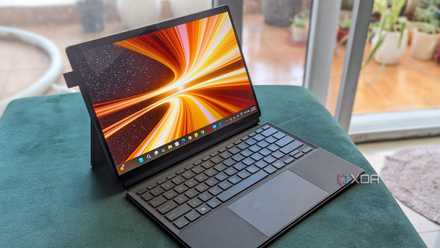
Asus ProArt PZ13 review: The best OLED convertible for most people
The Asus ProArt PZ13 might be the perfect OLED convertible for on-the-move professionals
Should you buy a laptop with the Intel Core Ultra 9 285H in it?
Do you need all-day power because this CPU has it
You should buy the Intel Core Ultra 9 285H if:
- You want a powerful laptop CPU
- You need a long battery life in your laptop
- You want Thunderbolt ports
You should NOT buy the Intel Core Ultra 9 285H if:
- You don't need additional cores
- You want a cooler-running CPU
- Your workloads are less demanding
Intel is starting the year on the right foot, with a strong showing from the Core Ultra 9 285H. Whether inside the beautiful MSI Prestige 16 AI Evo, which I've been using for the last few weeks, or any of the dozens of consumer and business laptops about to be released, Arrow Lake mobile is a winner. It's powerful and power-efficient, with everything you'd want from a laptop.
Intel is starting off the year on the right foot, with a strong showing from the Core Ultra 9 285H.
Sure, it's still a little on the warm side when under heavy loads, but during normal everyday tasks, it was at more reasonable temperatures, and that's what most users will experience. Integrated Arc graphics never fail to impress, managing smooth frame rates in case you want to do some light gaming.
Intel Core Ultra 9 285H
- Cores
- 6P / 8E / 2 LPE
- Threads
- 16
- Base Clock Speed
- 2.9 GHz / 2.7 GHz / 1 GHz
- Boost Clock Speed
- 5.4 GHz / 4.5 GHz / 2.5 GHz
The Intel Core Ultra 9 285H is a fantastic mobile processor, and goes a long way to redeeming the Arrow Lake architecture.
- PCIe
- PCIe 5.0
- Cache
- 24 MB
- RAM support
- LPDDR5x-8400, DDR5-6400
- Graphics
- Intel Arc 140T
- Architecture
- Arrow Lake
- Process
- TSMC N3B
- TDP
- 45W
- Power Draw
- 115W