
In just the last few months, we've seen the multiple 27" 4K OLED gaming monitors hit the market from Asus, MSI, and Samsung, representing a substantial leap forward as the necessary panel technology gets more efficient and cost-effective. 4K OLED gaming monitors with high refresh rates are a joy when done right, and the MPG 272URX from MSI, with a Samsung QD-OLED display, is a solid entry that sets the standard for the future of gaming monitors.
About this review: MSI sent me the MPG 272URX QD-OLED for the purposes of this review. The company had no input into its contents.

MPG 272URX QD-OLED
- Screen Size
- 26.5"
- Display Technology
- QD-OLED
- HDR
- DisplayHDR True Black 400
- Resolution
- 3840x2160 (UHD)
The MPG 272URX QD-OLED is among the first 27" 4K OLED monitors on the market. Built with Samsung's new 27" 4K QD-OLED panel, this monitor boasts a blazing fast response time, a 240Hz refresh rate, and gorgeous HDR performance.
MPG 272URX QD-OLED pricing and availability
The MPG 272URX QD-OLED has launched at a list price of $1,099.99 — if you can find one. As one of the very first 27" 4K OLED gaming monitors on the market, it's been a hot-ticket item. The monitor is currently sold on Newegg as well as directly on MSI's U.S. site. MSI has told XDA that the monitor will be available on Amazon at the end of March.
Specifications
- Resolution
- 3840x2160 (UHD)
- Refresh Rate
- 240Hz
- Screen Size
- 26.5"
- Ports
- 2x HDMI™ 2.1 (UHD@240Hz) 1x DisplayPort 2.1a (UHBR20) 1x Type-C (DP alt.) w/ 98W PD
- Display Technology
- QD-OLED
- Aspect Ratio
- 16:9
- Screen Brightness
- SDR: 250 HDR: 450 (Typ.) (True Black 400 with 10% APL) 1000 (Typ.) (Peak 1000 with 3% APL)
- Dimensions
- 100 x 100 mm
- Mounting Options
- VESA
- HDR
- DisplayHDR True Black 400
- Response Time
- 0.03ms
- Tilt
- -5° ~ 15°
- Swivel
- -30° ~ 30°
- Pivot
- -90° ~ 90°
A stunning 4K QD-OLED panel
Samsung's new panel is doing the heavy lifting
At the heart of the MPG 272URX is Samsung's new 27" 4K QD-OLED panel, which premiered in 2025 in this model, one from Asus, and one from Samsung itself.
This display tech, which MSI describes as a "5-layer tandem OLED panel with EL Gen 3 technology," has achieved a 30% increase in light efficiency over previous generations, allowing for a panel of this size to be made thanks to reduced power consumption. This new panel also offers improvements in brightness and color performance. As an added plus over traditional WOLED monitors, QD-OLED reduces uneven wear and color shift compared to WOLED, which helps reduce the risk of burn-in. However, like all OLED displays, the risk cannot be eliminated completely.
MSI calls this a 27-inch monitor, though according to the company's specs, it measures just 26.5 inches diagonal. This translates to an impressive ~166 PPI (Pixels Per Inch), which makes for a crisper image than 32-inch 4K OLED panels.

4 differences between OLED and QD-OLED
New monitor technology can cause confusion, so here's a breakdown of the main differences between OLED and QD-OLED display technology.
HDR Performance
VESA-certified DisplayHDR True Black 400 produces stunning in-game images thanks to basically infinite contrast, high shadow detail, and low black levels. The display's brightness leaves something to be desired when in HDR, but it's usually more than enough depending on the content on screen and whether you are running the monitor in SDR, HDR True Black 400, or Peak 1000 nits HDR.
I'd love to see future models reach a certification of at least DisplayHDR True Black 600. Occasionally, when gaming or watching a movie in HDR, I'll have to turn off the lamp that sits behind me, as its reflection on the monitor can be distracting. I've also found that direct sunlight pouring into the room during certain times of day can be an issue.
The MPG 272URX's two HDR settings each carry their own advantages and drawbacks. Counterintuitively, True Black 400 can appear brighter than the Peak 1000 Nits setting, but this is mostly due to tone mapping and the effects of automatic brightness limiting (ABL) on OLEDs.
True Black 400 has a lower peak brightness (400 nits) but displays with higher average brightness. In trying to achieve deep blacks without losing detail, it raises overall brightness in many of those areas. This can result in a slightly washed-out image, as pictured. Full-screen brightness measured at 160 nits.
Meanwhile, Peak 1000 Nits achieves higher peak brightness in small highlights, like a sunbeam, flashlight, or muzzle flash, but results in lower overall brightness. In some scenes, this can come across as richer contrast, but in truth, it loses a lot of detail in the blacks compared to True Black 400. Illustrative of the overall brightness sacrificed to achieve the peak 1000 nits in the 3% window is my full-screen brightness measurement of just 95 nits. Brightness when in SDR performs as advertised, achieving a peak of 250 nits.
Color, brightness, and control
Great color gamut coverage, but overly restrictive alternate color settings
The menu on MSI's gaming monitors is usually fairly in-depth, and the MPG 272URX is no exception. Users can control the usual suspects — brightness, contrast, and sharpness — but there is far more granular control than that. For HDR, you'll have the choice of True Black 400 or Peak 1000 Nits, and it's worth noting that you cannot control brightness when HDR is active.
For color temperature, the monitor comes with a handful of presets to choose from. Right out of the box, testing revealed excellent gamut coverage at factory settings, with about 99.7% coverage of sRGB and 98.6% of DCI-P3. My calibration sensor detected a slight green bias that could be quickly corrected in the display settings.
Initial color accuracy was measured at ΔE00 = 3.2. Adjusting the green channel down by two notches brought the balance into alignment, reducing the ΔE00 to 0.4. Considering anything under 2.0 is barely perceptible to the naked eye, this was wonderful post-calibration. Before toning down the green channel, however, it was noticeable that most colors felt a bit "off," which lines up with initial readings.
The panel natively aligns almost perfectly with a wide DCI-P3 color gamut, which is fantastic for gaming and video content. However, for those doing a lot of photo or video editing, I would stay away from the monitor's native sRGB setting. sRGB is a setting typically intended for creators and is meant to somewhat tighten the color gamut. In this case, it clamps too aggressively, and the sRGB coverage when in sRGB mode drops to ~80%.
There is also an entire menu dedicated to the care and protection of the QD-OLED panel. Here, you can adjust the pixel shift speed and toggle various static detection tools, such as logo, taskbar, and boundary detection.
Buttery smooth refresh rate
Native 240Hz and support for DSC plays to a wide audience
I'm still proudly running an RTX 3080 in my PC build, so I am one of the many gamers who leverage DSC (Display Stream Compression) to achieve high frame rates in 4K, as my GPU does not natively support 240Hz in 4K without DSC since the RTX 3080 lacks DisplayPort 2.1
I booted up my tried-and-true CS2, in which I can achieve a stable refresh rate of 240fps or higher. The gameplay was unbelievably smooth, and as someone who regularly plays on a 144Hz monitor, the MPG 272URX was a welcome upgrade.
This monitor supports G-Sync, though I didn't have any issues with tears or stutters, so other than briefly testing it, I didn't have to use it.
Now, truthfully, even my build, which comprises a Ryzen 9800X3D and an RTX 3080, finds it difficult to impossible to hold 240Hz in most games unless I turn my graphics settings way down. Using DLSS gets me most of the way there; however, I always prefer native resolution rendering over DLSS whenever possible.
It feels like 240Hz is likely as high as I could reasonably recommend when playing at 4K, as most systems just won't be able to get the juice out of the lemon.
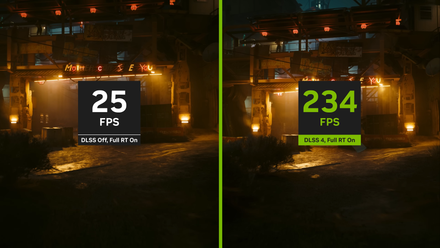
4 reasons why Nvidia's DLSS is ruining PC gaming
DLSS works like magic, but it's actually making your games worse
Perfect size, but at a premium
The MPG 272URX QD-OLED fits my desk, but not my budget
There are a number of great QD-OLED gaming monitors on the market today from a number of brands, including Samsung, Alienware, and some of MSI's other offerings. I've had the pleasure of testing a few of them. While I'm almost always impressed with the raw performance and image quality, I'm usually frustrated by the cumbersome form factor of either larger standard monitors or ultra-wide monitors.
I sit fairly close to my monitor, and I'm a bit particular about my desk space, so I have little need for an oversized monitor with a huge stand. 27" is my go-to size, and I'm thrilled to see MSI and others work to bring 4K QD-OLED performance to a tighter size.
It's worth noting, however, that the reduction in size came without a reduction in price. The MPG 272URX retails for ~$1,100 — a pretty penny for a gaming monitor — which means, if I'm being honest, that I wouldn't be buying this now in its launch year. I'd probably wait a year or two and hope the price comes down somewhat, offering a better value.

3 ways an ultrawide monitor is better than two screens
Some reasons why you should consider an ultrawide as your next monitor
Should you buy the MPG 272URX QD-OLED?
You should buy the MPG 272URX QD-OLED if:
- You want to be on the cutting edge of 27" 4K gaming monitors.
- You value QD-OLED panels and don't mind spending a bit more.
You should NOT buy the MPG 272URX QD-OLED if:
- Your system can't reliably generate 240 frames per second at 4K resolution.
- You are more budget conscious when shopping for monitors.
The MPG 272URX QD-OLED is high-performing and visually stunning. This is a monitor for those with premium builds wanting the very best in image quality for gaming and productivity.
MPG 272URX QD-OLED
- Screen Size
- 26.5"
- Display Technology
- QD-OLED
- HDR
- DisplayHDR True Black 400
- Resolution
- 3840x2160 (UHD)
The MPG 272URX QD-OLED is among the first 27" 4K OLED monitors on the market. Built with Samsung's new 27" 4K QD-OLED panel, this monitor boasts a blazing fast response time, a 240Hz refresh rate, and gorgeous HDR performance.