
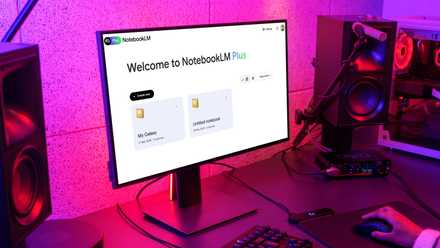
NotebookLM is mostly considered a quiet outlier, sidelined in the AI race by more popular and accessible chatbots like Google's Gemini and ChatGPT. However, you'll be mistaken to judge this notebook by its cover and presume it's only for students and academicians who'd maintain physical notebooks. This tool uses the same LLMs that power Gemini, but Google puts a research-oriented spin on the UI and results. I admittedly slept on this tool for a while, but a recent need for a new automation script provided the perfect opportunity to tinker with it, and I regret not trying it sooner.
I’d tinkered with AutoHotkey (AHK) in the past, a powerful scripting language for Windows that lets you automate almost anything for system-wide convenience. While I appreciated its potential, I always hit a wall with the coding aspect. In a time where practically every free or open-source utility has its own coding suite with unique syntactical quirks, I couldn't be bothered to learn one more, no matter how much it resembles popular languages like Java or Python. So, I decided to put NotebookLM to work, digesting the AHK support documentation for the no-code experience I sought. The results were nothing short of revolutionary for me.

5 tasks I automate with AutoHotKey on my Windows PC
AutoHotKey is a great way to automate your Windows PC and make tasks easier. Here are five things I use it for.
Nothing seems to work for AutoHotkey
Disrespecting syntax and version differences
No-code automation is becoming increasingly common on Windows, with fantastic tools like Microsoft's own PowerToys offering a suite of utilities that make life easier. However, for those of us who want to push the boundaries of personalization, coding is where you can make real change. I've been using the software for years, to set up basic shortcuts that intercept my keyboard's default input to execute custom actions like pinning the selected window atop all others if I hit Win followed by Space. My dependence on this OS-level tool dwindled when I switched to programmable mechanical keyboards powered by QMK for machine-agnostic firmware-level customization.
I still needed AHK for complicated hotstring-triggered actions, like pulling up a dialog box to autofill my shortened or complete address when I type "addr". Perusing the official documentation and Subreddit seemed wasteful when I could let AI do the dredging for me. To take a crack at AHK's versatility without typing a lick of code, the average chatbot user looking to generate code is spoilt for choice between Gemini, Claude, Perplexity AI, and ChatGPT, to name a few. Some of these tools are excellent for saving a few minutes typing up basic scripts, but I tried them all, and none spat out an uncomplicated and error-free AHK script.
I quickly determined the root of this problem is the sources most LLMs use, and how AHK has two major versions currently in circulation, making web sources unreliable. The chatbots just gave me a garbled mix of functions from one version and syntax from the other despite elaborate prompts. They couldn't limit their knowledge to the official AHK documentation, and AHK doesn't offer a straightforward PDF export option, further compounding complications.
AutoHotkey
Breezing through AHK with NotebookLM
Using the right AI makes all the difference
One of NotebookLM's standout features is the restriction on sources, since you add your own manually for each notebook, or topic of discussion. A helpful Redditor had already created a PDF of the AHK support documentation, which I leveraged because the AI tool refused to parse the software's GitHub repo and web-based support pages as sources. I also added popular code examples from Reddit and summarized a couple of helpful guide videos from YouTube, adding the summaries as additional sources.
With the notebook set up correctly, limited to the AHK version I was running, I described what I wanted in plain English, and NotebookLM produced a script that worked on the first try at creating that dreaded dialog box for address autofill. The results were astounding, because this learning-oriented tool went above and beyond to annotate the code and describe each line. Moreover, a detailed description followed in the chat window, and I could follow up with questions I had about the code. The last step was to replace the placeholder text with my address, and I pressed the code into service. Here's the code for the example, complete with the AI annotations.
; Auto-execute section - settings applied here affect the entire script
#SingleInstance Force ; Ensures only one instance of the script runs
#Persistent ; Keeps the script running in the background
; Define your short and long addresses
shortAddress := "123 Main St"
longAddress := "123 Main Street, Anytown, State, 12345, Country"
; Hotstring definition for "addr"
; The absence of the '*' option means an ending character (like Space or Enter) is required to trigger it.
; By default, the typed abbreviation ("addr" plus the ending character) will be erased.
::addr::
; Display a message box with Yes/No buttons for selection.
; The '4' option displays "Yes" and "No" buttons [5, 6].
MsgBox, 4, Address Selection, Select 'Yes' for Short or 'No' for Long address.
; Check which button the user pressed using IfMsgBox [5, 6].
IfMsgBox, Yes ; If the user clicks 'Yes'
{
SendInput, %shortAddress% ; Send the content of the shortAddress variable [1, 2, 7, 8].
}
Else IfMsgBox, No ; If the user clicks 'No'
{
SendInput, %longAddress% ; Send the content of the longAddress variable [1, 2, 7, 8].
}
Return ; Ends the hotstring's action block [1, 2].
Emboldened, I moved on to creating a smartphone-style autocorrect script. I fed NotebookLM a list of my common typos and words I frequently mistype, and it generated a script that seamlessly corrected them as I typed, system-wide. Thereafter, I added common misspellings from a sample script online, and added similar text replacements to auto-capitalize the months, days of the week, and brands I write about frequently. I could easily add new words or phrases to the script by following the simple pattern NotebookLM had established. I tried a few other examples, and every script NotebookLM generated worked flawlessly. On the rare occasion a tweak was needed, I could ask the AI what was incorrect, and it would guide me through the debugging process. It’s worth noting that I achieved all of this using an older version of AHK, as I couldn't find a readily available PDF of the documentation for the latest v2 release.
A great tool to parse user manuals
This process of making a code-based utility a no-code option isn't entirely without limitations. You still need a rudimentary understanding of debugging, code, and syntax to identify when something isn't working and ask the right remedial questions. That said, NotebookLM acted as my personal AHK expert, translating my ideas into functional code and demystifying the process along the way. It transformed AutoHotkey from an intimidating coding language into a user-friendly tool, allowing me to unlock a new level of personalized automation without the hours of research and frustration that usually come with detailed documentation, trial and error, and new software. I'll probably throw the documentation at NotebookLM for every intimidating software utility hereafter.
I finally started using NotebookLM and I should have sooner
I’m officially a NotebookLM convert