
Managing a plethora of self-hosted services and applications can quickly become overwhelming. This is where a dedicated self-hosted dashboard comes into play. It acts as your planner and provides a single, visually appealing interface to organize and access your various services, monitor system performance, and even display personalized information. However, not every dashboard is as effective as it claims to be. Among them, I have hand-picked the top five options for you.

5 self-hosted apps you need to be using that will improve your life
Make your life easier by hosting these cool apps on your home lab
5 Flame
A simple dashboard for your applications
If you don’t want to deal with dozens of configuration options and want a dashboard that works out-of-box, consider Flame. It’s a minimalist start page that focuses on simplicity and ease of use. It displays the date and day, system utilization, and temperature at the top.
Flame uses a simple YAML configuration file, which allows you to define your bookmarks and categories in a straightforward manner. Its lightweight design means it consumes minimal resources and even runs flawlessly on low-powered devices like Raspberry Pi. If your primary need for a dashboard is to organize and access bookmarks, Flame excels in this area.
However, its limited configuration options may leave power users wanting more. If you are among them, continue reading to find more options.
Flame
4 Dashy
Packed with customization features
Dashy is quite the opposite of Flame. It is easily the most customizable self-hosted dashboard on the list. A robust theming engine is where Dashy really shines. It has several built-in themes, and if you don’t prefer them, you can use a color palette editor and custom CSS to create a dashboard that perfectly matches your aesthetic preferences. You can change layouts, icon sizes, and several other elements exactly the way you want.
Status indicator is another valuable add-on in Dashy. This provides at-a-glance information about the health of your self-hosted environment. There is also a wide selection of widgets that can display dynamic content from various APIs, such as weather, time, and system information.
Other Dashy goodies include multiple views (a minimal view for quick loading and a workspace view for managing multiple applications simultaneously), powerful search, keyboard shortcuts, and more. Overall, it strikes an ideal balance between functionality, customization, and visual appeal.
Dashy
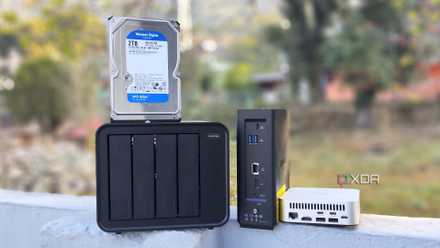
6 tools to improve your digital life you didn't know you could self-host
If you're looking for something new to host on your home lab, then these options might surprise you.
3 Homarr
Worth checking out with version 1.0
In terms of customization, Homarr slots right in between Flame and Dashy. There are over 10k icons to change the dashboard look and feel. It offers a clean, intuitive user experience and a wide range of integrations to deliver a functional hub for your self-hosted services. The drag-and-drop interface is a joy to use. You can move around widgets, resize them, and place them anywhere on the dashboard.
Homarr supports a long list of self-hosted applications and services. You won’t have a hard time checking your favorite app’s status within the dashboard. It used to be basic at best. However, in September 2024, the company announced a massive release with the v1.0 and introduced some of the much-awaited features. The latest version is built from the ground up, and if you have used Homarr before, you will surely notice performance improvements.
Homarr
2 Heimdall
Has a built-in search
Heimdall is a unique self-hosted dashboard for several reasons. While it won’t win any awards in terms of UI, Heimdall does the job without being too complicated for new users. You can change the background image, change pinned items, and even edit the Heimdall search. The latter is worth talking about.
Aside from simply searching web applications and services, you can use the search bar to run your queries through Google, Bing, and DuckDuckGo. You don’t need to switch between your dashboard and search engine all the time. Adding an application to Heimdall is straightforward. It offers easy configuration and fetches an app icon automatically to ensure a uniform look.
Heimdall
1 Homepage
My go-to recommendation
Speaking of the must-have self-hosted dashboards, how can I leave Homepage out of the list? It has all the customization options you can ask for. You can tweak the layout, appearance, and functionality to your specific needs.
Homepage has nailed with its ability to integrate with a wide range of services, including Docker, several APIs, and custom scripts. It unlocks dynamic data displays, such as system status, weather information, and more. It features a strong widget system and allows links and widgets to be grouped into tabs, all within a modern interface. Overall, it’s an excellent choice for those who want a comprehensive overview of their self-hosted environment and we can’t recommend it enough.
Homepage
Beyond the cloud
Having a self-hosted dashboard is more than just a convenience – it’s a necessity. Dashy is sleek and customizable, Homarr is modern and user-friendly, Flame has a no-nonsense approach, while my favorite, Homapge, is highly configurable and aesthetically pleasing. What are you waiting for? Take them up for a spin and stick with one that aligns with your preferences and needs. Meanwhile, check out our dedicated guide to find self-hosted apps to boost your productivity.