
Love it or hate it, but for years, Google Timeline has been my go-to for keeping a record of all my travels. Even if I forget to switch on the GPX logger, my phone is always by my side, keeping track of where I am. But it comes with some trade-offs. Google's new policies around Timeline data are tenuous at best. While it's nice that Google is switching Timeline storage from the cloud to a phone-first role, it comes with some limitations. Unless you manually back it up, only the most recent 90 days are stored by default. Years of location history will simply vanish if you forget to enable backups or if you forget to switch off auto-delete or change it from the default 90-day setting, you're on an, ahem, timeline before the data gets deleted. Moreover, even with backups switched on, the data is still entirely reliant on the company's servers and will keep the service around. I needed something with a bit more control.
Even though there is OwnTracks, it lacks the kind of polish that Google Maps timeline gives you. I need an alternative to that, and that's how I discovered Reitti. This open-source, self-hosted project runs on your own server, syncs with Google's Timeline export, OwnTracks, GPX files, and more. But more than that, it gives you an incredible, professional-looking dashboard to view your map data on.
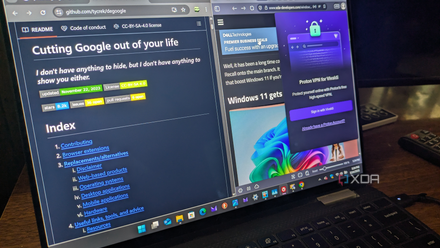
I'm de-Googling my life, and here's how I'm starting
If you want to remove Google from your life, this is the best place to learn about privacy-focused alternatives.
Taking control of my location history
Setting up Reitti on your own server
Like any well-designed self-hosted app, installing Reitti is a breeze. More so if you're used to working with Docker. The developer has helpfully provided a Docker Compose file that you can customize for your mount points, toss in a stack, and get up and running within minutes. The stack spins up PostGIS for your location data, RabbitMQ for processing jobs, Redis for caching, and the front-end, of course.
On its own, Reitti just displays whatever location data you feed into it. It's not a logger that constantly tracks your devices or personal location in the background. Instead, it acts like a central hub where you can bring together your location history. So, for example, if you export Google Timeline data, you can drop the JSON file into Reitti, and it'll parse that information. Similarly, it can import GPX or GeoJSON files too. For most users, the most utility will come from connecting it to a service like OwnTracks or GPSLogger on your phone, which provides a constant feed of data to Reitti.
Once the app has ingested that incoming data, you see the magic happen. Reitti immediately starts geo-coding your location data timestamps to real-world locations. This can take a while and largely depends on the duration of history that you are importing, as well as server specs and bandwidth constraints. Reitti taps into OpenStreetMaps data to correlate your coordinates with real-world locations, clusters raw GPS points into visits, recognizes stops, and pieces together the journeys in between. So, for example, I was able to visualize my recent drive from York to Cambridge, complete with all the little detours I took along the route.
Reitti stands out from many of the other similar services in more ways than one. The first thing that stands out is the extremely clean interface. The default view is as good as any commercial app, and compared to Google Maps, it is actually tuned for reviewing your watch history. Trips are automatically classified and visualized within the map view, which makes it a cinch to identify journeys instead of looking at scattered dots or location markers. It's a full-blown replacement for Google Timeline.
Features that set Reitti apart from the alternatives
Deep integrations, export options, and sharing that go beyond Google
Reitti stands out from the competition for a few reasons. The sheer length and breadth of features is, of course, a prime part of that. For example, while some apps will only connect with OwnTracks or an imported GPX file, Reitti gives you a wide assortment of options, ranging from apps like GPSLogger to Immich for integration with self-hosted photo storage. While I haven't tested it yet, enabling this integration allows you to pull photos from Immich into your Reitti timeline view. You can import GPX tracks from a Garmin, GeoJSON files, and timeline views from Android and iOS devices. And you can spin up an API key if there's another application that you tie it to. Then there's the robust export options. In my case, I'm using the app with OwnTracks to sync my location history. And while Reitti serves as a repository for all that location data, I can just as easily take that data out in the ubiquitous GPX format.
Similarly, there's OIDC support so that you can hook the app up with an identity provider for enhanced security. Finally, Reitti has a unique feature that lets you share location data. I haven't had the opportunity to try it out yet, but Reitti lets you run shared instances where you can talk to each other and share parts of the location history with each other securely. All that is to say that once set up, Reitti lets you build your own Google Timeline and Photos alternative that performs better than Google's own offerings ever could.
There's no going back
While Google's ham-handed treatment of Timeline history was enough of an incentive to start looking at alternatives, discovering Reitti means that I'm not missing out on features either. In fact, this piece of open-source software performs better. I still get a full-fledged timeline and maps, as well as the added benefit of retaining all my data under my control. While Google Timeline still works, I'm no longer beholden to Google's whims and fancies. And for anyone who wants to stop handing over their every move to a mega corporation, Reitti offers a credible no-compromises alternative worth checking out.