
I love my Kindle, but it's been made amply clear again and again that if I've purchased books from the Amazon Web Store, I don't really own them. I've just got a license, and they get to decide what happens to my library and what I can do with it.
Since last year, Amazon has removed the ability to download purchased books via USB altogether. Elsewhere, earlier this year, Amazon decided that older Kindles would no longer be able to register or download from the Amazon Web Store.
This was the breaking point for me. Books that you've paid for cannot only exist within Amazon's ecosystem. I don't trust Amazon to keep the library locked in place without making changes or deletions outside my control. There is already a precedent for Amazon updating book versions with deletions or changes, and I don't want that, so I've had enough. I've moved everything to a self-hosted server running BookOrbit, and I haven't looked back.
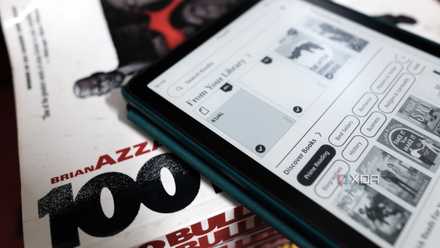
Your old Kindle will stop working on May 20th, but here's what I'm using mine for
The easy way to breathe new life into your old e-reader.
What BookOrbit does
Full-fledged local library and organization
Book Orbit isn't the first app that I've tried out. There was Calibre before this, and Calibre works fine if you want to host everything within a desktop environment. Lately, as I've been moving everything productivity-oriented to a Docker-based NAS setup, Calibre just wasn't working out for me.
BookOrbit, on the other hand, is a single Docker container that you can run on your server with no subscriptions, third-party accounts, and absolutely no data leaving your network, of course. It helps that, unlike Calibre, Book Orbit is not just for eBooks but also PDFs, audiobooks, and comics. All of these different media types that fall under the same reading bucket for me are handled natively.
Now, some of you might say that you should just use a simple file and folder structure and call it a day. That makes sense. However, I like a solution that handles the metadata for me. BookOrbit pulls from nine providers, including Google Books, Goodreads, Hardcover, Amazon, and many more, and gives you field-level control over which metadata fields you want updated and which ones you want locked. This is useful for me because I have a bunch of books with highly curated page numbers and collections, and online sources often get that wrong. I've locked that field, and I've only used the cover updater. Your personal use case may vary, but that deep control over metadata management is very important to me to maintain a clean library. Anybody who's an avid reader would know that curation and control over your reading list are key to making sense of your reading habit.
In BookDrop, you also get collections, which are manually curated lists, fairly straightforward, but you also get smart scopes, which are an interesting addition. Smart scopes are rule-based, dynamic shelves that can populate themselves and stay up to date as your library grows. I have one for long, unread audiobooks and another for science fiction books that I keep adding to my library but haven't read just yet. You can even maintain a running reading list of recent editions. There's a lot of flexibility here, and the option sits right there in the sidebar, making it easy to manage your own ebook collection.
You also get a feature called Book Dock, where new library additions get added, and you can basically use this as a staging area to fix metadata or to update covers and then add them to the main library. It helps you keep your library clean without slowing things down, simply because ebook libraries can run into the hundreds or thousands of books, and diving into the main collection can be a task.
Reading across devices
No Amazon needed
The part that fascinates me the most is the built-in synchronization with Kobo readers. You just have to enable sync for a collection, register the device in settings, and paste the generated URL into Kobo's account settings; that's it. From there, books automatically push across, including covers and metadata. Similarly, reading progress also synchronizes between the app and Kobo. You can put the Kobo down in the middle of a reading session and pick up the web reader, and it'll continue right from there.
But what if you use a Kindle instead of a Kobo? If you have a jailbroken Kindle like me, you can take advantage of the OPDS support built into Book Orbit. OPDS also works with other apps like KOReader, Thorium, Moon Plus Reader, and many more. This turns your BookOrbit into a network-connectable library. These apps can pull books straight from BookOrbit without having to be plugged in. If you want to stick to the retail Kindle experience, you'll also find support for email delivery to Kindle. It is low tech, but still works just as well.
It's just a better way to control your reading ecosystem
On one hand, it's clear that BookOrbit on its own cannot solve the problem of DRM in Amazon's books, but there are plenty of solutions for that. In fact, before you get started, you can just use Calibre to de-DRM your books, but once that legwork is done, you just need to drop in your books into Book Orbit or point it to a folder, let it scan, run metadata enrichment, and within a few minutes, you're up and running. The experience is dramatically better than anything that Kindle offers and vastly superior to Calibre as well.
Deals on ebook server software and reading device savings
Between a dashboard that tracks your reading time streaks, heat maps, and progress, all of it on your own server without having to depend on a third party like Goodreads, it's everything that you would want to enhance your reading experience. Moreover, all your books also stay right where you expect them to be: on your computer, on your storage, fully organized, and out of Amazon's walled garden. I've tried out many of the Calibre replacement software that have come out in the last couple of years, but so far BookOrbit is the one that has stuck with me because of the comprehensive feature set and ease of use. So if you use a Kindle and want to leave Amazon's ecosystem behind, this is the one to give a shot as of now.