
We’ve spent years treating note-taking apps like digital filing cabinets, a place where ideas are tucked away and often forgotten. As a tech blogger, my knowledge management system is the heartbeat of my workflow, but as it grew to thousands of nodes, manually connecting the dots started to feel like a chore. I wanted the power of modern AI to summarize and brainstorm, but I wasn't willing to trade my privacy or rely on cloud services that require constant internet access and data sharing.
The solution was a fundamental shift: Self-hosting. By pairing my local knowledge base with a private LLM via Ollama, I’ve turned a passive archive into an active thinking partner. This integration gives me total control, allowing the AI to live directly inside my workflow on my own machine. It has transformed how I capture and explore information; instead of just storing notes, my system now helps me process ideas faster and think more clearly.
Logseq is the key of my knowledge management system
The core of my thinking
I’ve tried many note-taking apps over the years, but Logseq is the one that truly shaped how I manage knowledge. Most tools help you store information, but Logseq helps you think. Its outliner-style structure makes it easy to break ideas into small, connected pieces instead of long, unstructured documents. Over time, those small notes start forming a network of ideas that naturally grows with your thinking.
What makes Logseq different is its local-first approach. My notes stay on my device, giving me full control over my data. I don’t have to worry about subscriptions, privacy concerns, or losing access to my own knowledge. Everything is stored as simple files, which makes the system reliable and future-proof.
Bidirectional linking is another feature that changed how I take notes. Instead of manually organizing folders, I can simply link ideas together and let connections emerge naturally. The graph view helps me visualize relationships between topics, often revealing patterns I wouldn’t notice otherwise.
Over time, Logseq became more than a note-taking app for me. It became a personal knowledge system where research notes, blog ideas, highlights, and daily journals all live together. It already felt powerful, but I still had to manually search, summarize, and connect ideas. That’s where the self-hosted LLM took things to the next level.
Logseq
An open-source and privacy-focused knowledge management app for taking notes and managing information

6 Logseq power-user features you probably didn't know existed
Utilize Logseq’s hidden superpowers for higher productivity
How I paired with self-hosted LLM
Connecting Logseq with my existing self-hosted AI workflow
Before connecting AI to Logseq, I had already built a small self-hosted AI stack on my system. I was using Ollama to run local language models, along with Ollama WebUI, to interact with them through a simple interface. This setup allowed me to run powerful models completely offline, without sending any personal data to external servers. It already worked well for general AI tasks, but I wanted to bring the same capability directly into my knowledge management workflow.
Before integrating with Logseq, I tested the model in Ollama to make sure everything was working correctly. This helps confirm that the LLM is responding properly.
- Install plugin I opened the Logseq marketplace and searched for the ollama-logseq plugin. After installing it, I simply enabled the plugin from Logseq settings.
- Configure local API endpoint Inside the plugin settings, I entered the local Ollama host URL. Since Ollama runs locally, the plugin can directly communicate with the model through the API. This helps me trigger AI actions without leaving my notes.
- Select the LLM model The plugin allows selecting which Ollama model to use. I chose the model I had already tested in Ollama WebUI to ensure consistent performance.
To make the workflow faster, I configured a keyboard shortcut to open the plugin command palette instantly. This helps me trigger AI actions without leaving my notes. The plugin also allows defining custom prompts.
- Test AI inside Logseq After setup, I tested simple prompts directly inside my notes to confirm everything worked smoothly.
Within minutes, my Logseq knowledge base became AI-assisted while staying fully private and local.

Self-Hosted LLMs & Personal Knowledge Management Trivia Challenge
Think you know your RAG pipelines from your vector databases — test your knowledge of AI-powered PKM systems right here.
Which note-taking application is most commonly cited as a top choice for building an AI-enhanced personal knowledge management system due to its local-first, markdown-based approach?
What is Ollama, frequently used in self-hosted LLM PKM setups?
In the context of AI-enhanced PKM, what does RAG stand for?
What role do vector embeddings play in a self-hosted LLM knowledge management system?
Which open-source vector database is a popular choice for storing and querying embeddings in a self-hosted PKM pipeline?
What is the primary privacy advantage of using a self-hosted LLM over a cloud-based AI service like ChatGPT for your personal notes?
Which open-weight model family, released by Meta, has become one of the most popular choices for running a capable self-hosted LLM for knowledge management tasks?
In a self-hosted LLM PKM workflow, what is the typical purpose of a tool like LangChain or LlamaIndex?
Your Score
Thanks for playing!
AI completely changed my Logseq experience
AI made my knowledge workflow faster and more insightful
Adding a self-hosted LLM completely changed how I interact with my knowledge. Earlier, Logseq helped me store and connect ideas, but I still had to manually sift through them to find what I needed. Now, the system actively helps me understand and use my notes. It feels less like a static knowledge base and more like an intelligent layer on top of everything I’ve captured.
One of the biggest improvements is how easily I can summarize long notes. I often collect detailed research for blog posts, and revisiting those notes used to take time. Now I can generate quick summaries that highlight the key points, helping me recall important ideas without rereading everything. It makes reviewing old notes significantly faster and more practical.
Another major shift is the ability to ask questions directly from my own knowledge base. Instead of relying only on search or tags, I can simply ask the AI something like a normal question. It understands context and surfaces relevant insights from my notes. This makes the entire system feel more interactive and much easier to navigate.
The AI also helps expand rough ideas into more structured thoughts. Many of my notes start as short bullet points, and the LLM helps me build on them when needed. It assists in shaping outlines, improving clarity, and speeding up the writing process without changing my original thinking style.
Over time, it even helps uncover connections between notes that I might not notice manually. This strengthens the overall knowledge graph and makes my system feel more complete. I also use it with journal entries to identify patterns, summarize reflections, and extract useful insights. Overall, AI makes Logseq more useful in daily thinking, not just storage.
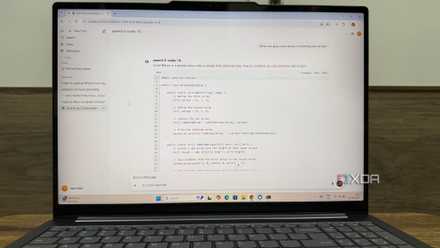
The final piece of the digital puzzle
This setup isn't just a technical flex; it’s the future of how we handle information. By marrying the privacy of Logseq with the intelligence of Ollama, I’ve transformed my notes from a static archive into a collaborative partner. I no longer just "save" things for later. I interact with them.
The best part? It’s entirely mine. No subscriptions, no data mining, and no cloud-dependency. If you’re already using Logseq, your "second brain" should already be full of great ideas; it’s time to give it a voice.