
When I first configured VLANs on my home network, it was to completely sort out the local area network (LAN). I had hastily added everything to the network without care for what could communicate with what, which IP addresses were assigned, and what rules were configured on the firewall. It was a mistake since I'm usually pretty good when it comes to fine-tuning just about everything to perfection for PC builds and other parts of my home lab and smart home, but the network was always an afterthought.
VLANs are excellent and should be used on almost all networks. Even if you feel like it's overkill for your own LAN, it's probably not. You likely have clients you'd like to keep separate and even some smart home products you'd wish to keep off grid to stop them communicating with some random server somewhere in the world. There's also the case of performance. A congested and busy network can feel like it's unreliably slow. VLANs help alleviate this by isolating and segmenting parts of the LAN.
VLANs are a must-have
But they're not a solution for everything
Segmentation on the network level is worthwhile. Isolating traffic helps reduce broadcast domains, improving performance, and even adds a layer of security. Consider your guest network, which likely doesn't exist. You simply provide a Wi-Fi SSID and passcode to visitors and they hop onto your LAN. That's all fine until you let the wrong person in who may inadvertently infect your network with malware. If the guest network is on its own VLAN and only allows for external connections, the rest of the LAN is protected.
It's also incredibly satisfying to configure VLANs, which are still considered to be a enthusiast feature and not available on most ISP-provided routers. Forming separate networks for devices, services, guests, and even the smart home and IoT, provides a few notable benefits. VLANs are powerful and provide the means to improve availability across the network while ensuring clients can only broadcast to other locations you deem necessary.
For our home network, I configured a VLAN for guests, approved clients, server and network infrastructure, smart home and IoT hardware, and security cameras. But doing so didn't really solve the problem I had. It certainly looked like the network improved with traffic segmentation, but the original symptoms of devices dropping intermittently and services failing unpredictably still remained. It wasn't so common as to be a serious issue, but it occurred frequently enough to be more than irritable.

How I used VLANs to separate my smart home devices — and why you should too
Why I now always use VLANs to separate smart home devices.
What actually happened
It all came down to a single firewall rule
After doing some actual troubleshooting and diagnostics instead of firing up some new feature and hoping for the best, I noticed that the problem I was experiencing was due to congestion or segmentation. It was a firewall rule. The problem I had was traffic wouldn't suddenly drop and remain offline. Devices would come back online and it wasn't regularly enough for me to believe something was being blocked. But it was to a degree.
Because the traffic between these affected devices wasn't constant, I struggled to notice this elusive problem. In terms of firewall ruling, it wasn't met with a definitive "deny" but more like a "come on in this time." I was blocking access to a server on the network, but then allowing specific parts of it through when testing something out. The issue was I then configured devices to use this server and things started to go wrong. Although a single port was still being allowed through, other things broke.
This is the case when firewall rules are configured with conflicting entries to force something through. Allowing port 80 through meant should I switch to HTTPS for a particilar device or service, it would be blocked due to the deny all rule. Apps using the server would time out, but then other things worked and loading something running that used port 80 would provide the false pretense that everything is fine. The fix was embarrassingly simple, but it's easy to overlook when you're not properly doing your LAN.
Instead of taping stuff together, I stripped everything back and started documenting absolutely everything about the network. This coincided with me using Gitea with a repository for my entire smart home and home lab setup. A label maker made this easier by offering QR codes that could be used to load a specific md file on the repository with all the necessary details on that particular device. I got rid of all firewall rules and started fresh.
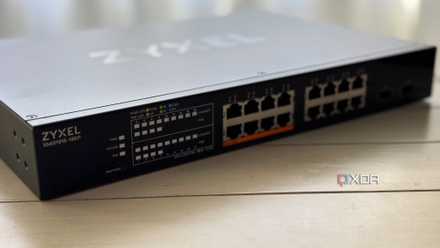
5 rules I use for sane VLAN design at home (without overcomplicating it)
These keep me sane as well...
VLANs are still worth it
Although they didn't fix the issue I had, VLANs are still worth the effort in setting them up. When it comes to the LAN, it's best to start simple and slowly expand from there, planning out the entire network and documenting as much as possible to make future troubleshooting and diagnostics considerably easier. Also, it doesn't make sense to redesign the network when it's not performing quite right, even if that change could potentially fix things.
Sometimes it's the simplest thing that's causing all the issues and we're all guilty of overlooking basic principles when dealing with more advanced features with years of experience to call upon.