
The PC case protects all the vital internal components inside your PC, be it the graphics card, motherboard, or cooling fans. It's an important job, but not all cases are created equal. Some have advanced features such as dust filtration monitoring, the latest USB standards for front-facing I/O, and support for the largest radiators you can buy. Others are more affordable and may be slightly limited on what they can be used for. But how do you know when you should upgrade or replace your old PC case?
You need faster (and better) I/O
Front ports are still useful
Older cases may only have one or two USB ports, and they may be rated at slower speeds. This is fine for most peripherals, but should you need higher bandwidth for storage and other external hardware connected to your system, you'll run into bottlenecks. That's where a case with faster (and more numerous) USB ports comes into play. Depending on how many ports your motherboard has, front-facing I/O on the PC case can prove useful with limited port configurations.
Front I/O is also easier to use. If you have a USB drive or microphone to connect to your PC, it's likely easier to use one of the front ports than to go digging behind your system to see where the motherboard USB ports are.

5 reasons PC cases need more front-facing USB ports
We need better front I/O on PC cases.
Your new PC components don't fit
More heat = Larger cooling
Graphics cards and other PC hardware are only increasing in size as they produce more heat and need to have shrouds and cooling that are large and powerful enough to keep temperatures within optimal operating ranges. This can prove troublesome for older cases as newer components may be too large for them to support. The largest GPUs can be more than 300mm in length, which doesn't sound too much until you consider many older cases only needed to contain smaller expansion cards.
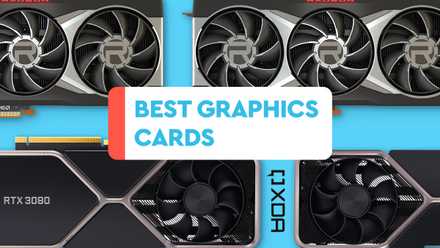
Best GPUs in 2025: Our top graphics card picks
Picking the right graphics card can be difficult given the sheer number of options on the market. Here are the best graphics cards to consider.
It can't keep up with the heat
Weaker thermal performance
Cooling is vital for your PC to run as designed by manufacturers. You want your CPU to boost as high as possible for sustained loads, and the GPU has plenty to deal with when running the latest games. Your PC case will allow these components to run faster with adequate cooling. You can determine this by looking at your GPU and CPU temperatures. If either is thermal throttling at default settings, you must consider improving cooling. This can be achieved by adding more fans, cleaning any filters, and adjusting fan curves.
If your PC can't take any more fans and you're out of options, it could be time to replace the tower with a new one. Consider focusing on a newer chassis with more fan mounts, better ventilation, and support for larger AIO radiators.

Asus ROG Strix LC III 360 ARGB review: Premium CPU cooling at a cost
Impressive cooling that comes at a high cost.
You're bored with the design
Humans prefer shiny new things
Sometimes, we grow tired of things we own. This is human nature as we grow accustomed to using or owning something. It's why you get excited about a new product such as a vehicle or mobile phone, but this excitement gradually wears off. The same goes for PC hardware, including the case. You'll appreciate it at first, and maybe even continue to do so for many months, but there'll be some point when you start looking at other PC cases and consider how your PC would look using one.
If your current PC case doesn't cut it anymore, you'll want to consider a new chassis with better features. Thankfully, PC cases come in all shapes and sizes these days. You can pick one up that takes up barely any desk space or another that focuses on thermal performance yet requires a considerable amount of room. You'll find motherboard form factors supporting different case sizes with full-tower cases typically supporting all motherboards and Micro-ATX and Mini-ITX chassis, only allowing the smallest of boards to be installed.
Some cases have glass, others have aluminum, and others have other premium materials. RGB lighting, faster front I/O, and integrated RGB lighting are just a few features often found on PC cases.

Best PC cases in 2025
Your new PC deserves a shiny new case to live in, and we've rounded up the best options you can buy depending on what kind of rig you want.
Choosing a new PC case
Deciding which is the best PC case is incredibly subjective. It all boils down to your precise requirements and what you find aesthetically pleasing. So long as it has enough fan mounts, supports your motherboard, and can contain all your hardware, you'll be good to go. A few things to consider when shopping around are the front I/O, dust filtration, ventilation for airflow, storage support, cable management, and the design. Do you like the way it looks? That's a solid place to start.