
Everyone wants the best SDD for their gaming rig, and Samsung's Pro line (like the 990 Pro) or WD's Black series are often the default recommendations when it comes to NVMe options. In reality, for 95% of gamers, these drives provide little noticeable benefit over mid-range options.
In reality, the bottleneck in gaming isn't down to your SSD's raw speed; your 4K read speeds are actually so much more fundamental. When opting for a Pro drive, you're just paying for sequential speeds that you likely never actually use.
It's all about speed
But not the speed you think
When looking at speeds for an SSD, you'll likely think that the higher the speed, the better, but in reality, the large "7400 MB/s" printed on the box actually refers to sequential reads. This is in relation to the speed of moving a huge single file.
However, when it comes to gaming, this sequential read doesn't matter as much as games are made of thousands of tiny assets that all need to load separately. As a result, gaming performance relies on random 4K read speeds rather than sequential reads. This refers to how fast a drive can read small 4KB data chunks from random locations, which is crucial for not only gaming performance, but also your operating system performance, app loading, and multitasking.
In terms of real‑world random small‑block performance, modern mid-range and pro SSDs often deliver similar 4K random read speeds — typically in the tens of MB/s or hundreds of thousands of IOPS — with differences that rarely translate into meaningful load‑time improvements in games. A high-end pro series SSD, like the Samsung 990 Pro, will have 4K read speeds almost identical to a mid-range alternative such as the WD Black SN770. This is the data you should refer to when judging how quickly an SSD will load a game, rather than relying on the sequential read speeds advertised on the box.
For these two drives, you will likely find that there is little to no loading time gap when opening up even large and intensive games like Cyberpunk 2077 or Starfield. Even if you opt for an SSD that has a slightly slower 4K read speed, the loading time difference likely isn't worth the premium price tag of Pro edition NVMe drives, as it will be mere seconds.
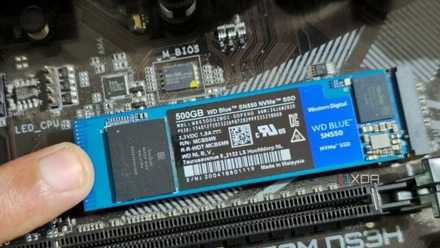
Another benefit you might find in opting for a mid-range drive over a pro-level one is the superior thermal management. High-end pro drives can generate significant heat and often require large heat sinks to prevent thermal throttling, whereas mid-range drives can run cooler, making them ideal for small form factor builds where airflow is limited.
Pro drives can be useful
But unfortunately, just not yet
Pro drives are useful for scenarios outside of gaming that require them. The future for SSDs within a gaming PC is DirectStorage, a Microsoft technology for Windows and Xbox that drastically speeds up game loading and asset streaming by creating a direct path between your NVMe SSD and your GPU, thereby bypassing the CPU for decompression.
This will reduce bottlenecks, lower latency, and allow for a much richer and more detailed game with minimal stuttering. It uses batch processing and offloads heavy lifting to your graphics card. Unfortunately, at the moment, very few games actually use DirectStorage. Some examples are Ratchet and Clank: Rift Apart, Forza Motorsport, and Forspoken.
In order for DirectStorage to perform correctly, you need a fast NVMe drive. The consensus is that the faster, the better, which is where pro-level SSDs may come in handy. But due to the limited library of games that utilize it, it feels like this just isn't reason enough alone to opt for a more expensive storage option.
It is worth noting that the "pro" in the name of these drives is there for a reason. Whilst they're wasted on a gaming rig, they do make great specialized tools designed for sustained and high-bandwidth workloads. Those working in 4K or 8K video production, or often transferring massive files, will likely find that a pro SSD is useful to them and would actually change their workflow. The general rule of thumb I go by is that if you aren't seeing a progress bar for more than 30 seconds a day, you probably aren't doing the kind of work that requires a Pro SSD.

5 mistakes to avoid before you decide to buy a new SSD
Choosing the right SSD isn’t just about speed. Avoid these 5 costly mistakes to ensure performance, longevity, and value for money.
Get a bigger drive instead of a faster drive
When looking for an SSD to purchase, particularly for a gaming PC, you're better off buying for capacity rather than the Pro branding. A 2TB mid-range drive is infinitely better for a gaming PC than a 1TB Pro drive at the same price, considering the ever-expanding size of modern-day AAA titles. While speed definitely is important, it's not the speed that's being marketed to you that you should be looking for. Be sure to check 4K read speeds on drives before picking them up, so you know if they'll actually affect your gaming performance.
Don't let benchmarks or sequential speeds fool you into spending money that you won't feel the difference of when actually in-game. Put that cash towards a bigger capacity, which is something you'll definitely thank yourself for in the future.