
In the midst of blaming everything from your ISP and router to the drivers and DNS cache, you might ignore the culprit behind your internet woes. Your Ethernet cable might remain in the background for years, but it could very well be single-handedly ruining your network. From dated and mislabeled cables to damaged and badly routed ones, Ethernet cables are not only the foundation of your network, but somehow also the most overlooked link in the chain. Before you consider buying an expensive router or upgrading your internet plan, check your Ethernet cable for common faults.

7 things you need to know to wire your home network like a pro
Running Ethernet through your walls seems scary, but it's really not that bad.
Your old cable might not be what it seems
It's easy to overlook something that's always been there
If you're using Ethernet cables that came pre-installed in your house, there's a chance you're running a high-speed connection over an outdated Cat 5 cable. These cables are only good for 100Mbps connections, so anything faster will drop to this theoretical maximum. If you've been wondering why your 200Mbps or 300Mbps connection isn't running as fast as advertised, it's best to look at the type of cable first. Even a Cat 5e cable will support Gigabit (1000Mbps) speeds, which is typically the upper limit for most home connections these days. For longer runs and multi-gig connections in home server setups, Cat 6 and Cat 7 cables are recommended for the best results.
Even if you bought new cables when you moved in, it's possible that you installed a mislabeled cable, claiming to provide Cat 6 or Cat 6e speeds when it's only good for Cat 5. This usually happens when you buy your cables from unreliable sources or trust a product that seems too good to be true. A good Ethernet cable will last you years, so I'd recommend investing a little bit more to ensure peace of mind. In a typical home, you probably need one or two short-length runs from your router to the rooms, so a 200-foot Cat 6 cable worth $30–$40 would be enough.
Another thing to be aware of when buying an Ethernet cable is to avoid CCA (Copper-Clad Aluminum) cables. They're cheaper because they use an aluminum core coated with a thin layer of copper instead of pure copper. CCA cables are more prone to oxidation compared to pure copper, so slower speeds and dropped connections are common. You might save a few bucks, but you'll end up risking poor performance and even a fire in the case of PoE (Power over Ethernet) runs.
GearIT Cat6 Outdoor Ethernet Cable
The Gear IT Cat67, outdoor Ethernet cable, is a high-performance cable that can withstand harsh elements while delivering fast and reliable network connectivity. The cable is designed with a UV-resistant PE jacket and a water-resistant gel filling that protects the cable from moisture, sunlight, and extreme temperatures. You can also buy this cable in a range of lengths, with 250 feet being the longest cable available.
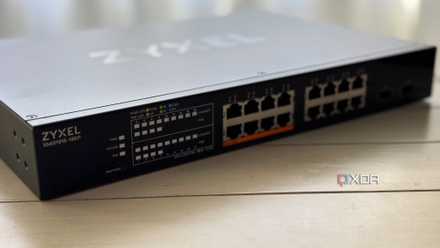
I built my PoE network the smart way, not the hot way
Don't skimp out on quality cabling.
Cable damage might be the culprit, not your ISP
Especially if your cable is ancient
Even if you've inspected your Ethernet cable and concluded that it's at least Cat 5e, your network problems might still be cable-related. Ethernet cables installed can experience wear and tear over the years, especially if they weren't of decent quality to begin with. Even minor damage at a single point in the run can force Windows to negotiate a 100Mbps link instead of 1Gbps or the maximum speed that your network adapter supports. Rodents and environmental factors are real threats to the integrity of your network cables. If you've ruled out everything at the router and PC ends, it might be time to remove your Ethernet cable from the walls and give it a thorough inspection.
Long runs, tight bends, and cheap connectors are silent killers
Stop pinching pennies and ignoring cable management
It's not just urban fauna and the elements that can damage your Ethernet cable. You might have to look inward to rule out other common mistakes that can limit the performance of even the most expensive and advanced cables. Bending the cable at unnatural angles and squeezing it under doors can lead to fraying. Internal copper pairs don't need excessive damage to affect the speed and reliability of your connection. If your Ethernet cable is running parallel to the power cables, it can experience electromagnetic interference, especially in the case of improperly shielded cables. Bad cable management is one of the easiest ways to compromise network reliability.
Even at the router and PC ends, poor crimping or cheap RJ45 connectors can lead to termination issues, such as a connection dropping to 100Mbps instead of the maximum speed provided by the ISP. If you aren't confident of doing it yourself, consult a professional to properly crimp the connectors, and avoid the cheapest ones you find on Amazon. Spending a bit more on your cable, connectors, and a bit of help to set up everything can go a long way in ensuring a stable connection for years.
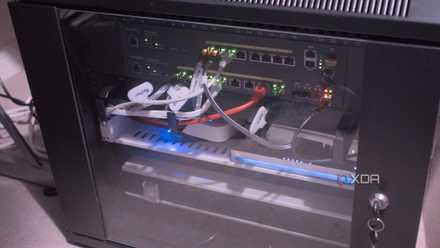
7 networking myths you're totally guilty of believing
Here are some things you should stop believing about your LAN.
Ethernet is the best, but not without a modern and reliable cable
Your Ethernet cable is the backbone of your network, without which even the most advanced setup can fall to its knees. When faced with persistent networking problems, you should give your Ethernet cable due recognition by inspecting the type of cable, its integrity, and the quality of termination. You might be looking in the wrong direction while your Ethernet cable silently chips away at your network speed and consistency.