
I honestly feel that if you are still using GUI tools for most of the stuff, you are voluntarily losing time. In 2026, you could easily be using CLI agents for a lot of tasks on your PC and save a lot of time that you would spend navigating through file trees and hunting for buttons. These tools can turn the terminal into a fast, capable workspace where you can get real work done without switching between windows and menus.
I can just describe what I want and let the agent handle the heavy lifting. It can read an entire repository, make changes across multiple files, run builds, and fix errors with very little input from me. That way, I can spend less time managing the environment and more time focusing on the actual problem I want to solve.
Terminal also removes many small interruptions that add up over time. There are fewer distractions, fewer context switches, and fewer layers between me and the system. The workflow is faster because every action starts from the keyboard and stays there.

6 CLI tools I install before anything else on a new Linux machine
I've set up these terminal utilities on every Linux system in my arsenal
CLI agents aren't limited by information
These agents can access far more information than most people realize
CLI agents now have access to almost all types of information, including data stored in Google Workspace. Since tools like OpenClaw emerged, both the community and the official developers have created plugins that connect GUI applications to CLI agents.
For example, agents such as Claude Code, Codex, and Aider can act as a central hub for your workstation. They can replace many manual clicks with executable actions backed by reasoning loops. You can also personalize these agents to work with the information and tools you use every day. For instance, you can connect an agent to the Google Workspace CLI, allowing it to manage your Drive, Gmail, Calendar, and Docs directly from the terminal.
I find this far more efficient because opening a Google Sheet and manually updating columns, formulas, and rules takes time. Instead, you can give natural language instructions to an agent in the terminal, and it can make those changes for you.
It doesn't stop there. If you want your agent to access information from other applications such as Notion, Obsidian, or countless other tools, you can use MCPs, short for Model Context Protocol. This standardized interface allows agents to connect with external tools, databases, APIs, and web services, effectively replacing the traditional GUI plugin architecture.
One argument that often comes up is access to current information from the web. There are CLI tools for that as well. For example, Firecrawl can give your agent access to the web, allowing it to search, crawl, and conduct research without requiring a graphical browser session.
You can easily map GUI apps to CLI alternatives
There are plenty of available options
The key is to identify the applications you use every day and then look for terminal-based alternatives that an AI agent can interact with. For example, instead of relying on a traditional email client, you could use NeoMutt alongside tools such as notmuch and mbsync. In this setup, mbsync periodically synchronizes your IMAP mailboxes to Maildir folders, while notmuch indexes and organizes that data for fast searching. This gives AI agents direct access to a structured local email database without requiring a graphical interface.
One of the most useful terminal tools for replacing GUI workflows is Yazi, a terminal-based file manager. I find the default file explorers on both Windows and macOS cluttered and inefficient, and I often struggle to locate what I'm looking for. With Yazi, file navigation becomes significantly faster. You can pair it with tools like Zoxide, which learns your most frequently visited directories and lets you jump between them with simple commands.
You are now looking at a workflow built around asynchronous operations, non-blocking previews, and rapid file navigation. Instead of clicking through folders and waiting for windows to load, both you and your AI agent can move through files and directories using structured commands that are easier to automate and reason about.
Your chat app can become the command center
You can use Discord, Telegram, or even WhatsApp
If you do not want to live in the terminal all day, you can make a chat app like Discord or Telegram the front end for your agent. Both platforms already support bot-style interactions. Discord bots connect via the Discord API, respond to events, and can be driven by slash commands and message interactions. Telegram’s Bot API is an HTTP-based interface built for bots, and Telegram messages can be used to implement commands, keyboards, and buttons.
You can talk to one agent in Discord or Telegram and let it access the tools behind the scenes instead of opening 10 different apps. Once you connect enough services through MCP, your agent behaves like a real executive assistant.
That means you can ask for something in plain language and have the agent pull data from one service, update another, notify someone in chat, and keep the whole process moving without making you bounce between browser tabs. The point is that the chat app becomes the control layer, and the GUI becomes something you only open when you actually need to look at the result.
GUI apps are still needed at times
I am not arguing that GUI applications are going away. There are still plenty of tasks where a visual interface makes sense. If I need to edit a photo, watch a video, or work with something that is inherently visual, I will happily use a GUI.
But I no longer think of GUI applications as the default way to interact with my computer. Most of my work revolves around information, files, documents, code, research, and communication. Those are all things that AI agents can already handle surprisingly well through command-line tools and APIs.
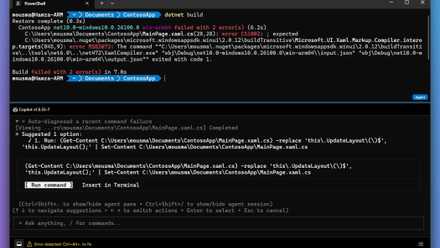
You can now download Microsoft's Intelligent Terminal that puts an AI pair-programmer in your shell
No more angrily Googling commands to figure out why it didn't work.