
There's never a dull moment in the Linux world. Sure, the kernel itself isn't the source of all that much news, but with all the distros, desktop environments, and general software out there, you always have something to talk about and experiment with. One of the most recent names in the Linux space is COSMIC, a desktop environment created by System76, the company behind the Pop! OS distro, to replace its GNOME-based solution.
I went hands-on with COSMIC a while back when it was still technically in beta, but now, a stable release has hit the internet, and it's finally safe to try. So, I wanted to revisit it and tell you why it's worth being excited about this new way to use your Linux PC.

4 Linux distros that look better than Windows 11 and macOS combined
Explore the top Linux alternatives that challenge the notion of Windows and macOS' superiority in design and aesthetics.
Multitasking on a new level
It steals a feature Windows never had
You may think that sub-header doesn't make sense, but hear me out. One of the big selling points of COSMIC is its multitasking capabilities, and it's easy to see why. The headlining feature, in my opinion, is the ability to stack windows into one. This essentially turns every app into a tab, so you can easily switch between apps in the same space without having to juggle too many windows at once.
Something like this was in the plans for Windows 10 back in 2017 and 2018, where it was called Sets, and the feature even appeared for Windows Insiders multiple times. However, it never made it past that stage, and to see it revived here is fantastic.
You have full control over the experience, and there really aren't any big drawbacks. When windows aren't stacked, they just look like regular windows with no wasted space, but at any point, you can right-click the title bar of a window to enable stacking for it. This also ensures you won't accidentally start stacking windows by just dragging them around. Once stacking is enabled for a given window, you can just drag other windows over it to begin creating tabs for each of them, making multi-tasking easier than ever.
And that's just the beginning when it comes to multitasking. The COSMIC desktop is also the only one I know of that natively supports both tiling and overlapping window modes, where you can freely switch between the two modes for any of your workspaces. There's a dedicated button on the top panel to switch between modes and choose the default mode for new workspaces, so you can always choose what's right for you at any given time without ever having to commit to one mode or the other.
On some smaller notes, you can even change whether workspaces arrange vertically or horizontally to make it easier to switch between them, and you can also pin any window to always be on top. For productivity, COSMIC is already looking like one of the best desktops out there.
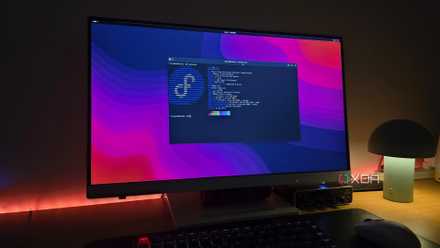
I replaced my Linux desktop with Fedora Silverblue, and it feels futuristic
I've tasted the future, and it's sweet.
The apps feel clean and lightweight
But there's room for improvement
Another thing I quite like about the COSMIC desktop environment is all the included apps for basic functionality. Maybe because it's still early days, but a lot of these apps are somewhat simple, and I mean that in a good way. All the included apps, like COSMIC Settings, COSMIC Files, and the COSMIC Terminal look very clean and simplistic, but they still have most of the features you'd expect, and they feel very responsive.
There are sensible design decisions at play here that make things easy to get to grips with, and I'd say the Settings app is a particularly good example. The menu options are simplified but specific enough that I know where to go without having to use a search bar, which is something I find myself doing quite a lot in KDE Plasma with all the top-level options available right off the bat. Things just feel a bit more organized here.
However, it does bear mentioning that some options I would normally expect weren't quite as clearly available in some of these apps. For example, in COSMIC Files, I couldn't figure out how to mark an AppImage file as executable, so I was having some trouble with certain apps. And generally speaking, some of the apps just feel a little bare still, with a lot of settings pages being fairly empty and potentially missing important options — though admittedly, it's nothing that really affects me.

This free and fast File Manager is the best I've used on Linux
Yazi makes file management faster
Customization is simple, but effective
You can go a long way with simple colors
One of the things that the simplistic design of COSMIC apps allows is a degree of customization that's surprisingly impactful. COSMIC doesn't come with support for super-fancy user-created themes, but it does come with the option to change the color of five major UI elements.
Those are the accent color (used for window outlines, toggles, and some other elements), window background, container background (for things such as sidebars), interface text tint, and control component tint (for buttons). You can also enable a toggle to use a different color for window outlines and not just the accent color, so you have a little more control.
Every part of the apps included with COSMIC is designed to fully utilize these UI elements, so the entire look of your desktop changes by just combining colors together. The app launcher, dock, panel, and flyouts all follow the color theme, making for an experience that can be entirely yours, but also very cohesive without much effort.
I love the way my KDE Plasma desktop looks, but it took quite some time to get it looking the way I want, and that doesn't have to be the case here. COSMIC strikes a great balance of customization and ease of use that I would liken to a simplified version of the customization tools in Telegram, if you're familiar with those. You can also use third-party icon packs if you want.
If you want to make things even easier, it is possible to export your theme settings and import them, so even though it's very easy to create your own look, you can still get recommendations from others, or just save your settings to use later by saving the configuration file.

7 tools to make your Linux desktop look amazing
Make your desktop uniquely yours.
It still feels like a beta
There are some big problems still
I've already mentioned that the built-in apps can feel a little bare, but I do want to reinforce the point that this desktop environment still needs a little more time in the oven, despite already being the default experience in the latest version of Pop! OS.
One major thing I noticed is that a lot of apps that run in the background and minimize to the system tray are just broken. If I open an app like Discord and close it, I can see its icon on the panel at the top of the screen, but if I click that icon to try to launch Discord, it doesn't work. I can right-click an icon to see its menu, but none of the options there work, either. Launching the app from the app launcher also doesn't work. Instead, I have to fully terminate the app to relaunch it. I've seen this with Discord, Beeper, and the Nextcloud Desktop app, so it's not a one-off thing.
This does not even mention the fact that, to see these app icons in the first place, I need to enable a panel applet called Notifications Tray, but this applet also includes a Wi-Fi indicator icon, despite a separate network icon already existing on the same panel.
In a somewhat similar scenario, one of my favorite apps, vicinae, also seems to break under COSMIC. I can summon the search bar once, but once I close it, the background service for vicinae seems to get terminated, making it impossible to launch the search bar again until I start the service manually.
I would say there are a few other things, too. I find it strange that the app launcher icon is placed on the dock at the bottom of the screen by default, yet the launcher itself opens at the top of the screen. And while the apps and UI elements seem to be designed in a way that feels light, I feel like animations in COSMIC are very juddery and don't feel smooth at all, which really hurts the perception of performance.
One smaller issue that may be my fault is that, in moving from KDE Plasma to COSMIC, I wasn't able to save my password for things like Wi-Fi networks anymore. I tried disabling Kwallet and installed the GNOME Keyring as an alternative, but even that didn't seem to fix it by itself. Ultimately, when I installed the Seahorse keyring management UI, the issue seemed to go away. When I set up CachyOS with COSMIC from the start, however, this wasn't a problem, so I believe it just needs slightly better handling for users transitioning from other desktop environments, especially ones that aren't GNOME.

I tried out these 5 Linux desktop environments that aren't GNOME or KDE, and they're surprisingly decent
But KDE Plasma is still the king of desktop environments
I still can't wait to see more
Given those last points I just made, switching to COSMIC right now may not be the best idea for everyone, but I still love what COSMIC is trying to do. System76 used to rely on GNOME and extensions to provide the old COSMIC experience, and building a desktop environment from the ground up can't be an easy feat, plus I respect the team for realizing that GNOME is a little obnoxious at times, so it's great to see it trying to develop into something more usable.
With the customization and multitasking tools COSMIC already comes with, I think there's a very strong foundation to build something great here. Once the issues I mentioned are ironed out, I'd certainly be willing to use COSMIC full-time, even though I love KDE Plasma too. More competition is always great to see, so I'm very excited for the future of Linux desktops.