
Summary
- Incognito mode doesn't hide your info from websites, your ISP, and Google.
- Ejecting USB devices "unsafely" does not damage the drive.
- Overnight charging does not damage your phone's battery.
- Even Macs can get infected with malware.
Even if you've been immersed in technology and have used gadgets since childhood, that doesn't mean you'll always be right about everything tech related. Whether it's our parents, older siblings, or ourselves, we all continue to believe in several deeply entrenched tech myths that have been busted long ago. These could be things that were once very true, or just things that you wanted to be true.
Believing in tech myths is understandable — after all, no one is perfect. Hopefully, you are open to changing your beliefs in the face of overwhelming evidence though. I want to dive into the facts here about some of the most common and persistent tech myths that most of us still believe in.

10 PC hardware misconceptions you still believe in
Cores, VRAM, PCIe 5.0, or DDR5 — you might be guilty of believing in these 10 PC hardware myths.
7 Incognito mode makes you invisible
As much as you want to pretend it does, it really doesn't
Google Chrome's incognito mode (or any other form of it in other web browsers) is not a magic solution to prevent all kinds of tracking when browsing the web. What the incognito mode does is wipe all traces of your browsing history and cookies after you close a session. So, anyone else using the same device won't know what you've been up to. But that's where the invisibility stops.
Just like a regular online session, surfing in incognito mode doesn't make you invisible to the websites you browse, your ISP, or even Google itself. As much as Google claims that it disables all third-party cookies during an incognito session, it's simply not possible to completely free yourself from the reach of ad networks and tracking tools. Even without signing in anywhere, information such as your IP address and device type is visible to websites.
If you care about privacy, it's better to use a VPN instead of deluding yourself with incognito mode.
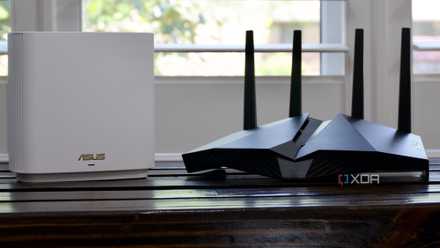
Here's why you should install a VPN on your router
Configure your router to run a VPN to easily protect and manage all the connected devices.
6 Your internet speed is all that matters
Even a high-speed connection can feel sluggish
The speed of your connection is just one part of the puzzle. Sure, you're more likely to avoid network slowdowns on, say, a 200Mbps connection than on a 50Mbps one when you're away from your router or using a VPN. But, even on a connection with blazing-fast connection speed, there are many occasions where you could feel like your social media apps are loading slowly or your messages are not being delivered as fast as they normally do.
This could happen due to a number of parameters, including network congestion, network interference, ISP throttling, network latency, or otherwise. Even if your network speed is strong, any of these factors could end up hurting your online experience, depending on your workflow or application. Sometimes, you can't even find anything wrong with a connection and still end up with a sub-par browsing experience.
It's not always easy to diagnose a slow connection, and you might just have to wait for it to get resolved on its own.

Does CPU affect download speed?
Wondering if your processor is the reason for your slow download speeds? Find out more here.
5 Unsafely ejecting USB devices can cause damage
This one is particularly resilient
Okay, even I have to admit that I believed in this myth for a long time. Clicking the little "Eject" option in the system tray on Windows always felt like I was behaving appropriately when it came to my USB devices. Little did I know that unless your USB drive was transferring data, there is no risk in simply pulling it out from the USB port without "ejecting it safely."
If you remove the USB drive during data transfer, there's an actual risk of corrupting the information on the drive, at which point you might not be able to access your data on the drive. It's not advisable if this is a relevant concern. You'll have to reformat the drive (erasing all the data on it) to make it work again. Plus, if you've enabled the "Better performance" policy for a particular USB drive, ejecting it safely becomes a must. But, in all other cases, it shouldn't be an issue and will not harm the drive itself.
Often, the safe eject option doesn't work and you're greeted with an error in the vein of "USB device can't be ejected." At that point, you'll need to remove the drive anyway to move on with your day. At least, now you can rest easy that doing this won't damage your USB drive.
4 Formatting a drive permanently erases data
It certainly seems that way
Formatting a drive only removes the references to the address tables on the drive. Your data still resides on it unless it's overwritten. Even though a formatted drive might look brand-new and "empty," your data could still be recovered using third-party tools. You can continue to use the full capacity of a formatted drive for storing new data, but that doesn't mean your old data has necessarily disappeared forever.
If you really want to be sure that no one can recover your deleted files from a drive for security purposes, you need to use wiping software to overwrite all your data in an irreversible way, usually by replacing existing data with random patterns of ones and zeroes. This makes it nearly impossible to recover any data from the drive. Note that data can still be recovered using highly advanced forensic methods, but these are outside the hands of most people.

How to recover deleted files in Windows 11
Accidentally deleted a file from your PC? Here's how you can recover files you've deleted on Windows 11 and 10.
3 Overnight charging damages your phone's battery
Simply not true anymore
This might have been true when mobile phones weren't as advanced as they are today. Modern phones have so many intelligent fail-safes built in that it has become hard to inadvertently damage their internal hardware. Many of us still believe that charging your phone beyond full capacity can hurt its battery. It's true that always keeping your phone charged to 100% can reduce the battery lifespan, but doing so occasionally won't hurt.
You might be relieved to know that it's perfectly safe to charge your phone overnight — if you're running dangerously low on battery and need to go to sleep, there's no need to worry about your phone's battery health. As long as you're not making a habit out of it, you can leave your phone on the charger and it will automatically cut off the charging when it detects a full charge (or a custom percentage set by you).
Many phones also support "trickle charge" whereby they automatically slow down the charging speed to gradually charge the phone to 100% over a longer duration. If you're still worried about charging your other devices at 100% charge, you can limit the battery charge to 80% for Windows laptops.

Best phones for battery life in 2024
These phones offer a sure-shot cure for battery anxiety
2 More bars mean a quality signal
We're all guilty of believing this one
The network bars displayed on your phone's screen do not directly translate to a better signal. They only give you a general idea of the signal strength of the primary band your phone is connected to. If you see all the network bars on your phone, then you're in an area good enough to receive a strong signal. However, the actual network performance depends on other factors as well.
The number of devices connected to a cell tower is one of the biggest factors. Besides that, network congestion, physical barriers, weather conditions, and competing signals can all impact the signal performance in a given area. This is why you may have noticed call drops, lack of voice clarity, or the absence of voice even on a connected call. It's also worth noting that you can even get an excellent signal on a single bar if your phone is using a secondary band that's not represented by the bars on the screen.
1 Macs don't get viruses
Apple users — we need to talk
While it's true that Windows computers have generally had more virus attacks compared to Macs, it can be argued that it's because there are simply more Windows computers out there than Macs and are targeted more often. No computer is immune from malware, as we've seen multiple times in the past. Even Macs can get infected with viruses. It's just a matter of when a user stops being careful or a Mac encounters a security error.
The myth that Apple devices don't get infected with viruses is misplaced, and frankly, detrimental to Apple users themselves. Every user should be cautious against browsing dangerous websites, opening suspicious links, and trusting unsecured networks, irrespective of their hardware manufacturer. Whether a Mac or PC, your device may come with some built-in protection against malware infections, but you need to ensure that user error doesn't end up being the culprit.
Stop believing outdated tech myths
Technology myths exist for a reason. People are legitimately concerned about harming their precious gadgets, or are confused about certain explanations of common tech phenomena. But, it's also important to remain curious and educate yourself about the technologies you use every day. It'll only make you a more informed user and help you make better tech decisions going forward.

Best of CES 2024: Our favorite products from the biggest tech show of the year
There was plenty of tech to love at CES 2024, but only a few products can be considered the best