
NotebookLM isn't yet another tool that can spit out a bunch of content for you or answer questions you'd rather not Google. Instead of finding information for you and helping you learn new stuff, NotebookLM helps you work with what you already know. For instance, if you have a lengthy research paper and don't have the energy to manually read it, you can convert it into an engaging AI-generated podcast. This essentially transforms a dry document into something you can listen to on the go.
Similarly, if you have a document that covers multiple concepts that are connected to each other, NotebookLM can turn that content into a clean, interactive mind map. It's one of the best ways to visualize relationships between ideas without having to manually piece everything together. It even surfaces connections between topics you might not have noticed yourself, even if you read the whole thing multiple times.
Given how much attention NotebookLM is getting lately, a bunch of competitors have started popping up. I tested out a bunch of them but noticed none of them offer a mind map feature. So, I decided to test out tools that are designed solely to generate NotebookLM-like mind maps.
3 MindMap AI
As you can probably tell from the tool's name itself, MindMap AI is built specifically for generating mind maps. Similar to NotebookLM, it can generate mind maps from various input formats like text and PDFs. It even takes things a step further by accepting images, audio, and video as sources.
MindMap AI's free tier comes with 100 free monthly AI credits. Converting text into mind maps requires between eight to ten AI credits, while longer conversations or complex file formats like PDFs require more. If you need more, you can upgrade to its Basic or Pro tier.
As soon as I opened MindMap AI, the first thing that came to my mind was, "Why is the interface so cluttered?" MindMap has an AI Copilot bot, and it was all up in my face the moment the dashboard loaded. Thankfully, the interface seemed a lot better and more user-friendly once I minimized the bot, until I realized... you can't create a mind map without the AI Copilot bot.
Unlike NotebookLM, MindMap AI isn't designed to solely build branching diagrams from your own sources. Instead, it tends to primarily generate mind maps from prompts you give directly to the AI Copilot. So, I asked it to generate a mind map I've explored a lot in a NotebookLM notebook of mine — a mind map about Object Oriented Programming. Of course, the one in NotebookLM was generated from lecture slides I had uploaded. The MindMap AI version, on the other hand, was based entirely on the prompt I gave it. The first iteration of the mind map was underwhelming. Its nodes all outlined essential terms, but the map felt like it lacked detail and read more like a generic overview.
The magic happened when I prompted the AI bot to add more detail to the mind map. It expanded the nodes with definitions, examples, and subtopics, and turned simple labels into something you could actually learn from. Right-clicking on a node gave you options like AI Expand, AI Summarize, and AI Focus Topic. What stood out to me was that you could add or remove nodes and customize the mind maps according to your needs. In NotebookLM, you have absolutely no control over Mind Maps and are basically stuck with what you get.
I did run out of the free credits for the month after generating just three mind maps, which was a bit disappointing. NotebookLM doesn't limit you on how many mind maps you generate, though it does have limits on how many notebooks you can create and how many sources you can add.
2 Algor Education
Algor Education is a full-fledged AI studying companion, and one of the features it offers is a dedicated AI Concept Map Generator. Once you've created an account, you'll see an Organize as a map feature under a Create with Algor heading. The next step here is to upload the content you'd like to convert into a "concept map."
Algor gives you four options: you can paste the content you'd like to convert into a mind map, upload a file, scan a QR code using your phone to take a photo or upload one from your device, or use a URL to a webpage or YouTube video. I decided to upload a PDF file, and one thing I wasn't a fan of was that I had to select each page I wanted to use. Though it was a document with just 25 pages, Algor only let me select eight of them to include in the mind map in the free version... which was disappointing.
I use NotebookLM's free version to create mind maps of super lengthy documents, and I’ve never had to worry about page limits or being forced to pick and choose parts of the source. Algor's mind map itself was quite good. Even though it only summarized content from eight pages, it was detailed. One thing I really liked was how colorful the mind map it generated was. The nodes in the mind map were all colored, and sub-nodes were neatly grouped with clear connectors.
Like MindMap AI, Algor lets you edit the nodes in the mind map and add more sub-nodes. You can also take it one step further and add images, videos, and audio to any node or sub-node, which I can see being helpful. Though I can see myself using the tool because of how much flexibility it offers and how detailed the mind map was, the free version being so limited is a bit of a dealbreaker.
I don't mind paying for subscriptions or premium features, but when there are other tools like NotebookLM that let you do more or less the same thing for free, it's hard to justify the switch. Still, if you’re willing to pay for the premium version, Algor definitely seems like a strong option for students who want vibrant, editable, multimedia-rich mind maps.
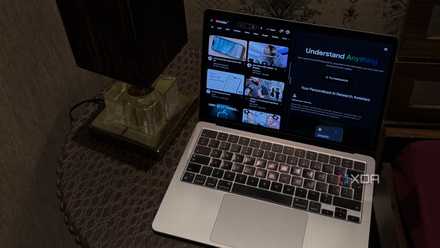
I don't 'Watch' YouTube videos anymore, I consume them using NotebookLM
NotebookLM just changed the way I YouTube.
1 Mapify
The last tool I decided to try out was Mapify, which can convert YouTube videos, PDFs/Docs, webpage URLs, and even podcasts and meeting recordings into mind maps. It claims it's powered by top AI chatbots like GPT and Gemini, and given that the latter powers NotebookLM, I had high expectations going in.
One aspect I really liked about Mapify is that it offers a free Chrome browser extension, which can instantly summarize content you're browsing into a mind map with just a single click. Out of all the tools I tested, Mapify had the best user interface. It was clean and minimal, and extremely easy to navigate.
There was a sidebar on the left, which included all the types of formats you could summarize as mind maps, like PDFs, Documents, eBooks, Image Files, Audio Files, and more. Unfortunately, you can't add multiple files at once, which means you can only generate a mind map from a single file. That’s kind of limiting. With Mapify, you're stuck working with one file at a time, which feels like a step back if you're trying to explore or cross-reference multiple materials at once.
Nonetheless, once you've uploaded your source, you need to hit the Mapify button, and a detailed mind map will be generated within seconds. Though I wasn't the biggest fan of the document icon placed smack in the middle of the mind map, I was impressed with the diagram itself. It was neat, easy to understand, and structured well. I also generated another mind map where I added a YouTube video as a source, and that one was incredibly detailed as well.
Like the tools above, you have the option to tweak the mind map afterward. If you have any questions about the mind map, there's a Chat with AI button at the bottom-right, which you can click to bring up an AI assistant. What made Mapify stand out from the rest is how you could convert the skeleton of the diagram. Instead of it being in a mind map format, you could change it to a logic chart, tree chart, timeline, fishbone, or grid. All your generated mind maps are saved in a My Maps section, which makes organization really easy.
Like the others, the free version of Mapify was extremely limited. Free users only seem to get 10 credits (one-time only), and I ran out of them just after generating two mind maps.
So, are these tools worth switching to?
All the tools I tested certianly have their advantages. But even then, I wouldn’t say any of them fully replace what NotebookLM offers, especially if you’re someone who likes uploading multiple documents and finding connections between them. Most of these tools either restrict you to a single source or lock key features behind a paywall. So, while I do think the tools above arr worth trying out alongside NotebookLM, I’m still sticking with NotebookLM as my go-to for now.