
When interacting with windows displayed on your monitor, you're using a Windows Manager (WM). All major operating systems have one, whether it's macOS or Windows. Many Linux distros will ship with a WM, depending on the Desktop Environment (DE). It's easier than you think to move between WMs on Linux, but that's the beauty of this open-source platform. You can customize just about any aspect of your PC. There are a few WMs available for Linux alone, many of which can be installed within a few minutes.
A DE and WM are different, however. The former is a combination of multiple software, including login screens, a WM, widgets, application designs, colors, and more. Essentially, it's everything that's part of the desktop. A WM, however, is simply the control and management of windows, which can be found as part of a DE or installed manually. This allows you to use a DE with a different WM. Here's a shortlist of WMs you should consider using on your Linux PC.
7 GNOME
It's better than you think
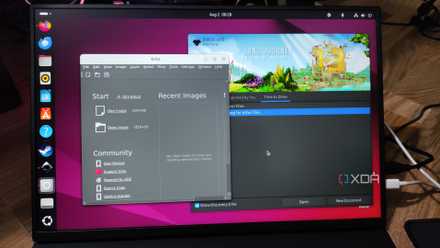
Okay, okay. I know. GNOME? The same DE preinstalled on many Linux-based distros? Yeah, that one. There's a reason why it's the go-to choice for developers, and that's because it's simple, elegant, and easy to use. Some excellent features allow you to work differently with your PC, be it a laptop or desktop system. This includes workspaces, which can be easily managed, and while it may not offer the unique functionality of a tile-based WM, GNOME has plenty of features and included packages to help you out.
Here's why it may be worth sticking to Gnome:
- Refined development with excellent stability.
- Works with the latest technologies, including Wayland.
- Found on many distros with superb community support.
- Fast, streamlined, yet powerful.
The best part about GNOME (and everything else about Linux) is its configurability and support for personalization. Prefer a tiled WM? You can transform GNOME into one with a few setting changes and packages to add some tile-focused functionality. You'll have keyboard shortcuts and improved tile support in no time, with all the added benefits of using GNOME as a foundation. Or, you can use GNOME as-is and learn the ropes to improve productivity. GNOME's a great place to start if you are moving from Windows.

These 7 Linux myths you still believe simply aren't true
Linux is a completely different beast than it was a decade ago.
6 KDE
Taking a different DE approach
KDE is an alternative to GNOME offered by many distros, including Fedora and Ubuntu. If you've only used GNOME and fancy something different without messing around with custom WMs, KDE would be a good next step on your Linux journey. It's not quite as stable as GNOME (at least in my experience), and it does things slightly differently with a traditional "Start menu" and such, but it's far more customizable without adding any packages, and you could whip up an aftermarket WM without much trouble.
You should consider KDE if:
- You want to customize your Linux desktop with ease.
- You want something different to GNOME, but not too dissimilar.
- You don't fancy going down the route of installing a WM alone.
KDE quickly became my go-to DE for my laptop over GNOME, as while I appreciated GNOME's advances in streamlining the desktop experience, I found KDE to be slightly more appealing to my personal needs. I preferred the Plasma Panel over the dock and didn't miss the top bar, though I do prefer having a menu bar over any type of dock, which is where other WMs in this collection come into play. Still, depending on my immediate requirements, KDE can be easily customized with just about anything on the market.

7 things you can do to make Linux look like macOS
Here's how you can configure Linux to mimic the macOS interface
5 I3
A back-to-basics WM for beginners (and experts)
You could learn to code and contribute to any WM project, but I3 actively encourages this through incredibly well-written code and documentation. It's not the flashiest of WMs, with fancy animations and colors all over the screen, but it can stay out of your way as you multitask with countless windows open. The primary focus is on manual control and making it easy for even beginners to switch from drito defaults. It's also configured using a single file instead of relying on programming languages.
Why you may consider using I3:
- It's incredibly well-written and documented.
- It uses XCB instead of Xlib.
- It can be easily customized.
- It allows for increased productivity.
Being a tiled WM, you'll find plenty of people using I3. It has a long history and some awesome available packages. If you're tired of using traditional window management in Linux DEs, Windows, and macOS, I3 would be a welcome change that could transform how you use your PC. And because I3 doesn't messa bout with unessary bloat, it's rapid for getting more done. If you're not ready to edit workspaces, screen locks, logging in and out, and other aspects of the DE, I3 is perfect, using the best of XFCE or MATE.

7 tools to make your Linux desktop look amazing
Make your desktop uniquely yours.
4
3 Awesome
It's better than awesome
This aptly named WM is fantastic for power users and developers. Awesome is also solid for everyday usage if you know what you're doing and don't mind spending some time getting everything set up. Supporting the Lua programming language, those of you accustomed to it can configure the WM to be extensively personalized. It's also fast, stable, and reliable, especially if you want to get much more done simultaneously. You won't need a mouse, can apply various themes, and is well supported by the established community.
Here's what makes Awesome ... awesome as a WM:
- Various ways of implementation with high customization.
- Excellent for power users and devs.
- Want to create your own DE? Go for it.
Just ensure you're ready to invest a considerable amount of time learning Lua and configuring Awesome to become the WM of your dreams.
2 Hyprland
Offering the best of both worlds
Hyprland is a Wayland-based Windows Manager (WM) that aims to create a new way to interact with content. Should you feel constrained using other WMs through Gnome, Hyprland may be just what you need to install and configure. It's easy to install, configure, and enjoy a tile-based environment for increased productivity. Not ready to get stuck in and make every part of the WM your own? There are preconfigured setups that can be applied to your system with a few commands.
Some neat features of Hyprland:
- It's highly customizable.
- It's easy to set up and use.
- It can be made to look gorgeous.
- It can improve your workflow.
As the name implies, Hyprland is based on Waland, unlike some others (including I3), which use X11. It's also a dynamic tiling WM instead of a manual one and will automatically position your windows as they open. It's worth playing around with both types to see which you prefer. A minor drawback of Hyprland is that it's still relatively new, so you could experience a bug or two, and the installation process may not be straightforward enough for everyone to follow, depending on the distro.

4 reasons why Hyprland is the best windows manager for Linux
Make Linux yours with Hyprland and the power of tiles.
1 Sway
A more modern I3 with Wayland
If you like how I3 manages windows but want to switch to Wayland, Sway has you covered. It's yet another tile-based WM, but it builds off of I3, supporting many of its features while adding some unique ones for good measure. If you have a configuration for I3 ready to go, you could even import it into Sway and continue using the Linux install as you would with I3. Windows management is handled through a combination of keys, like many other tile-based WMs.
Sway is great for those who:
- Wish to continue using simple configuration via plain text.
- Enjoy moving between windows using nothing but the keyboard.
- Want to dabble with gestures.
It's a powerful suite of tools and one relied on by many to be more productive and use something different than a mess of windows overlapping one another. The ability to automatically set up tiles on the screen is great for remaining productive without having to spend vital seconds moving windows around. You can even split windows into containers that can have multiple windows. Think of it as Window-ception. It's brilliant, secure, and worth checking out if you want Linux to look and act a little differently.
What Linux WM do you use?
I've listed a few viable options, but I'm interested in learning what you use on your Linux-based installations. Do you prefer to stick with the defaults shipped with Ubuntu and other distros, or do you prefer to make the installation your own with some heavy customizations, including a unique WM? I've been messing around with a bunch, but Hyprland seems to be one I'm leaning toward once it's developed a little further. Play with various WMs and DEs to find one that best matches your needs.
5 reasons I can’t go back to Windows after trying Linux
As weird as it may sound, Linux has more game-changing QoL features than Windows