
Summary
- Cable management support is crucial for a neat-looking PC setup, preventing a spider-web of wires from taking over your system.
- Front panel port selection and compatibility with other components are key factors to consider when choosing the right PC case.
- Sufficient dust filters and good airflow provisions are essential for maintaining optimal performance and longevity of your PC build.
PC cases are almost always the last priority when picking out the components for your next build. While it’s true that you should allocate most of your budget to graphics cards and processors, the cabinets that house these vital, pixel-pushing parts need plenty of careful consideration. And not just for the aesthetics either; the choice of your case heavily impacts the airflow and dust filtering provisions available to your rig. So, here are six things I pay close attention to when picking out a case.

Best PC cases in 2025
Your new PC deserves a shiny new case to live in, and we've rounded up the best options you can buy depending on what kind of rig you want.
6 Support for cable management
‘Cause nobody likes a messy-looking PC
Although PC building is surprisingly easy, routing all your cables without making your system look like a spider’s paradise requires a high level of expertise. Sure, fully modular PSUs can help in reducing cable clutter, but a good case can make the cable management process a lot smoother.
For instance, rubber grommets and cable channels can make it easy to route the larger wires from the PSU. Cases like the Asus ProArt PA602, which include built-in cable sleeves and covers, can help hide most of the cables. Likewise, cabinets with empty spaces near the PSU shroud provide another means to neatly tuck your cables.
5 Front panel port selection
Alongside longer USB 3.0 cables
Ask any audiophile about motherboard versus front panel audio ports, and they’d claim the former is almost always the better option. But when it comes to USB ports, there’s no denying that the slight performance difference on front-panel connections is a small price to pay for the added convenience.
I’ve also noticed that many cabinet manufacturers tend to make the USB 3 front cable rather short. Pair that with how most motherboards have the USB 3 header right at the bottom, and it’s highly likely that the cable may be just a millimeter short for you to plug it into the mobo.
4 Compatibility with other components
Gotta make sure the case fits everything else
While this may seem obvious, the dimensions of your case should correspond to the size of the other components, especially the motherboard. For instance, cases designed for smaller micro-ATX and mini-ITX mobos aren’t large enough for full-sized ATX boards. Likewise, shoving a mini-ITX into a full tower cabinet would just be a waste of money and performance.
That’s before you consider that the size of GPUs has gone up significantly over the past few years. Heck, the old cabinet I used to house my GTX 760 could barely fit my GTX 1080, even though the latter is only 21mm wider than my oldest GPU. When I purchased my current RTX 3080 Ti, I had to order a new cabinet to have some semblance of airflow without my 300+ mm-wide GPU taking up over half of the space.
3 Reusable PCIe expansion slot covers
To avoid gaping holes near the PCIe slots
When installing a graphics card, sound card, USB extender, or other peripherals on the PCIe slots, you’ll need to get rid of the expansion cover on the back of your cabinet. Unfortunately, some budget cases come with punch-out covers, which can’t be reattached afterward.
The result? You’ll have to spend additional money on a PCIe cover or contend with another opening that does nothing but increase the cabinet’s vulnerability to dust accumulation every time you need to unmount a PCIe accessory. This makes cabinets with replaceable expansion slot sleeves a better investment in the long run. And while we’re on the subject of dust…
2 Sufficient dust filters
Don’t let dirt and grime tarnish your PC’s performance
Heat may be the biggest nemesis of electronics, but there’s another adversary every PC builder has to deal with: dust. If you live in an especially dusty environment, then you’ll need to clean your system regularly or risk taking hits on the performance and aesthetics front.
As such, dust filters are incredibly handy, though they need to be placed appropriately to make a difference. Ideally, the cabinet of your choice should include dust filters near every fan that pulls air into your PC. Likewise, it’s a good idea to have another dust filter underneath the cabinet, where you mount the PSU and its intake fan.
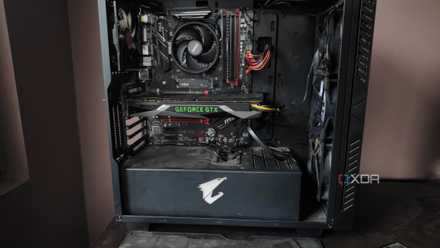
How to clean the dust out of your PC tower
Dust buildup is bad for your system, so you should regularly clean your PC tower to keep it free of dirt and grime
1 Good airflow and cooling provisions
To prevent your battlestation from self-destructing mid-gaming
PCs are notorious for generating a lot of heat, especially during demanding workloads like gaming and video editing. So, if you don’t want your PC to become an inferno in the middle of a gaming session, it’s a good idea to pick out a case with solid airflow provisions. For starters, perforated mesh front panels provide superior ventilation than those built from glass or plastic.
Next, it’s essential to make a note of the number and size of the fans that you can attach to the case. While it’s not a good idea to populate all the vacant vents on your cabinet with fans, cases with more fan vents are almost always better because they let you switch between different intake and exhaust fan layouts. Finally, if you’re a liquid cooling enthusiast like me, it’s better to check whether your cabinet supports open-loop cooling before ordering all the parts for your self-built water cooling block.

PC airflow guide: How to strategically set up your case fans
You'll need to set up proper airflow inside your PC case for optimal cooling. This guide will show you how.
Balancing aesthetics and functionality on your PC case
Those were some of the most important things I look out for when I purchase a new case for my PC, but there are just as many miscellaneous features that are worth considering. For instance, I have a (bad) habit of immediately installing the newest Linux distro that catches my eye. Thanks to that and my data-hoarding habits, I usually gravitate toward cases with plenty of drive bays.
All that said, aesthetics still play a vital role in your desk setup, and there are plenty of ways to turn your beloved case into eye candy. Heck, if you’re particularly daring, you can even test (read: torment) yourself by building a PC inside the equally cool and weird-looking Vetroo K1 Pangolin cabinet.