
One of the things that people oversimplify about self-hosting is how broad the notion is. Self-hosting a PDF viewer is miles away from self-hosting your own email server, for example. And just because you know how to deploy a Docker container doesn't mean you know how to manage a bare metal server.
In fact, there are a few things that will affect exactly what services you can self-host. While they're often glossed over, my time spent trying out different services has shown me that there are actually major limiting factors when you dive deeper into self-hosting.

Self-hosting is great, but I also see why people don't do it
Self-hosting isn't for the faint-hearted.
Your skill set and knowledge
These determine which services you can use
While coding knowledge isn't a prerequisite for self-hosting, it goes a long way towards making the process easier. There are challenges I encounter while self-hosting without coding experience, and the exposure this would have given me to networking concepts and command-line tools.
If you have strong IT and networking knowledge, as well as familiarity with the command line and the nuances of different computing platforms, you'll be able to self-host a lot more than someone who is new to these.
It's always possible to learn new skills and concepts, but it takes time. When I started self-hosting, I had never used Docker before and didn't even know that there were different virtual ports on my machine. But even with everything I've learned, I still encounter services I can't configure yet.
If you don't have pre-existing knowledge of certain computing and networking concepts, you can still take the time to learn, especially if you start with containers for self-hosting beginners. But the more complex a service is, the more skills you'll need to reliably implement it.

5 things I wish I knew before going all-in on self-hosting
Hosting your own services isn't all fun and games
Your budget and existing devices
Some investment is involved
While self-hosting is touted as a way to free you from subscription fees, it often comes with an upfront investment in hardware. You can reuse old laptops and computer parts for your home lab, or self-host on devices like your NAS, mini PC, or an SBC. But there usually comes a time when you have to upgrade these devices or invest in newer ones if you plan to self-host additional services.
I've mostly been using my old NAS and my main PC for self-hosting. But since my NAS has limited hardware resources, and I have a limited budget for upgrades, it has become a significant bottleneck in my self-hosting ambitions. I also learned the hard way what happens when you push your devices too far.
I will always recommend that you start with what you have, since you first want to decide if self-hosting is a fit for you. You don't want to buy a shiny new device only to end up deciding that self-hosting isn't worth the effort.
However, it is important to keep in mind that there will usually be costs involved if you want to self-host multiple, powerful services. For example, a platform like Immich has a minimum requirement of 4GB RAM, with a recommendation of 6GB RAM. Running it in a container on a machine with fewer resources can result in instability.
Meanwhile, for Home Assistant OS, a minimum of 2GB RAM is required. In isolation, this doesn't sound like much, but it adds up the more services you host.
Some people skip the hardware investment completely and choose to deploy software on a Virtual Private Server (VPS) instead. But these servers also come at a cost. You will also need to ensure you have a robust backup system in place for your self-hosted services, which may require you to invest in additional services and hardware.
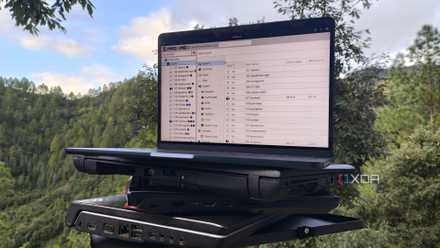
5 signs you need to upgrade your home lab
It might be time to grab some new hardware if you keep running into these snags
How much spare time do you have
Self-hosting is time-consuming
If you have both the skills and the budget to self-host, there's another thing that will still affect how much you can self-host: time. I know people who are fully capable of self-hosting and have the hardware needed, but don't do it because they simply don't have the time.
When you self-host something, you're in charge of troubleshooting, updating, maintaining, and backing up your services. There are ways to make self-hosting more convenient, but that often involves deploying more services and implementing additional automation. And they also come with their own caveats. For example, some users report that automated updates for their container images have broken or corrupted the services they use.
I always recommend taking it slow when it comes to self-hosting. Trying to do too much too quickly is one of the mistakes I've made in the past, and it has resulted in a lot of frustration. There are some services that are easy to deploy and configure, but many others that involve a lot of troubleshooting and bugs.
As a result, how much time you have to spend on self-hosting will have a major impact on what services you can set up and maintain.
There are different levels of self-hosting
Even if you have limited skills, budget, and time, this doesn't mean you have to rule out self-hosting completely. However, it will mean that you will have to manage your ambitions when it comes to hosting your own services.
I would start by identifying the type of self-hosted service that would give you the most reward, and then work towards that as a goal. Or simply try out a few smaller services to see if self-hosting is for you. But not everyone has the knowledge, time, or hardware to self-host every piece of software they use, and that's okay.