
A classic domestic nightmare is when your main router sits in the living room, but your home, office, or bedroom is a wireless dead zone where videos buffer and Zoom calls drop. When looking into solutions to the problem, you might come across mesh Wi-Fi systems. You read the glowing market reviews, go to Amazon, and drop $200 on a sleek 3-pack mesh Wi-Fi kit. The box promises thousands of square feet of seamless coverage and a perfect app setup. You plug a load of nodes in and see full signal bars on your phone everywhere, and you think you've won.
However, the reality check hits you pretty fast when you try to play an online game or hop on a video call from the bedroom. Your raw throughput numbers look okay on a basic speed test, but your ping spikes erratically, and your input latency is terrible, with packets dropping nonstop. Signal bars are a dangerous illusion. Mesh Wi-Fi networks solve range issues by introducing intense latency and throughput taxes. Before you drop a couple of hundred dollars on a consumer mesh kit, you need to understand the underlying network physics that hardware vendors hide in the footnotes.
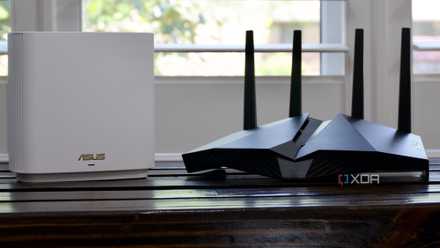
I replaced my mesh Wi-Fi with a single high-end router, and the results surpassed my expectations
Performance improvements were well worth the switch.
Your signal is always full bars
But it doesn't really feel like it
Reality number one is the signal bar illusion. The number-one rookie mistake when setting up your mesh Wi-Fi system is placing your mesh nodes where the signal is weak. If your bedroom has a weak Wi-Fi signal, your immediate instinct is to put a second mesh node in the bedroom itself.
However, this is an architectural disaster. If the bedroom node only receives a degraded, slow 1.5 signal from the primary base router at the minute, it can only repeat that exact slow stream. Your smartphone will probably show five bars of Wi-Fi because it has a strong local connection to the bedroom node, but your actual internet speed is crawling. The mesh node is just screaming a whisper.
To fix this issue, place the mesh nodes somewhere they can receive a high-quality signal and then repeat it. If you feel like you've got a dead zone in your home office, place your mesh node somewhere halfway between your router and your office so that you can hopefully repeat a high-quality signal rather than a degraded one.
The dual-band issue
Opt for tri-band instead
Another issue you might face is the half-duplex bandwidth cut. Most budget-to-mid-range 2-in-1 mesh kits are dual-band systems. This means they share a 5GHz radio band for both talking to your client devices (like your phone or laptop) and talking back to the main base station, which is often referred to as your wireless backhaul.
Because Wi-Fi radios operate on a half-duplex architecture, meaning they cannot transmit and receive on the same frequency at the exact same microsecond, the node has to constantly alternate tasks. It receives a data packet from your laptop, pauses, and forwards it to the router. This overhead instantly halves your potential bandwidth for every single wireless hop down the mesh chain.
When picking up your mesh Wi-Fi system, be sure to double-check if they're dual-band system or not. You can avoid this issue by opting for an alternative, but be prepared to fork out, as other architectures can cost you a whole lot of money.
Seamless roaming is a myth
Your devices are sticky clients
The seamless roaming promise can sometimes be a bit of a failure when installing a mesh Wi-Fi system. Mesh networks use IEEE protocols to theoretically steer your phone to the closest node as you walk through the house; however, your devices are likely quite indecisive, leading to roaming stagnation.
In the real world, your smartphone is a sticky client. If you walk from the living room to the kitchen, your phone will stubbornly cling to the distinct living room router down to its last breath before finally jumping to the kitchen node. During that transition, your connection is an unstable, lagging mess because the operating system's internal network card is frantically arguing with the mesh steering algorithm.
Even though your phone says it's got full bars, it might be connected to a node on the opposite side of the house and actually have very little connectivity, leading to your videos buffering and Zoom calls dropping.
Important settings are locked away
You need access to these features
Some mesh Wi-Fi networks have killed advanced tweaking, thanks to the app-only lockdown. Consumer mesh vendor apps, especially those like Nest, have extremely dumbed-down interfaces. To make the setup foolproof, they can clearly delete traditional local browser configuration pages. While this makes setup simple, it actually places handcuffs on so many enthusiasts.
Save on Routers & Mesh: Storage & Networking Deals
You can no longer separate your 2.4 GHz and 5 GHz bands into different SSIDs, you can't manually select clean wireless channels to avoid your neighbors' interference, and advanced features like custom DNS configurations or DHCP reservations are hidden behind paywalled subscription tiers.
Make sure you thoroughly research the mesh Wi-Fi system you're picking up to ensure it has all the advanced tweaking and settings you'd like. If you know that you're going to be working on configurations, then you have to ensure that you actually have the option to
Mesh Wi-Fi isn't going to solve all of your problems
Mainstream tech reviews pitch mesh Wi-Fi systems as a plug-and-play cure for all dead zones. Power users and enthusiasts know that mesh Wi-Fi networks are inherently compromised by the law of physics. Unless you understand radio attenuation, backhaul congestion, and node placement anomalies, throwing a $200 multi-pack of plastic nodes at a house can actually make your network latency, jitter, and throughput worse than a single high-end router.
Mesh Wi-Fi isn't magic networking wizardry. It's a structural trade-off that trades latency and raw speed for basic distance. Stop trusting the marketing stickers on the retail packaging. Before you waste $200 on an unconfigurable dual-band consumer mesh kit, rethink your node geometry.