
From keeping my private data away from the prying eyes of large corporations to stopping monthly subscriptions from bleeding my wallet out, I host services on local hardware for a variety of reasons. And having embarked on this journey months ago, I’ve ended up with an arsenal of neat utilities running on my local servers. However, there are a couple of services that I host simply because they make my life easier.
Paperless-ngx is one such tool that had me hooked the moment I read its description, and I’ve been using it to manage my documents for months. However, I recently came across Papra, an app that serves as a competent rival for Paperless-ngx – and here’s what I like (and dislike) about it.
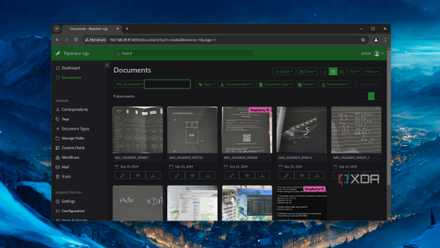
Simplify document management by hosting Paperless-ngx on your home lab
From a robust tagging system to solid OCR provisions, Paperless-ngx is the perfect tool for organizing documents
Why should you bother with self-hosting Papra?
A sleek UI for organizing documents
For the uninitiated, Papra and Paperless-ngx are document management platforms, where you can upload your receipts, bills, tax returns, and a host of other files and organize them as you see fit. However, Papra follows a different design philosophy than its rival: instead of offering numerous utilities spread across a simple yet detailed UI like Paperless-ngx, Papra houses a minimalist interface to help with your document-handling woes.
Despite its clean UI, Papra includes tons of useful facilities. Thanks to its full-text search, Papra can quickly pull your favorite documents just from the contents of the file. The support for multiple organizations is another neat trick up Papra’s sleeve, as it can help you segregate files from the documents uploaded by different users. Document tagging is another useful facility for organizing large chunks of files, and it can even assign tags to newly uploaded documents once you specify the right criteria. While we’re on this subject…
Plenty of automation features
I’ve gotten addicted to combining my self-hosted ecosystem with automation utilities lately. Luckily for me, Papra includes several automation provisions besides automatic tagging. With the intake email facility, Papra can import any documents sent to you as email attachments. If you’re anything like me, you’ve probably got multiple screenshots and images of your bills instead of their digital documents – and Papra is great at pulling text from JPEG, PNG, and other image files. Pair these two services with the auto-tagging support, and Papra takes away half the tedium of managing documents. Plus, it’s compatible with webhooks, so you can even pair it with n8n, Zapier, and other services for some truly wacky automations.
Deploying a Papra instance
I recommend creating a persistent volume
Another neat aspect of Papra is that it’s pretty easy to deploy if you’ve ever used Docker, Podman, or another container runtime in the past. For a rudimentary testing environment, you can execute the sudo docker run -d --name papra -p 1221:1221 ghcr.io/papra-hq/papra:latest command and type http://localhost:1221 into the web browser once Docker brings the container to life.
But since Papra is meant to serve as a document archival and management platform, you’ll want to set up a persistent volume for the utility. To do so, you can create a Docker Compose configuration file by executing the sudo nano docker-compose.yml command in the terminal. Once you’re inside, you can paste the code from the official Papra link. For an even simpler setup, you could go for a root container by replacing the image: ghcr.io/papra-hq/papra:latest line with image: ghcr.io/papra-hq/papra:latest-root and removing the user: "${UID}:${GID}" snippet. Just remember to add the actual path of the Papra folder instead of ./app-data under the volumes section.
Afterward, you can press Ctrl+X, followed by Y and Enter to exit the config file and run sudo docker compose -d to whip up the Papra container.
That said, Papra can’t replace Paperless-ngx yet
So far, I’ve only gone over the perks of Papra. While the developer’s efforts are absolutely worth praising, I can’t consider this article complete if I don’t talk about the key features that are absent from Papra. Currently, the app doesn’t offer any means to share files with others, and the auto-tagging provisions are still a bit lacking compared to Paperless-ngx. It doesn’t have a mobile app either, meaning you’ll have to rely on the browser app for all your document management tasks.
I wouldn’t go so far as to say that Papra has replaced Paperless-ngx for me, but I’ve grown fond of it after using it for a while. Its sleek UI, alongside a plethora of document-organizing features, makes it a formidable alternative for folks who want a more minimalist app to keep track of their receipts, invoices, and bills, and I can’t wait to see how it turns out after a few updates.
I self-host these 5 apps to manage my finances
These neat services keep my wallet nice and happy