
When it comes to local LLMs, we have been told that if you aren’t packing a high-end GPU with a massive pool of VRAM, you are stuck with sluggish response times or ‘out of memory’ errors.
I spent weeks eyeing expensive hardware upgrades as I was convinced that my standard setup was a lost cause for serious AI work. But everything changed when I stopped chasing raw parameter counts and started looking at lean, optimized models.
And then I came across Google’s recently released Gemma 4 models and decided to give it a shot via the LM Studio.
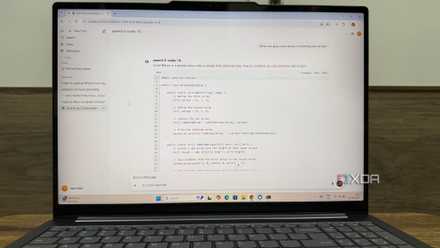
Exploring Gemma 4 models
The latest offerings from Google
I have spent the last few days diving into Google’s newest release, and I have to say: Gemma 4 is impressive for anyone who values local AI. Google released it this week (April 2, 2026), and you can already try it with tools like LM Studio.
It’s built on the same architecture (frontier-level) as Gemini 3, but it’s designed to run on the hardware I already own. The search giant has done an excellent job with family structure. The company has released four sizes for specific hardware.
For instance, E2B (Effective 2B) is focused on speed. It requires only 1.5GB of RAM and can even run on lightweight devices like Raspberry Pi or older phones.
E4B is a smart mobile model that doubles the power of E2B but still stays light. And if you have decent hardware, you can try the 26B A4B model that only activates about 4 billion (from 26 billion total parameters) at any given time.
The idea is to deliver the intelligence of a massive model with excellent speeds. And finally, 31B is the flagship of the open family. Let’s check them in action.
My real-life experience with Gemma 4 models
Eye-opening adventure
My journey into the Gemma 4 ecosystem didn’t start with the lightweight models — I actually went straight for the heavy hitter: 26B A4B. On paper, it promises the power of a large model in efficiency.
However, for my Windows device, the performance hit was real. I ran into significant lag. Then, I tried Gemma 4 E4B, and that was the best of both worlds. It felt like I had finally found the sweet spot where efficiency meets high-level intelligence.
Here is how it handled my daily workflow. It drafted complex emails with a professional touch that felt human (not bot-like). When I threw some logic puzzles and brain teasers at it, it solved them with the precision I expected from much larger models.
I even uploaded a messy, multi-page travel itinerary PDF and started grilling it. I asked specific questions like ‘What are the specific travel insurance requirements for this trip?’ and ‘Is alcohol allowed in the travel van?’
It didn’t just find text, it understood the context. It gave me astute, accurate answers almost instantly. It almost feels like a local NotebookLM. I didn’t run into any spinning wheels or out-of-memory errors.
The fact that this model supports RAG and native vision so seamlessly is mind-blowing. If you are struggling with the larger models, don’t give up on local AI – just try the E4B.

I started self-hosting LLMs and absolutely loved it
Who needs OpenAI when your home lab can do the thinking for you?
The supporting cast
Honorable mentions
While my personal favorite for daily tasks became the Gemma 4 E4B, there are two other heavy hitters that deserve an honorable mention. If you have a bit more RAM to spare, these are the ones to watch.
Qwen 2.5 Coder 32B is the gold standard for local coding. Even though it’s a 32B model, it’s well-optimized for code generation, repair, and reasoning.
It’s a flagship-level experience that you can still run on a 32GB RAM system without a GPU. It doesn’t just write code; it understands complex execution logic and can be the perfect local replacement for expensive, cloud-based coding assistants.
Microsoft’s Phi-4 Reasoning Plus is a 14B parameter powerhouse that punches way above its weight class. Despite its small size, it handles my complex queries in style.
It’s the model you turn to when you have a problem that requires pure, cold logic, rather than just creative writing.
You don’t necessarily need to stick with a single model only. It’s about finding the right specialist for the job. I would recommend starting with the Gemma 4 model, and if it doesn’t work for you, go with Qwen or Microsoft Phi.
Breaking the GPU dependency
Overall, the most powerful AI isn’t necessarily the one running on a $2000 GPU; it’s the one you actually use, iterate on, and integrate into your daily workflow without friction.
Finding that lean sweet spot reminded me that local LLMs are entering a new era where efficiency is the new benchmark.
So, before you click buy on that hardware upgrade, try downsizing your model. After all, your current hardware is likely an AI powerhouse waiting for the right software to wake up.
If you are still not convinced about local LLMs, check out these obvious advantages of using them over cloud AI.